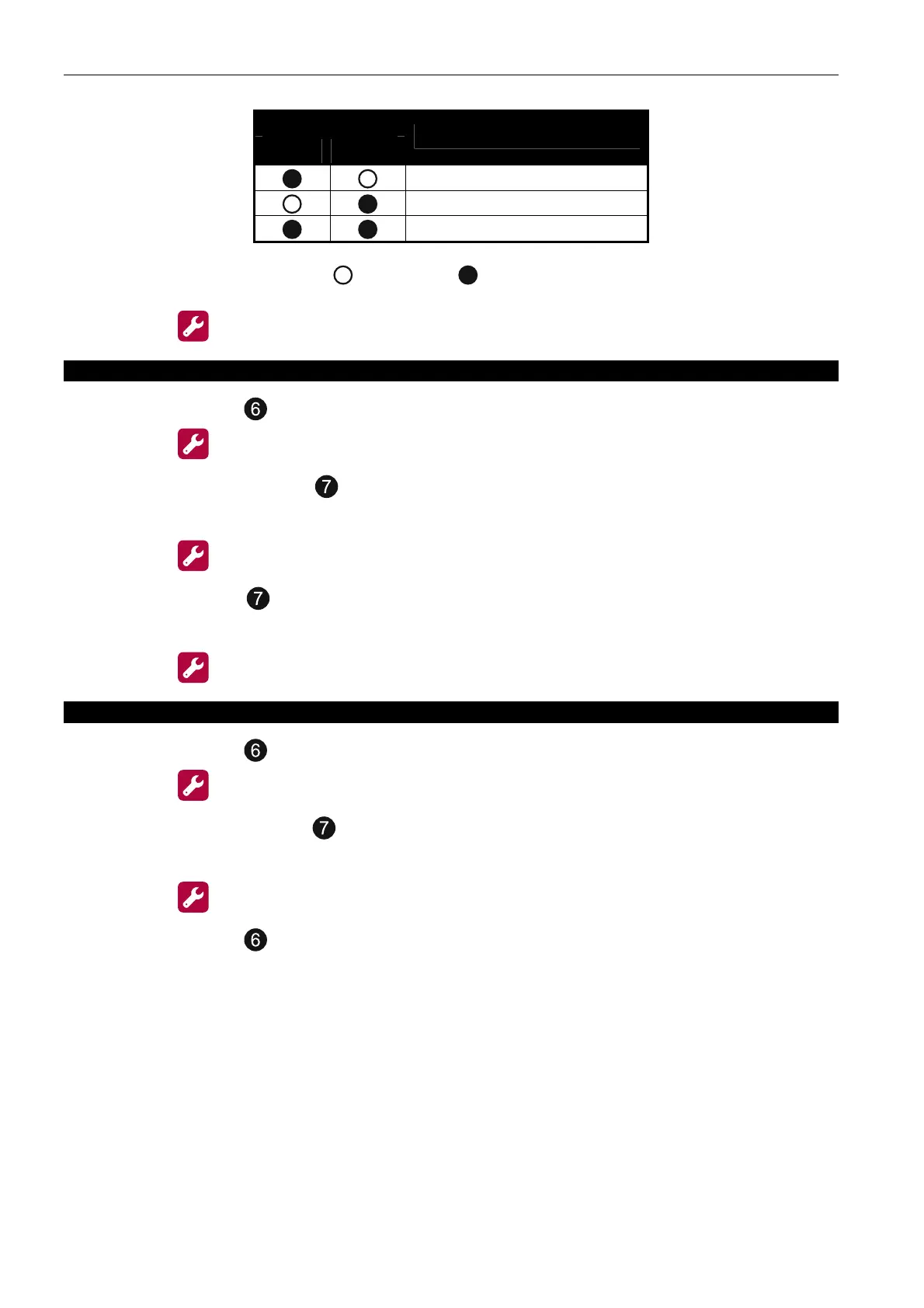
30 CSP-204 ● CSP-208 ● CSP-104 ● CSP-108 SATEL
LED number
1 2
Dependency
independent
type A dependency
type B dependency
Table 2. Presentation of dependencies using the LEDs
( - LED OFF; - LED ON).
6. Press the button to save the changes made.
3. Indicating the dependent zones
1. Using the buttons , select the function 3 (see: Table 1, p. 29).
2. Press the button.
3. Press one of the buttons
to select the zone for which the dependent zones will be
programmed.
4. Press the
button.
5. Using the buttons indicate the dependent zones. The ON LED indicates that the zone
with the given number is a dependent zone.
6. Press the button to save the changes made.
4. Programming the output type for relay outputs
1. Using the buttons , select the function 4 (see: Table 1, p. 29).
2. Press the button.
3. Press one of the buttons
to select the relay output for which the output type will be
programmed.
4. Press the
button.
5. Using the buttons , specify the output type.



 To Next Page