SATEL-EASy+
User guide
Version 1.33
77
16.2 Wiring
NOTE!
When installing the cables of the serial interface, it is recommended to switch off operating
voltage of all devices is off (POWER OFF condition).
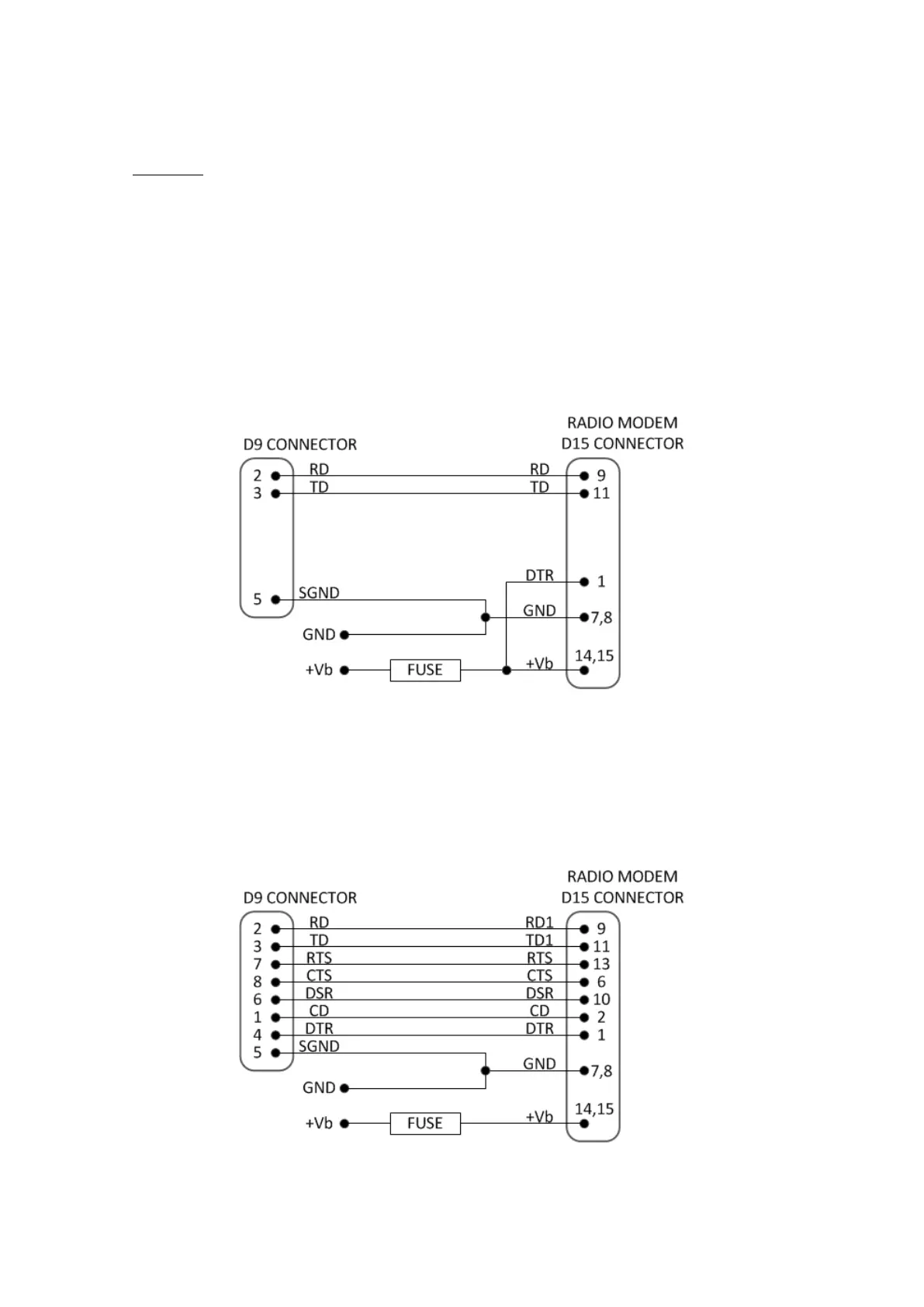
16.2.1 RS-232 wiring - Port1 without handshaking
The simplest connection to PC serial port (RS-232) is depicted in the schematic below.
Note: DTR is not needed to be connected
FUSE = 2 A slow
16.2.2 RS-232 wiring - Port1 and handshaking signals connected
A typical connection between the Port 1 of the radio modem and the PC serial port (RS-232)
using the handshaking signals is depicted in the schematic below.
FUSE = 2 A slow



 To Next Page