SATEL-EASy+
User guide
Version 1.33
58
12 CHANNEL LIST
A list of predefined radio channels can be stored in the memory in order to change the radio
settings simply by switching between the channels.
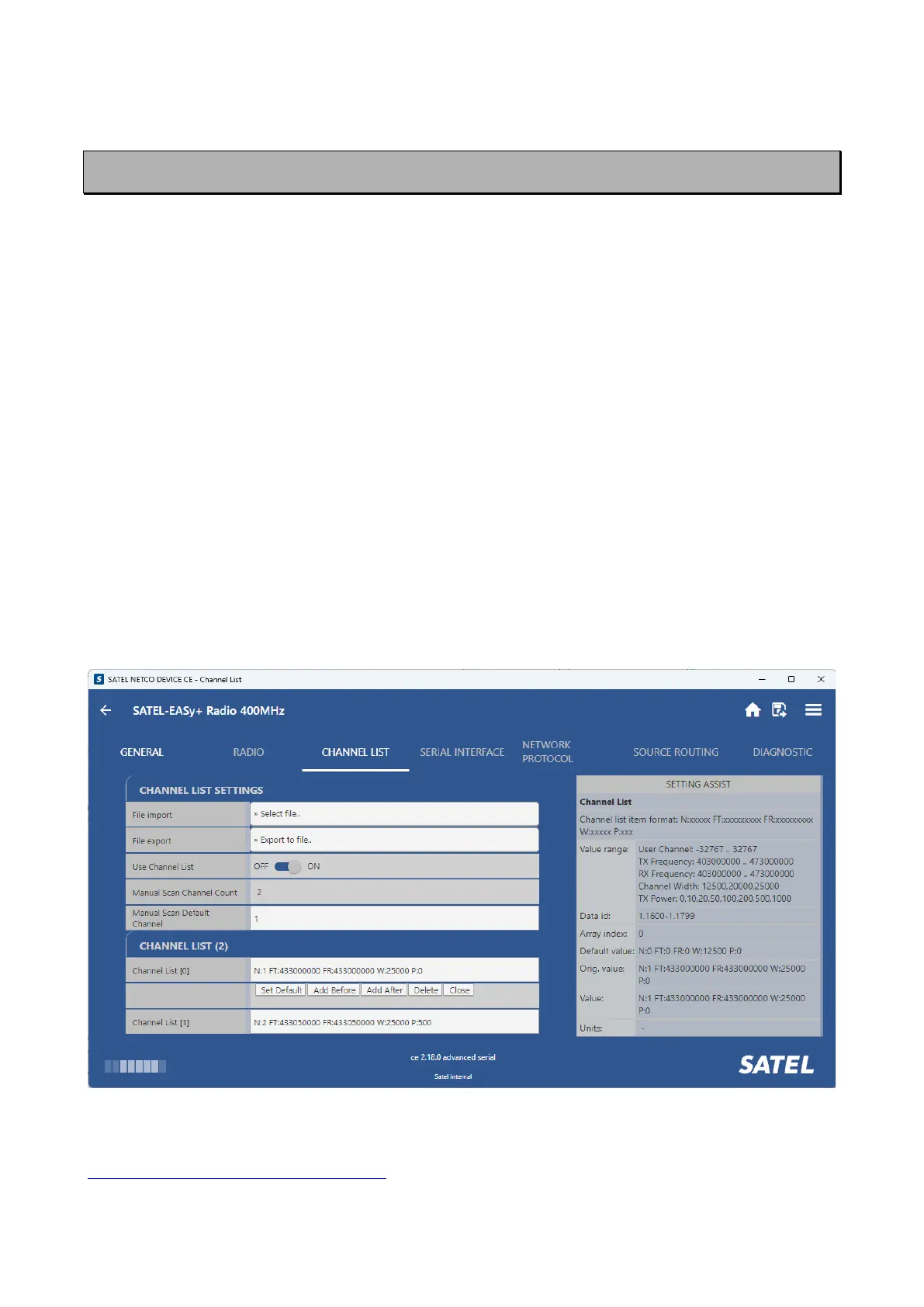
Channel lists can be created and utilized by using either SATEL NETCO DEVICE software tool or
SL commands. It is possible to user the Channel List -feature in relations to “LCD Mode” options
in the devices that are equipped with LCD user interface. Please see chapter “Display and push
buttons” for additional information. After Channel List is enabled and channel set defined, it is
possible to configure radio parameters via LCD UI & function buttons only according to the pre-
set Channel List frequencies and channel spacing (and possible TX Power limitations).
Each “Channel List” channel carries the following info:
• Channel number. Unique number for each channel (-32767...32767)
• Transmitter/Receiver frequency
• Channel width (12.5, 20 or 25 kHz)
• Transmitter power level (Max. TX power level, optional)
Additionally, the default channel that the radio modem uses after a reset is defined.
Up to 40 channels can be defined.
SATEL NETCO DEVICE software provides Channel List parameters (snapshot below) for creating
and saving a channel list into the radio modem, or in a file for later usage.
Entering to the Channel List -feature parameters require elevated access level to software tool.
Please contact SATEL or local SATEL distributor for additional information:
https://www.satel.com/where-to-buy/.



 To Next Page