8 PERFECTA SATEL
The keypad displays the following messages (the higher position on the list, the higher the
priority):
alarm,
countdown of entry delay,
countdown of exit delay,
alarm memory.
Messages about alarm and alarm memory will not be displayed, if the GRADE 2 option
is enabled by the installer.
6.1.3 Keys
The keys bearing digits and letters enable entering the code, as well as data when the
keypad is being used.
Other functions of these keys and the basic function of the other keys are described below.
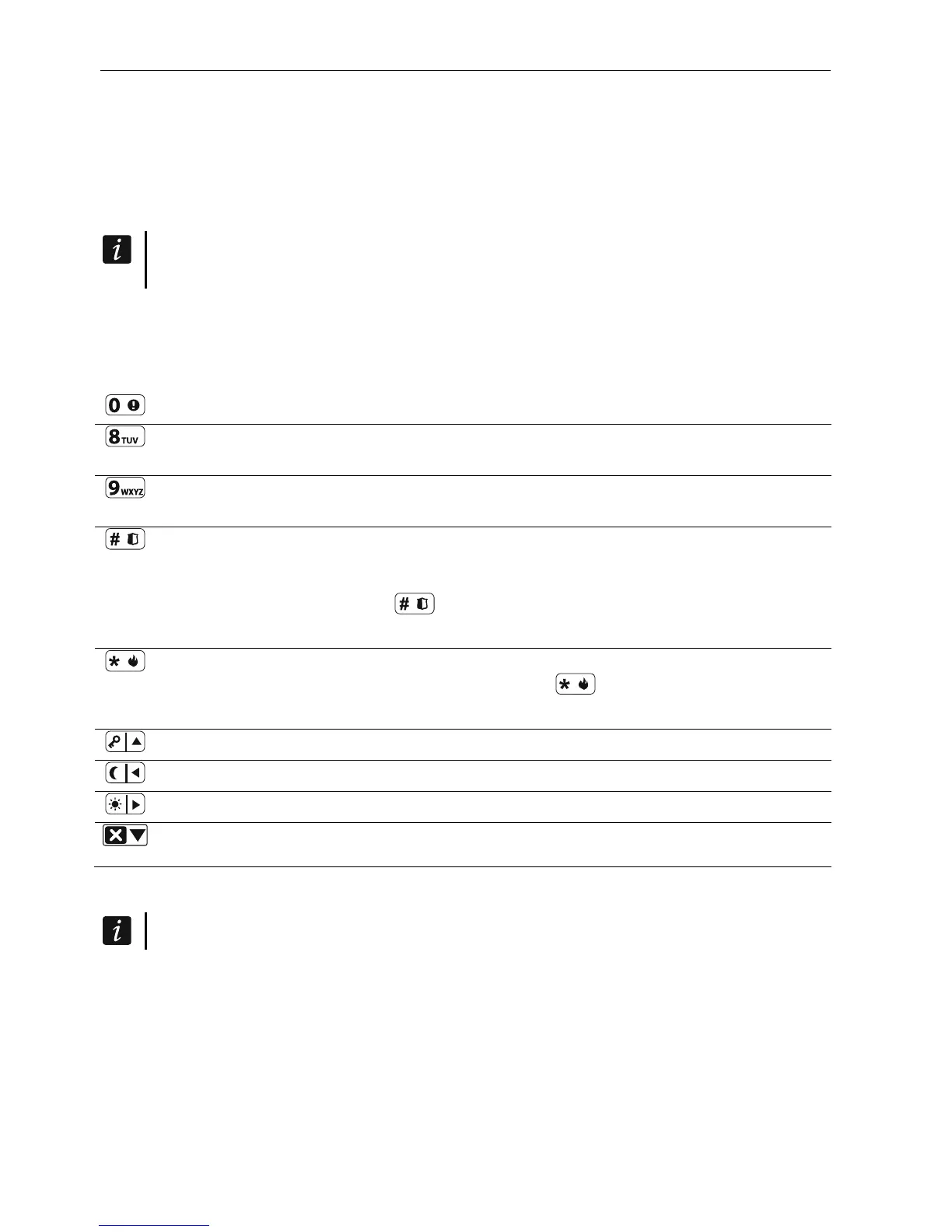
allows to trigger the medical (aux) alarm (press and hold down for 3 seconds)
allows to turn on/off the CHIME signal in the keypad (press and hold down for
3 seconds)
allows to toggle the LCD keypad display between the normal mode and the zone
state presentation mode (press and hold down for 3 seconds)
allows to:
arm in the full mode [if the system is disarmed and there is no alarm] or disarm
the system and clear the alarm [if the system is armed and/or there is an alarm]
(enter the code and press )
trigger the panic alarm (press and hold down for 3 seconds)
allows to:
open the user menu (enter the code and press )
trigger the fire alarm (press and hold down for 3 seconds)
allows to arm in the full mode (see “Arming”)
allows to arm in the night mode (see “Arming”)
allows to arm in the day mode (see “Arming”)
allows to disarm the system and clear the alarm (see “Disarming and alarm
clearing”)
6.1.4 Sound signaling
The installer can disable the sound signaling.
Beeps generated when operating
1 short beep – pressing any number key.
3 short beeps – confirmation of:
– starting the arming procedure (there is exit delay in the partition) or arming (there is no
exit delay in the partition),
– disarming and/or alarm clearing,
– selecting the partition which is to be armed or disarmed, or where alarm is to be cleared
– in such a case the keypad is waiting for the code to be entered,
– turning output off,













 To Next Page