6 PERFECTA SATEL
6. Keypads
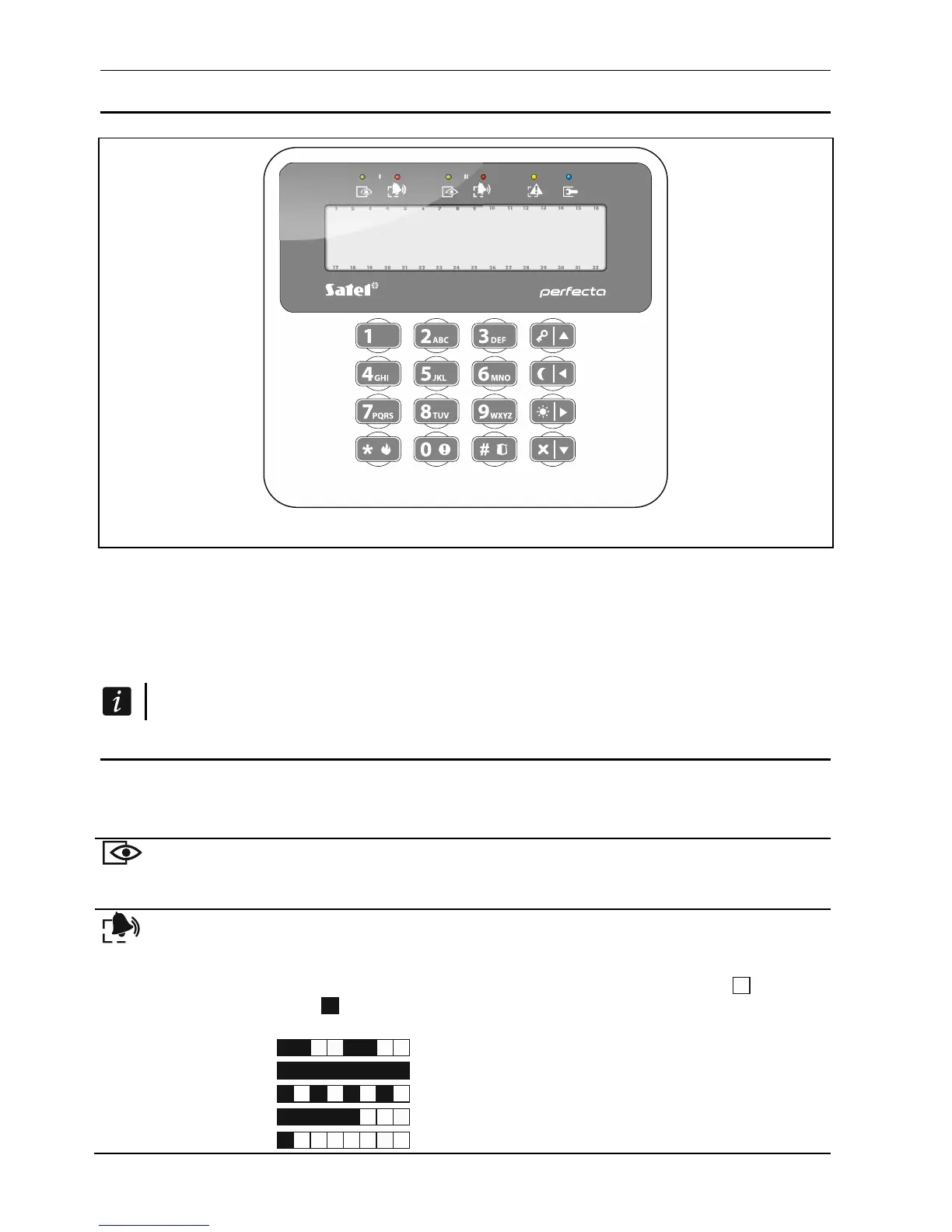
Fig. 1. PRF-LCD / PRF-LCD-WRL keypad.
You can operate the alarm control panel by using a wired keypad (PRF-LCD) or a wireless
keypad (PRF-LCD-WRL – which is supported by the PERFECTA 16-WRL and
PERFECTA 32-WRL control panels). Response of the wired keypad to the user's actions is
faster than that of the wireless one. If the wireless keypad is not in use for 20 seconds, it
enters inactive mode. In the inactive mode, the display is off, while the backlighting, LED
signaling and audible signaling are disabled.
The alarm system should include at least one keypad.
6.1 Keypads description
6.1.1 LEDs presenting partition and system state
LED Color Description
green indicates the partition state (each partition has its own LED)
ON – partition is armed
blinking – exit delay countdown is running in partition
red indicates alarm or alarm memory in the partition (each partition has its
own LED)
The way of presenting the information is shown graphically below.
The information is presented for 2 seconds and repeated ( – LED is
OFF; – LED is ON). The higher position in the list means the higher
priority of the presented status:
– fire alarm,
–
burglary / panic alarm,
– warning alarm,
– tamper alarm,
– fire alarm memory,













 To Next Page