Chapter 2: Scanner Basics
Scanner Components
Operator’s Guide 19
• Flashing Green: Waiting/power saver mode/
scanning/busy.
• Steady Red: Scanner error (such as the scanner is
not connected to the host computer or the
scanner cover is open).
NOTE:
The Start Button, Scroll Button and Function
Window are used with the Click&Scan functionality.
6. Start Button — Launches the selected application
that is associated with the displayed number in the
function window.
7. Scroll Button — Allows you to select or scroll
through predefined functions or applications for
scanning.
8. Function Window — Displays 0 through 9. These
numbers correspond to a predefined function of your
choice. An error number will be displayed if an error is
encountered (indicated by a red LED indicator).
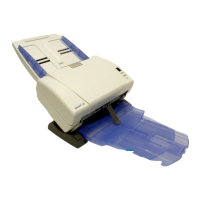
9. Input Tray — Holds up to 40 documents (24 lb./75
g/m
2
) in place.


 To Next Page