Chapter 2: Scanner Basics
Scanning Your Documents
36 Scantron
i
NSIGHT 20 Scanner
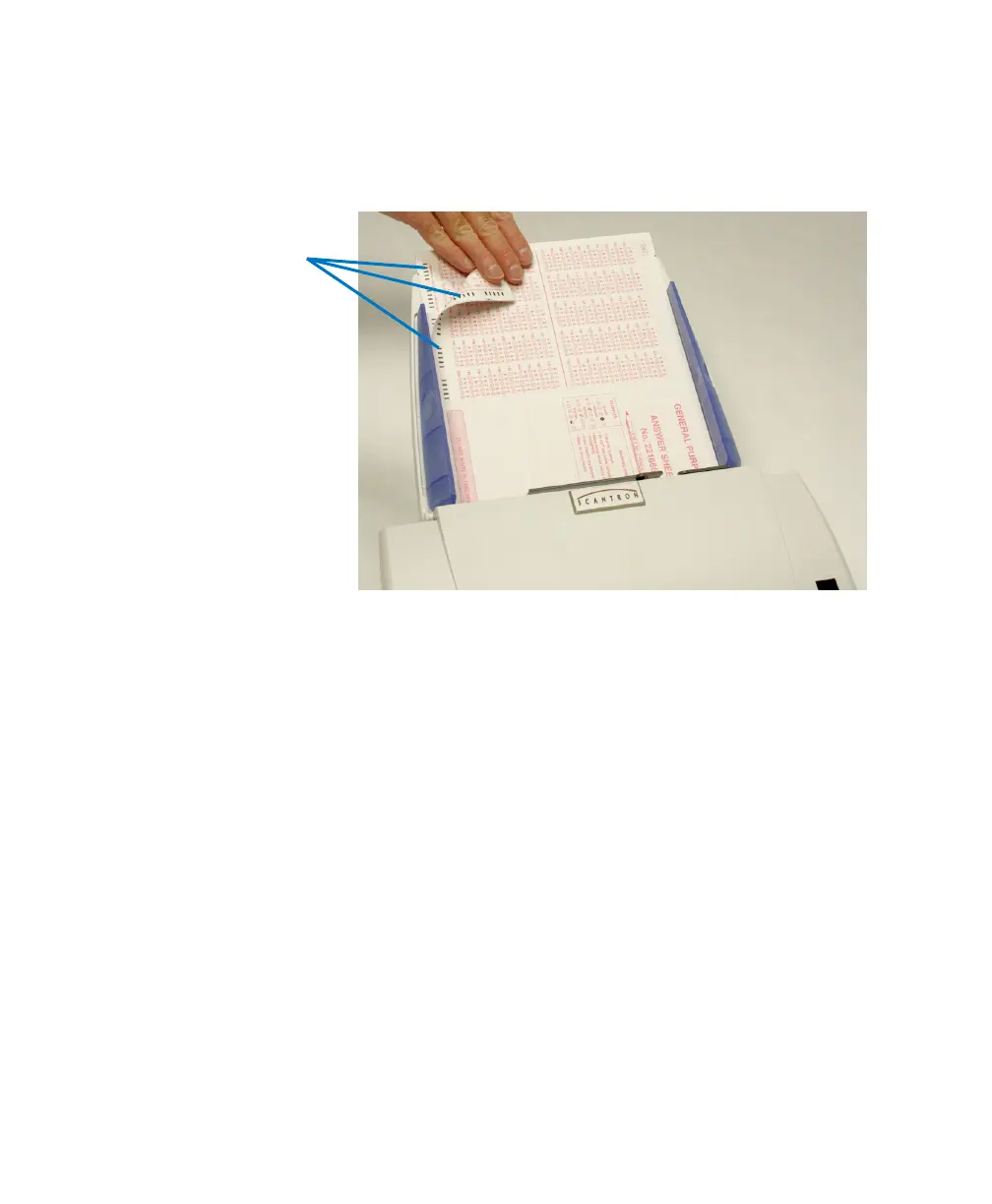
NOTE:
For
data collection
, ensure that the timing
marks (both front and back of sheet) are on the
left side when you are facing the Scantron logo.
4. Adjust the input tray side guides.
5. Adjust the output tray position, if necessary.
6. Pull out the output tray extender, if necessary.
7. Start scanning.
Single Feeding
Follow the guidelines for document size, type, weight,
quantity, etc. Position the document face down with the
leading edge centered in the automatic document feeder,
adjust the input tray side guides if necessary, then start
scanning.



 To Next Page