Chapter 2: Scanner Basics
Scanner Components
Operator’s Guide 21
7. Gap Release Lever — Allows you to manually adjust
the space between the feed module and separation
module for documents that require special handling.
8. Rollers — Provide smooth document feeding.
9. Ultrasonic Multi-feed Detection Sensor — Uses
sound waves to detect multi-feeds.
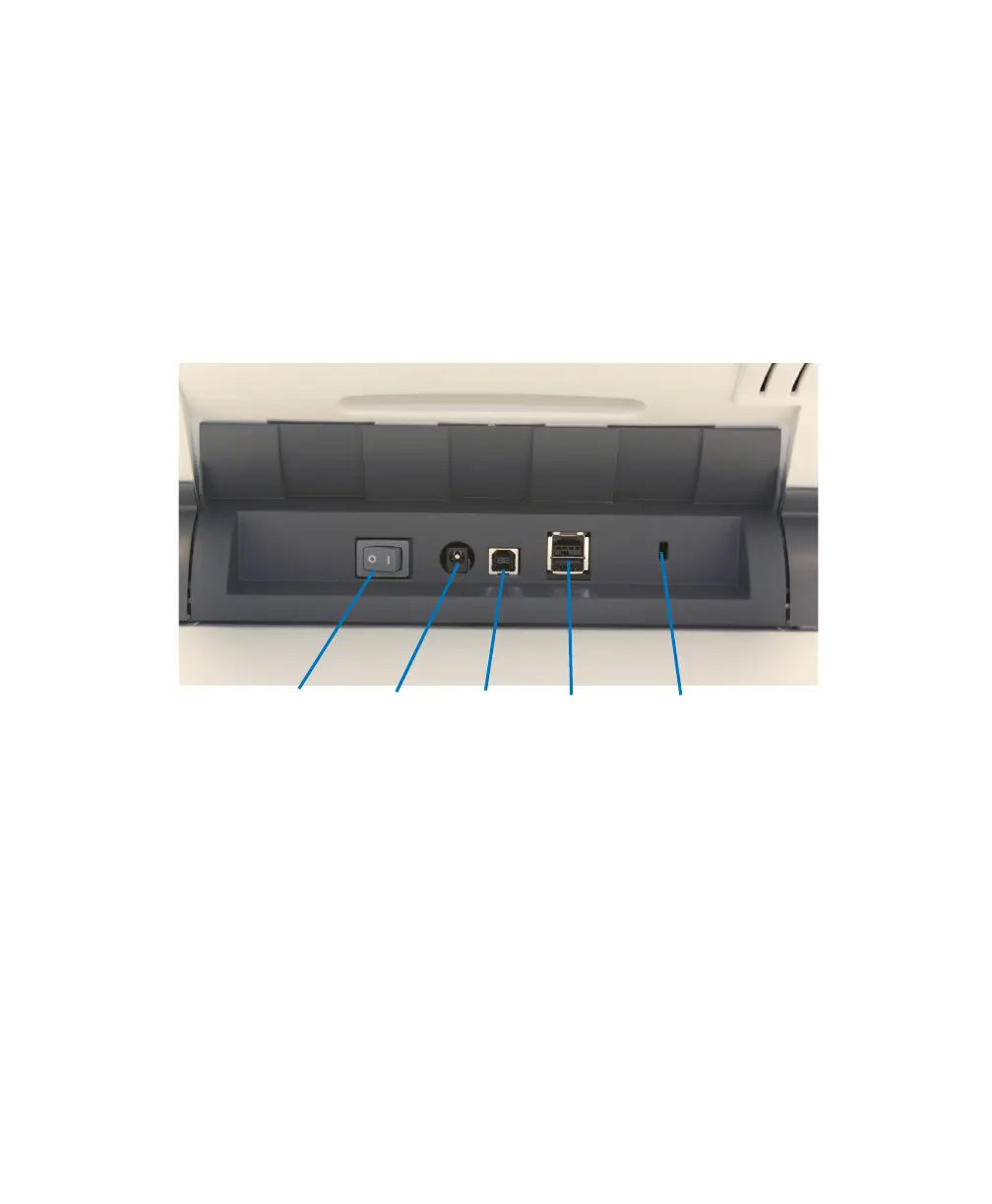
Back View
1. Power Switch — Turns the scanner on and off.
2. Power Port — Connects the power cord to the
scanner.
3. USB Port — Connects the scanner to the PC.
4. Not Used
5. Security Lock Port — Connects a security lock to
the scanner.



 To Next Page