Chapter 3: Installation
Updating the iNSIGHT 20 and iNSIGHT 30 Drivers and Scanner Utilities Software
78 Scantron
i
NSIGHT 20 Scanner
Updating the
i
NSIGHT 20 and
i
NSIGHT 30 Drivers and
Scanner Utilities Software
CAUTION:
It is important to turn the scanner off during the
software update because the new firmware is loaded
into the scanner upon power up. Failure to turn off
the scanner during the update will result in the old
firmware remaining resident in the scanner.
To update the iNSIGHT 20 and iNSIGHT 30 Drivers and
Scanner Utilities software use the following procedure:
1. Insert the iNSIGHT 20 and iNSIGHT 30 Drivers and
Utilities CD into the CD-ROM drive of the host
computer. The setup program starts automatically.
NOTE:
If the CD does not start automatically, select
StartRun from the Windows desktop. Browse
to the CD-ROM drive, then double-click on
setup.exe.
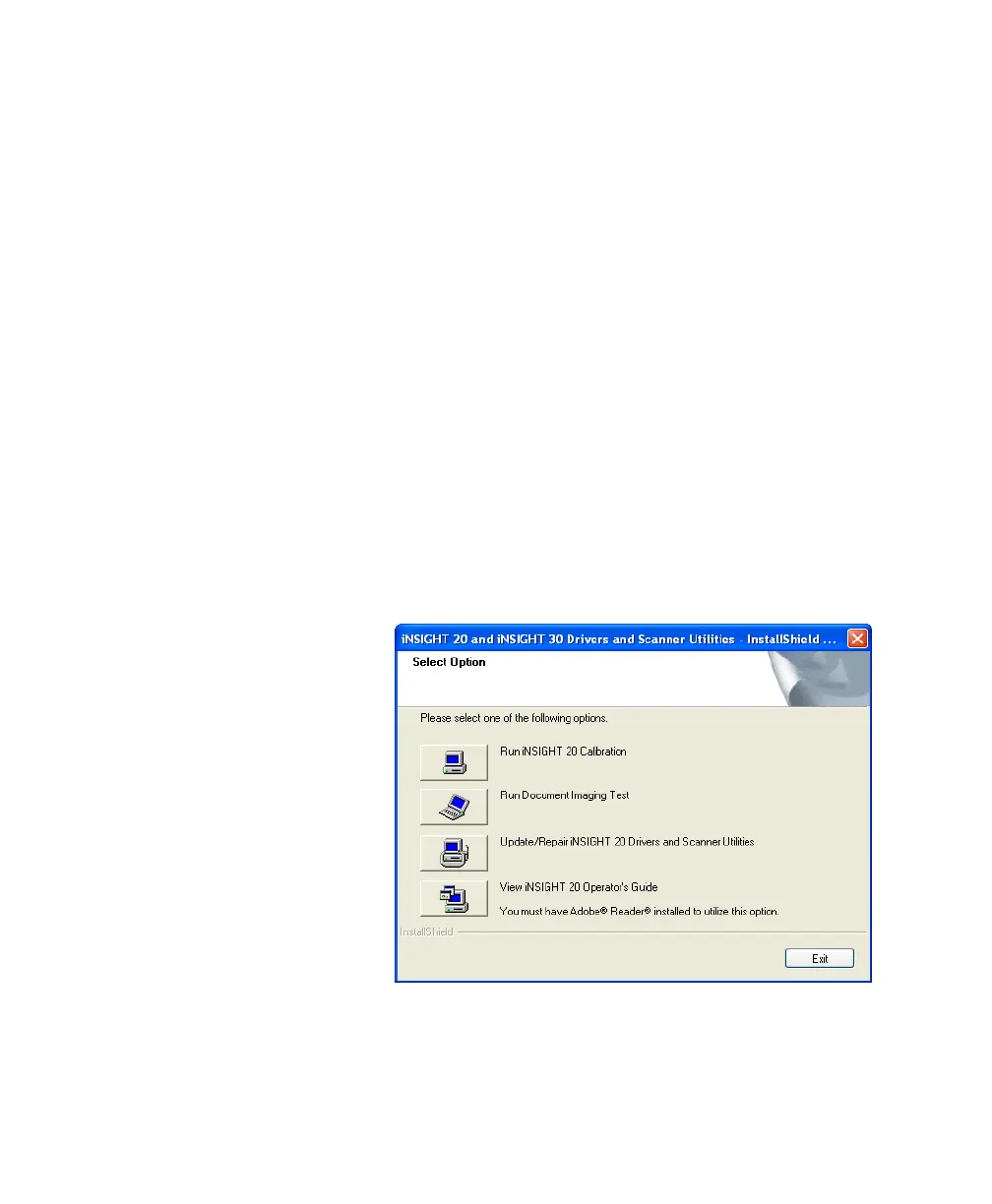
The Select Option dialog box appears.
NOTE:
If you uninstalled the software prior to
performing the update, a complete re-installation
will be performed. See “Installing the iNSIGHT



 To Next Page