Chapter 3: Installation
Attaching the Output Tray and Output Tray Extender
46 Scantron
i
NSIGHT 20 Scanner
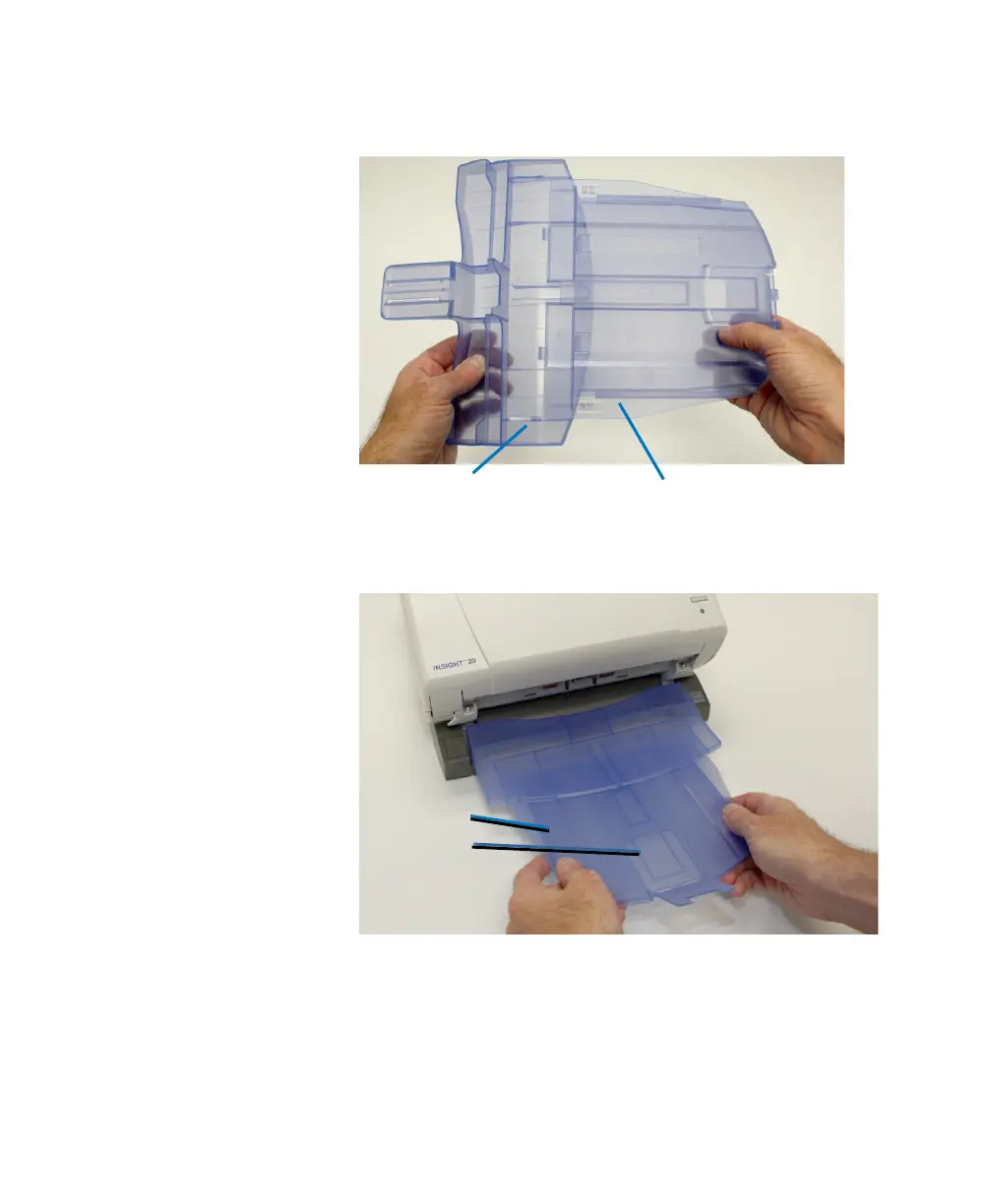
1. Turn the output tray over and slide the output tray
extender along the rail of the output tray.
2. Turn the output tray with extender right-side up and
slide it under the scanner until it locks into place.
IMPORTANT:
Notice that the output tray extender is
comprised of two pieces (a top and a bottom).
For best results, slide the bottom piece out so that
the entire length of the output tray assembly is a
little longer than the sheets you are scanning.
Output Tray Extender
Output Tray



 To Next Page