Chapter 3: Installation
Installing the iNSIGHT 20 and iNSIGHT 30 Drivers and Scanner Utilities Software
54 Scantron
i
NSIGHT 20 Scanner
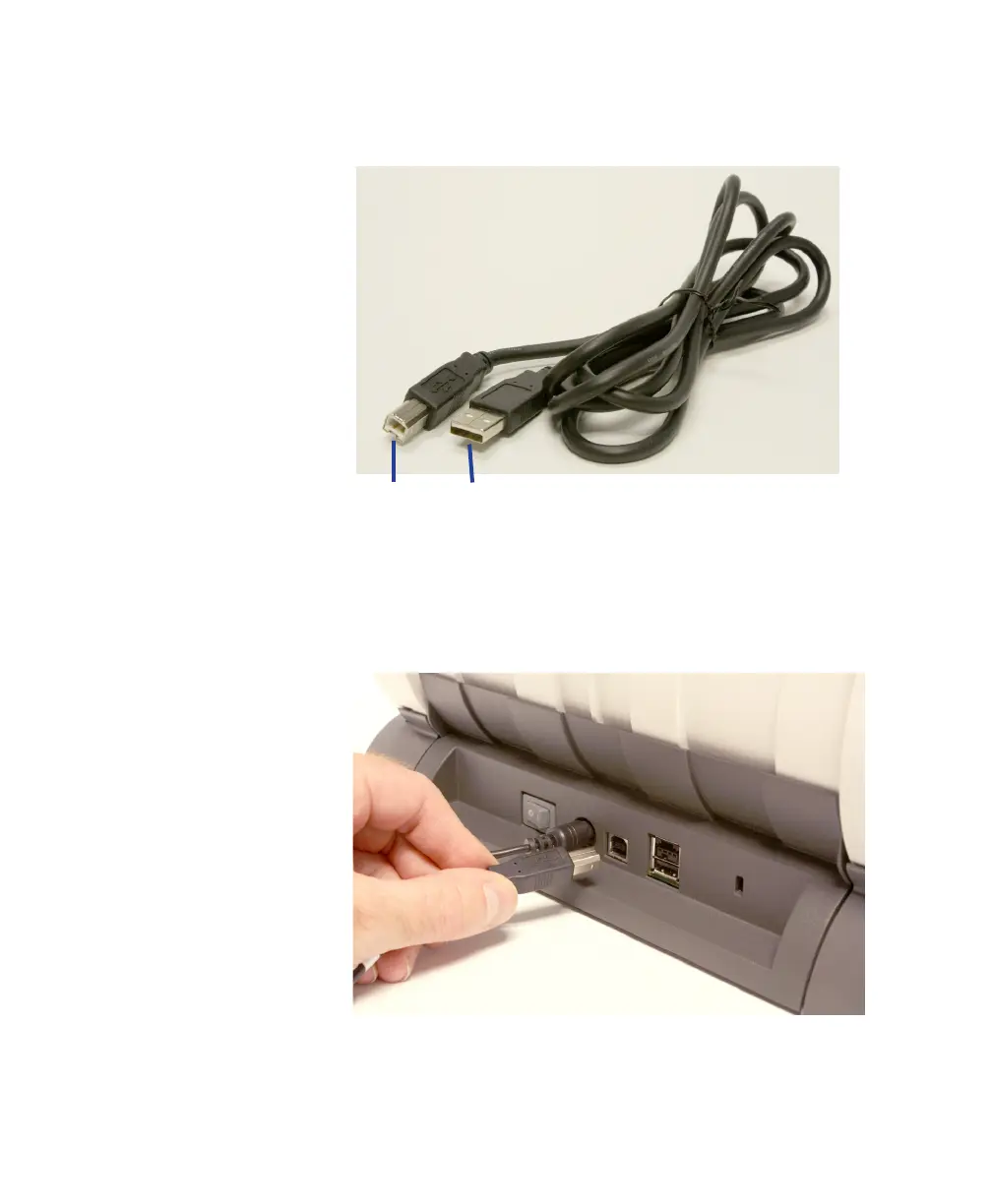
The USB cable supplied with your scanner has two
different ends.
1. Attach the B end of the USB cable to the scanner USB
port, located on the back of the scanner.
IMPORTANT:
The USB port may be covered by a
sticker. Remove the sticker to access the port.
2. Attach the A end of the USB cable to an open high
speed USB 2.0 port on your PC.



 To Next Page