EasyManua.ls Logo

Schaerer Coffee Vito - User Manual

Schaerer Coffee Vito
86 pages
Print Icon
To Next Page IconTo Next Page
Loading...
Schaerer Coffee Vito
Operating instructions
V05 / 04.2013
Schaerer Ltd. P.O. Box Original operating instructions

Table of Contents

Other manuals for Schaerer Coffee Vito

Questions and Answers

  • D
    Diane PhillipsSep 23, 2025
    Why 'Choco/topping container cannot be inserted' into my Schaerer Coffee Vito?
    • L
      Lisa YoungSep 23, 2025
      If the choco/topping container cannot be inserted into your Schaerer Coffee Maker, the position of the dosing screw may be wrong. Manually turn the dosing screw drive slightly clockwise.
  • P
    Patricia WatkinsAug 31, 2025
    How to fix dispensing of coffee differs on the left/right in Schaerer Coffee Vito Coffee Maker?
    • D
      David ArroyoAug 31, 2025
      If the dispensing of coffee differs on the left and right sides of your Schaerer Coffee Maker, clean the combination outlet.
  • R
    ryan38Aug 25, 2025
    What to do if my Schaerer Coffee Vito Coffee Maker displays 'Brew water fault'?
    • R
      Robert PowersAug 25, 2025
      If your Schaerer Coffee Maker shows a 'Brew water fault', it could be due to several reasons. First, check if the water supply is interrupted; ensure the water tank is filled and correctly installed, or verify water supply if it's a fixed water supply. Another cause might be a blocked brew unit, so clean the brew unit. Also, the grinding fineness setting might be too fine, so set it one level coarser. Finally, the highest quality level can lead to a brew water fault, so lower the quality setting.
  • C
    Charles JenningsAug 25, 2025
    What to do if my Schaerer Coffee Maker displays 'Steam boiler temperature too high'?
    • I
      iskinnerAug 26, 2025
      If your Schaerer Coffee Maker displays 'Steam boiler temperature too high', it could be because the steam outlet or beverage outlet is clogged, so you should check and clean them if necessary. It could also be that the machine is overheated, so switch off the coffee machine, let it cool, and then switch it back on. Note that dispensing of beverages is blocked in both cases.
  • B
    bortegaAug 26, 2025
    How to fix a blocked brew unit in my Schaerer Coffee Vito Coffee Maker?
    • W
      William SimpsonAug 26, 2025
      If you have a fault on the brew unit of your Schaerer Coffee Maker, it might be blocked. Clean the brewing screen.
  • E
    Elizabeth JohnsonAug 27, 2025
    What to do if my Schaerer Coffee Maker displays 'Warm rinse water fault'?
    • M
      Marilyn CombsAug 27, 2025
      If your Schaerer Coffee Maker displays a 'Warm rinse water fault', it could be caused by an interrupted water supply. If you have a water tank model, check that the water tank is filled and correctly installed. If you have a fixed water supply, check that water is being supplied. Alternatively, the brew unit could be blocked, so clean the brew unit. Dispensing of beverages is blocked in both cases.
  • C
    Christopher DaviesAug 27, 2025
    Why is my Schaerer Coffee Vito pump running continuously with water in the grounds container?
    • C
      Charles PachecoAug 27, 2025
      If the pump in your Schaerer Coffee Maker is running continuously and there is water in the grounds container, try unplugging the machine and plugging it back in. If the fault persists, call customer service.
  • C
    cruzamyAug 28, 2025
    Why is my Schaerer Coffee Vito Coffee Maker milk cooler not cooling the milk?
    • A
      allen32Aug 28, 2025
      If the milk cooler of your Schaerer Coffee Maker is not cooling the milk, check that the milk cooler was switched on using the separate switch.
  • A
    alisha22Aug 28, 2025
    What to do if my Schaerer Coffee Vito Coffee Maker displays 'Steam boiler level'?
    • S
      Samuel HarmonAug 28, 2025
      If your Schaerer Coffee Maker displays 'Steam boiler level', it might be because the ground container is not correctly installed, so check that it has been installed correctly. Alternatively, try switching the coffee machine off and back on. Note that dispensing of beverages is blocked if the ground container is not correctly installed.
  • F
    Frank BerryAug 29, 2025
    Why is the milk foam not correct and the temperature too cold in my Schaerer Coffee Maker?
    • R
      ryan07Aug 29, 2025
      If the milk foam from your Schaerer Coffee Maker is not correct and the temperature is too cold, try changing the milk nozzle (use the green nozzle for cooled milk, and the white nozzle for uncooled milk). You can also clean the combination outlet.

Summary

Operating instructions

Welcome

Welcome

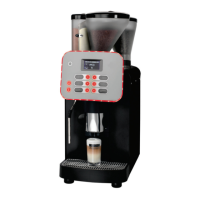
Introduction to the Schaerer Coffee Vito, its design and intended use.

Signs and symbols

Explanation of safety signs and symbols used in the operating instructions.

Product description

Intended use

Specifies the intended industrial and commercial use of the coffee machine.

Beverage types and output

Lists the types of beverages and their output in cups per hour.

Models

Details the available versions of the Schaerer Coffee Vito machine.

Scope of delivery and accessories

Lists all items included in the delivery and available accessories.

Options and optional accessories

Describes various optional accessories and their features for the coffee machine.

Technical data

Technical data

Provides detailed specifications including wattage, power supply, and dimensions.

Serial plate

Explains the location and importance of the serial plate for identification.

Declaration of conformity

Declaration of conformity

States the machine's compliance with relevant directives and standards.

Applied standards

Lists the harmonised standards applied and quality management certifications.

Installation and commissioning

Setting up the coffee machine

Details the requirements for location, ambient conditions, and power supply.

Power supply

Specifies the electrical requirements and connection conditions for the machine.

Power requirements

Details power requirements, fuse protection, and cable cross-section.

Water connection;draining

Specifies conditions for water connection, material quality, and installation.

Changeover between mains water supply and drinking water tank (Option)

Instructions for switching between mains water and internal drinking water tank.

Installation

Covers unpacking the machine and installing the mains water supply.

Installing a waste water outlet

Details options for installing a waste water connection and drip tray.

Connecting the milk

Instructions for connecting the milk hose for internal and external cooling units.

Button labelling

Guides on how to download, print, and apply new button labels.

Commissioning program

Describes the automatic commissioning program executed on first start.

Deinstallation and disposal

Provides instructions for correctly deinstalling and disposing of the coffee machine.

Operation

Check before switching on

Ensures all conditions are met before powering on the coffee machine.

Filling and connecting

Instructions for filling coffee beans and connecting the water supply.

Machine powder

Safety precautions for filling powder containers and machine powder handling.

Switching on

Step-by-step guide on how to switch on the coffee machine.

Main touch screen window

Explains visible and hidden symbols and functions on the main touch screen.

Adjusting outlets

Information on adjusting the height of the beverage outlets.

Coffee beverages

Instructions for dispensing coffee beverages, including button signals and progress.

Beverages with ground coffee

Guides on using the manual inlet for ground coffee and cleaning tablets.

Hot water

Details dispensing hot water via Dosed, Freeflow, and Start/stop options.

Hot milk

Provides dispensing options for hot milk: Dosed, Freeflow, and Start/stop.

Milk foam

Details dispensing options for milk foam: Dosed, Freeflow, and Start/stop.

Steam

Guides on dispensing steam using Portion control, Freeflow, and Start/stop.

Dispensing options

Covers stopping and cancelling beverage dispensing.

Emptying

Instructions for emptying the grounds container and under-counter grounds disposal.

Transport conditions

Provides instructions for safely moving the coffee machine and potential risks.

Display messages;instructions

Explains the categories of display messages and general fault handling.

In self-service mode

Describes display symbols and functions available in self-service mode.

Switching off

Guides on end of operation, including daily cleaning and disconnection.

Lengthy downtimes (more than 1 week)

Instructions for taking the machine out of operation for extended periods.

Cleaning

Cleaning intervals

Provides a schedule for daily, weekly, and as-instructed cleaning tasks.

Mandatory cleaning

Explains consequences of not performing requested cleaning and its implications.

Cleaning options

Details options like warm rinsing and mixer rinsing.

As needed

Covers cleaning the brewing unit, emphasizing mould prevention.

Daily cleaning

Provides a daily cleaning card and steps for the daily cleaning program.

Separate programmes

Details separate programs for foamer cleaning and mixer rinsing.

Milk container

Instructions for daily cleaning of the milk container to prevent contamination.

Internal cooling unit (Option)

Guides on daily cleaning of the internal cooling unit to prevent contamination.

Side cooling unit (Option)

Instructions for daily cleaning of the side cooling unit to prevent contamination.

Internal;external drinking water tank (Option)

Guides on daily cleaning of the drinking water tank to prevent contamination.

External waste water tank (Option)

Instructions for daily cleaning of the external waste water tank.

Weekly cleaning

Provides a reference card for weekly cleaning tasks.

Bean hopper

Instructions for cleaning the bean hopper to maintain coffee quality.

Powder container

Guides on cleaning powder containers, including disassembly and reassembly.

HACCP Cleaning Concept

Explains HACCP regulations and hygiene instructions for coffee machines.

Cleaning regulations

Notes and instructions for maintaining hygiene and proper cleaning practices.

Cleaning products

Lists recommended cleaning products for daily and weekly cleaning.

Service and maintenance

Maintenance

Information on when maintenance is due and the importance of timely service.

Adjusting the grinding fineness

Guides on how to adjust the grind level for consistent coffee quality.

Decalcification

Explains decalcification messages, preparation, and starting the program.

Decalcification preparation

Lists the utensils required for the decalcification process.

Water filter (Option)

Instructions for installing the water filter for the internal drinking water tank.

Changing the water filter for the internal drinking water tank (Option)

Guides on changing the internal water filter and external water filter replacement.

Programming

Navigation

Explains the symbols used for navigation within the programming menus.

Overview

Introduces the selection menu and its main submenus.

Milk and foam menu

Details subitems within the Milk and foam menu: Topping/Foam quality, Macchiato pause.

Topping quality;foam quality

Guides on setting milk powder intensity and milk foam quality.

Macchiato pause

Allows adjusting the pause time between milk and foam dispensing for latte macchiato.

Timer program

Introduces the Timer program menu for setting switch-on/off times.

Timer status

Explains how to activate/deactivate the timer function.

Timer setting

Guides on setting timer for switching on/off times, days, hours, minutes, and actions.

Timer overview

Displays programmed timer times in a diagram.

Clear timer

Instructions for clearing programmed timer times.

Timer info

Provides information on timer status and next pending timer program.

Care menu

Accesses programs for cleaning, decalcification, filter rinsing, and customer care.

Settings menu

Introduces the Settings menu and lists its subitems.

Recipes and beverage buttons

Details filling quantities, changing recipes, and button assignment.

Weigh powder

Allows adjusting the quantity of coffee powder for a beverage.

Boiler temperature

Allows setting the desired boiler temperature.

Reset

Resets software, compulsory cleaning and decalcification cannot be reset.

Time and date

Allows setting the date, weekday, and time.

Language

Enables setting the language for the user interface.

Contrast

Allows adjustment of the display contrast.

Calcium filter

Sets whether a calcium filter is used, affecting decalcification intervals.

Water hardness

Enables entering the water hardness for machine calibration.

Warm-up rinsing

Allows switching warm-up rinsing on or off.

Rinse interval

Sets the interval for milk system rinse after milk beverage dispensing.

Operating option

Configures options like warm rinse, barista field, 2nd level, ON/OFF, and menu field.

PIN entry menu

Guides on entering a PIN to access protected levels or functions.

Access control menu

Allows protection of menu items with PINs for different access levels.

Account menu

Displays counter status for beverages and allows deleting counters.

Troubleshooting

Faults with display message

The machine displays messages for prompts or error messages.

Fault messages with fault code

Lists fault codes, their designation, cause, and required actions.

Faults without display message

Troubleshooting for issues like no hot water, no choco dispensing, or blocked dosing screw.

Water quality

Water values

Specifies required water values for correct machine operation and to prevent damage.

Determining the water hardness

Guides on testing water hardness using strips or supplier information.

Filter technology

Explains the importance of filters for machine protection and coffee quality.

Safety notes

Electrical Safety Instructions

Instructions for safe handling of electrical devices and connection to power.

Machine Handling Precautions

Precautions for handling the coffee machine, beverages, and moving parts.

Risk from cleaning products

Advises on safe application, storage, and disposal of cleaning products.

Emergency information

Provides contact information for toxicology information centres in case of emergencies.

Risk of damage to the machine

Instructions to prevent damage or contamination from improper handling.

Hygiene regulations

Covers hygiene regulations related to water quality and drinking water tanks.

Coffee

Safety instructions for handling coffee to prevent health problems.

Milk

Safety instructions for handling milk to prevent health problems.

Automatic machine powder;instant powder

Safety instructions for handling vending machine powder.

Liability

Operator responsibilities

Outlines operator duties regarding maintenance, safety devices, and defect reporting.

Warranty and liability

Specifies conditions under which warranty or liability claims are not accepted.

Schaerer Coffee Vito Specifications

General IconGeneral
BrandSchaerer
ModelCoffee Vito
CategoryCoffee Maker
LanguageEnglish

Related product manuals










