Page 25 of 58
DIC prism installation
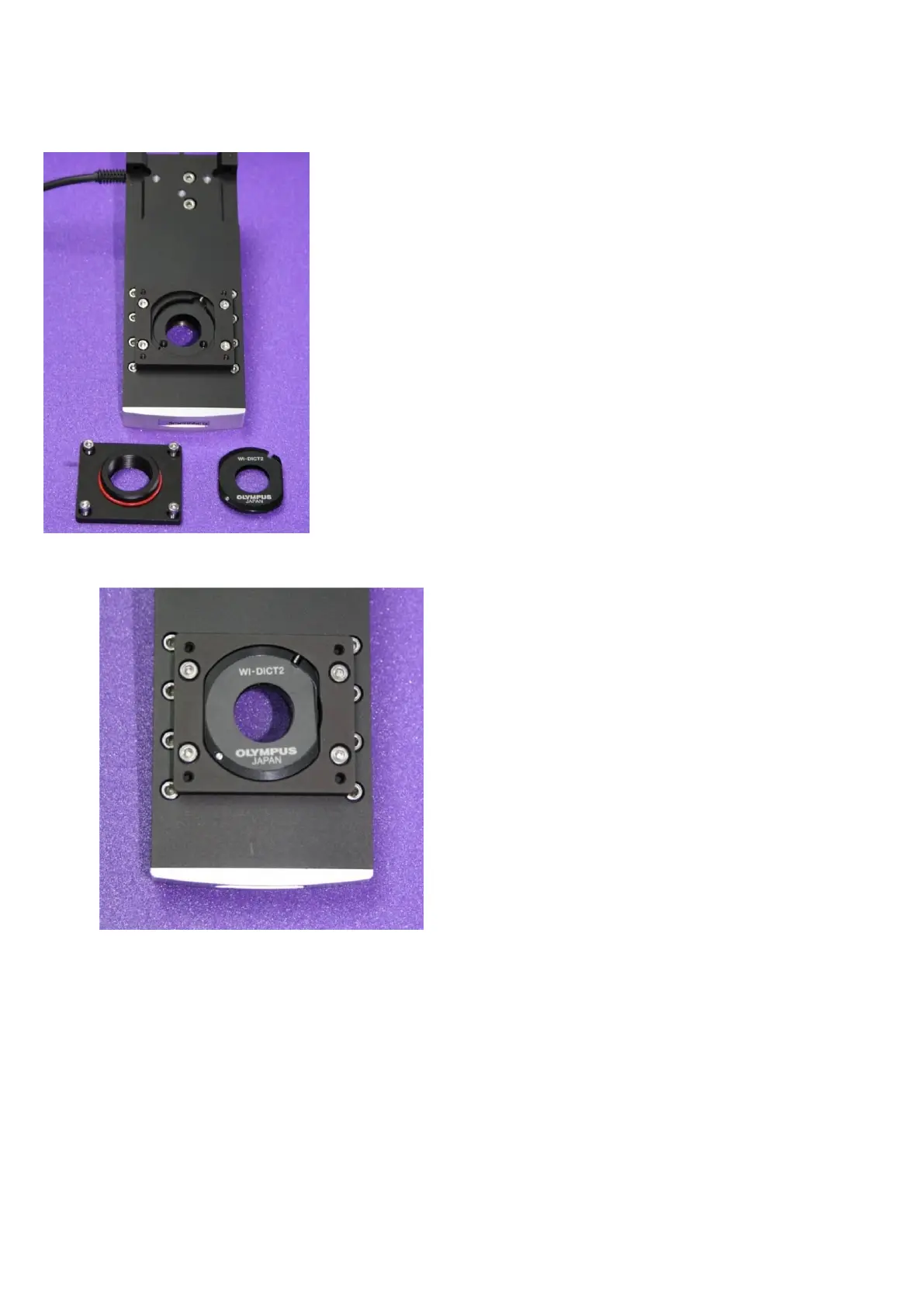
Figure L: MOC shown with separate DIC prism and holder
Figure M: DIC prism and holder in place within MOC
Locate the four M3 bolts that retain the DIC prism cover, and unscrew them to reveal the DIC prism
holder beneath.
Insert the DIC prism appropriate for your intended objective into the holder as shown. It can only be
fitted in ONE orientation.
To remove a previously-fitted DIC prism, either invert the MOC or carefully lever the prism out on the
right-hand side using a toothpick or mounted needle.
Replace the DIC prism cover and secure the four M3 bolts. Ensure that the cover sits flat on the DIC
prism holder.
Check the O-ring on the top of the DIC prism cover; this forms a light seal with the detection module



 To Next Page