Page 36 of 58
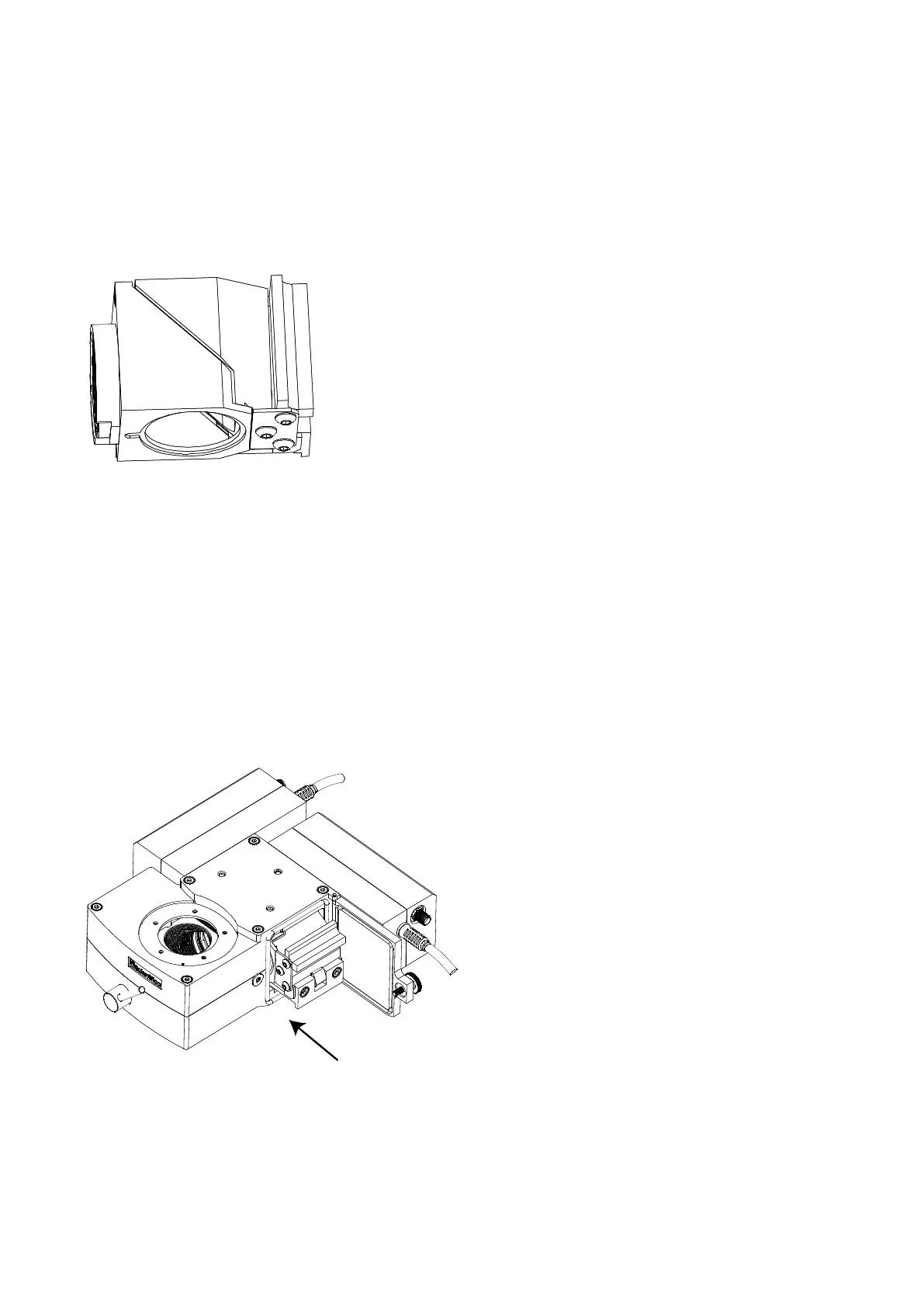
Slide the cube onto the dove-tail as shown. The cube should slide on smoothly, but some stiffness may be felt
because of the retaining spring. This is normal.
Do not force the cube onto the carrier in case the optics are damaged.
.
Figure Y: Cube fitted into carrier
Slide the cube along the dovetail until it is stopped by the end-plate.
The cube should be retained firmly on the carrier by the spring-loading. It should not be loose or able to slide
off under its own weight.
If the cube is found to be loose, do not insert it into the optical block: instead contact Scientifica for
help.
The small silver spring-strip at the bottom of the carrier will help to ensure correct positioning when the
assembly is posted into the optical block.
3.6.3 Installation in the Optical Block
Figure Z: Fitting carrier into MDU block
Locate the filter compartment door on the right-hand side of the optical block. Unscrew the knurled
screw until the door swings open freely. Be careful not to lose the white plastic retaining washer that
holds the knurled screw in place.



 To Next Page