Seatex DPS 200 Installation Manual, rev. 4 Appendix K – DGPS 465
91
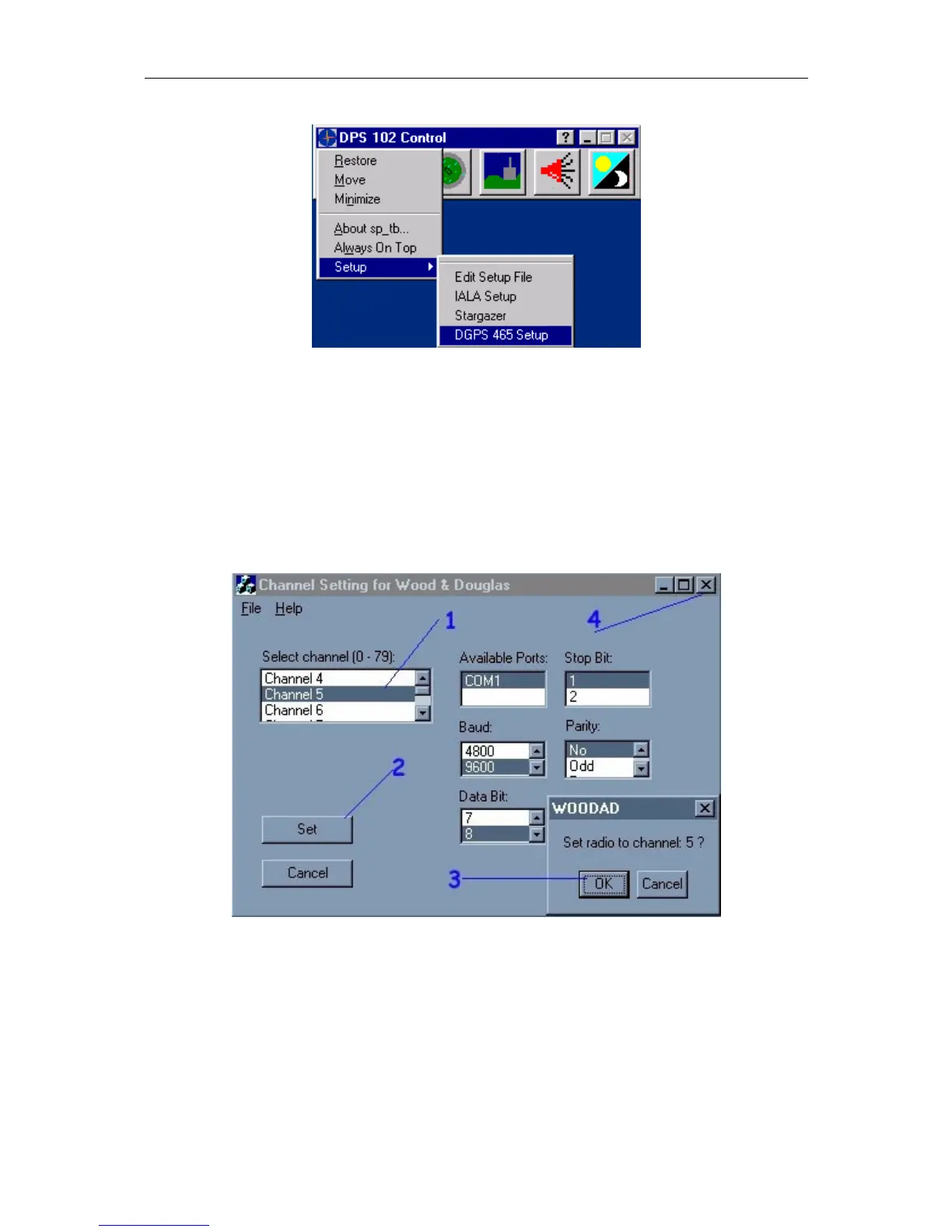
Figure 21 Starting the UHF channel setting program
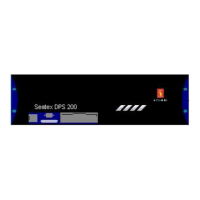
To set the correct frequency, the correct channel number (1) must be selected. When
selected, the channel number will be highlighted. In figure 22, channel 5 is selected. Select
Com 2, 9600, n, 8, 1, No. Press Set (2) when the correct settings are selected. A dialogue box
will appear with a confirmation of the channel selection. Press OK (3) to confirm the
selection. After selection, close the program by pressing the X (4) in the right upper corner.
Figure 22 Channel setting program


 To Next Page