Seatex DPS 200 Installation Manual, rev. 4 Installation
22
Note The Aux-Serial port with communication ports Com4 and Com14 through Com18
are default RS-232 and are not configurable.
3.9 Editing setup file
The DPS 200 is delivered with a default setup file called DPS.CFG. this file contains several
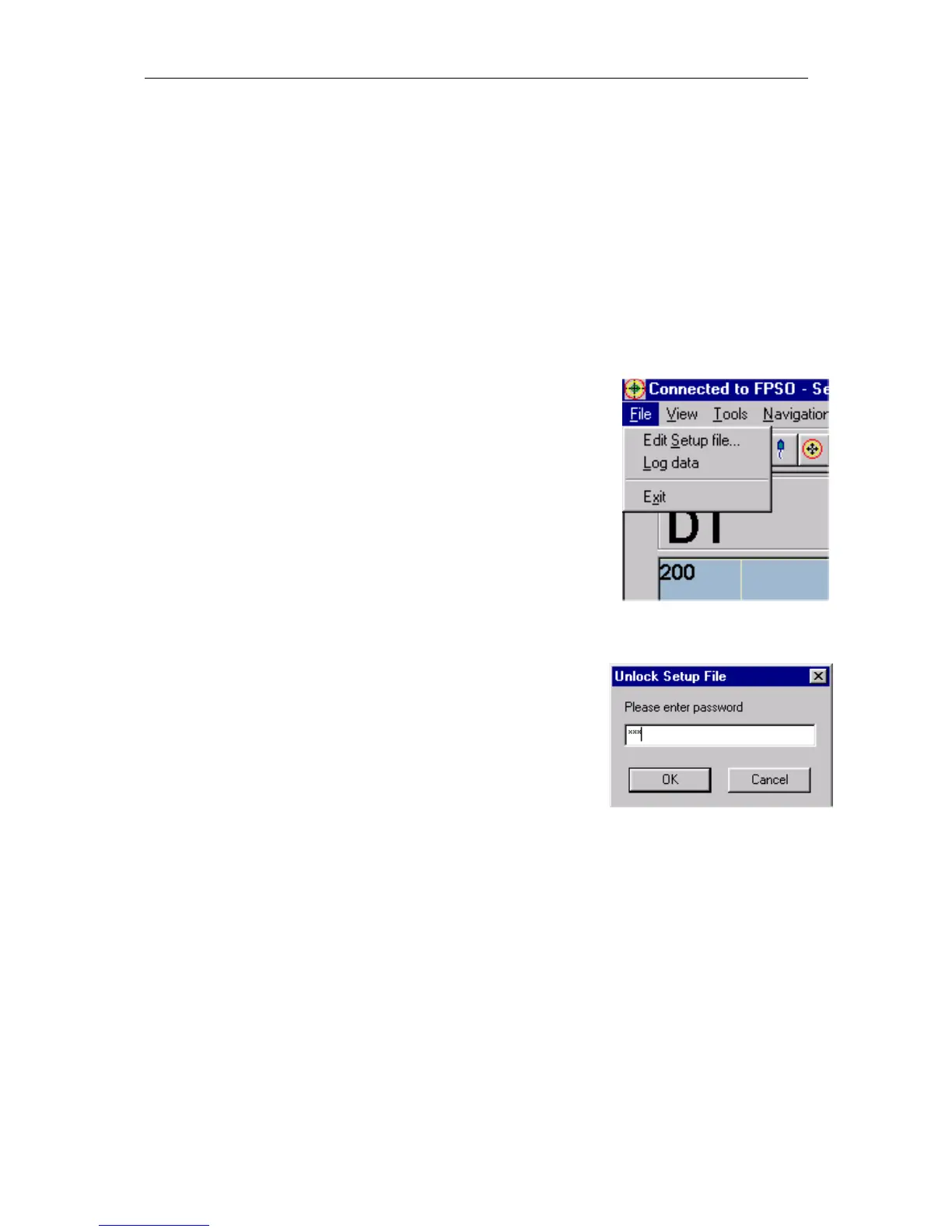
parameters reqired for system operation. To edit the setup file, point with the mouse on the
upper left corner of the TMS display in the software. Choose Edit Setup File as shown in the
figure below.
Note The setup file shall only be edited via the TMS
display or the DPS 200 Control toolbar.
To prevent unintended changes in the Setup file, lock
functionality is enabled. The password is "stx".
Note The setup file shall only be edited by authorised
personnel.
The following parameters can be set in the setup file:
• DP serial port settings
• Datum
• Target selection
• Output data telegrams
• Output mode and interval
• UTM mode and zone
• Satellite and fix computation related settings
• GPS antenna height
• Differential corrections settings
• Ionospheric compensation
• Offsets in reference stations co-ordinates
• Gyro interface
• Vessel name
• Vessel length
• Vessel width
• Antenna position
• Lever arm settings
A copy of the default setup file can be found in Appendix D as a reference.
Figure 4 Editing setup file menu
Figure 5 Unlock Setup file


 To Next Page