Connecting and installing the seca 452 interface module • 67
17-10-01-266-002a/07-2018B
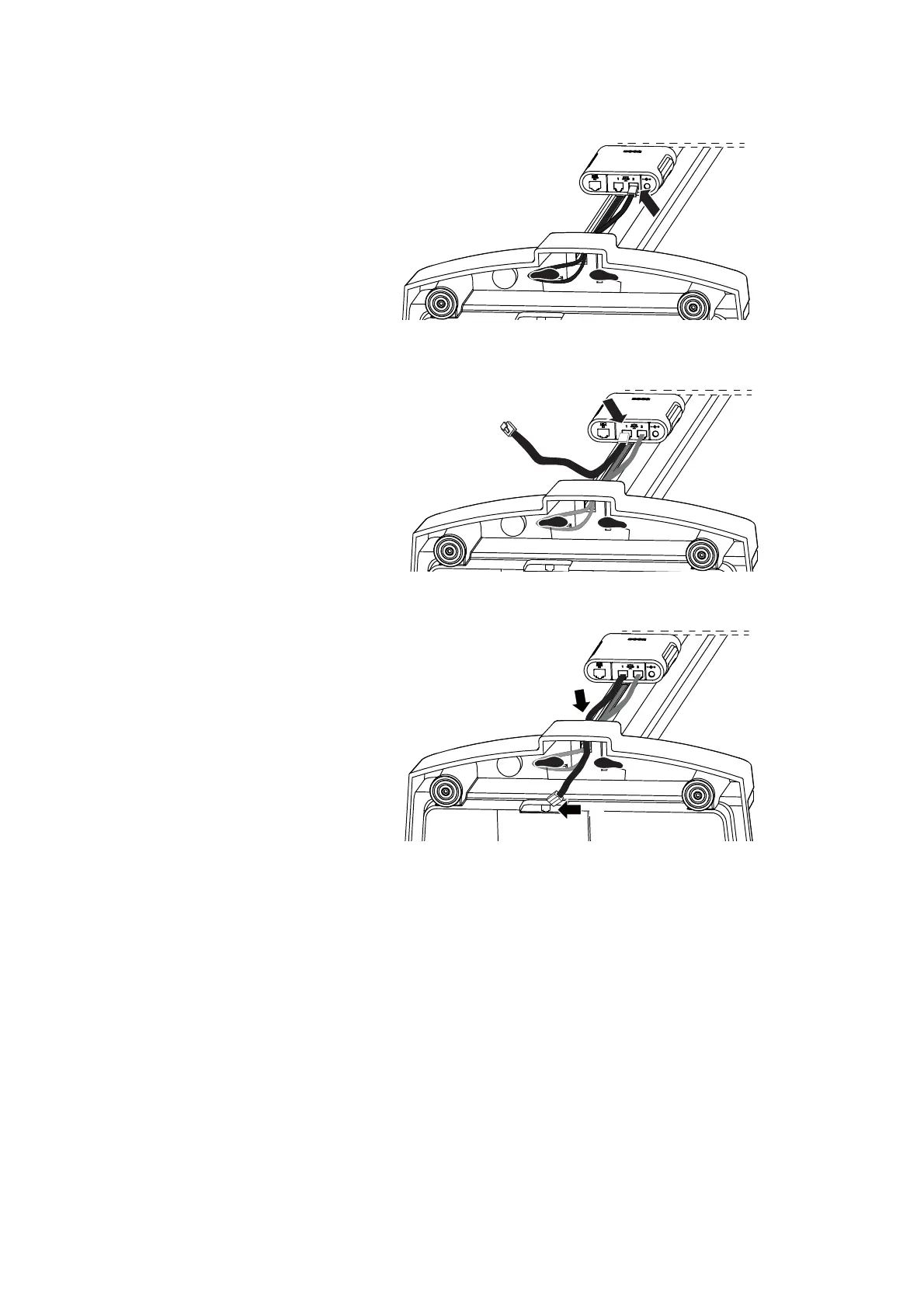
c) Connect cable to interface 2 of the seca 452 interface module
3. Connect the measuring station to the
seca 452 interface module:
a) Connect the connecting cable to interface 1 of the
seca 452
interface module
b) Push the connecting cable down through the hole and connect to
the electronics box
4. Carefully place the measuring station onto the ground horizontally.
You have the following options to continue:
► For communication via Ethernet, continue with step 5.
► For communication over WiFi, continue with step 6.



 To Next Page