Starting up device • 25
17-10-07-652-100/05-2019B
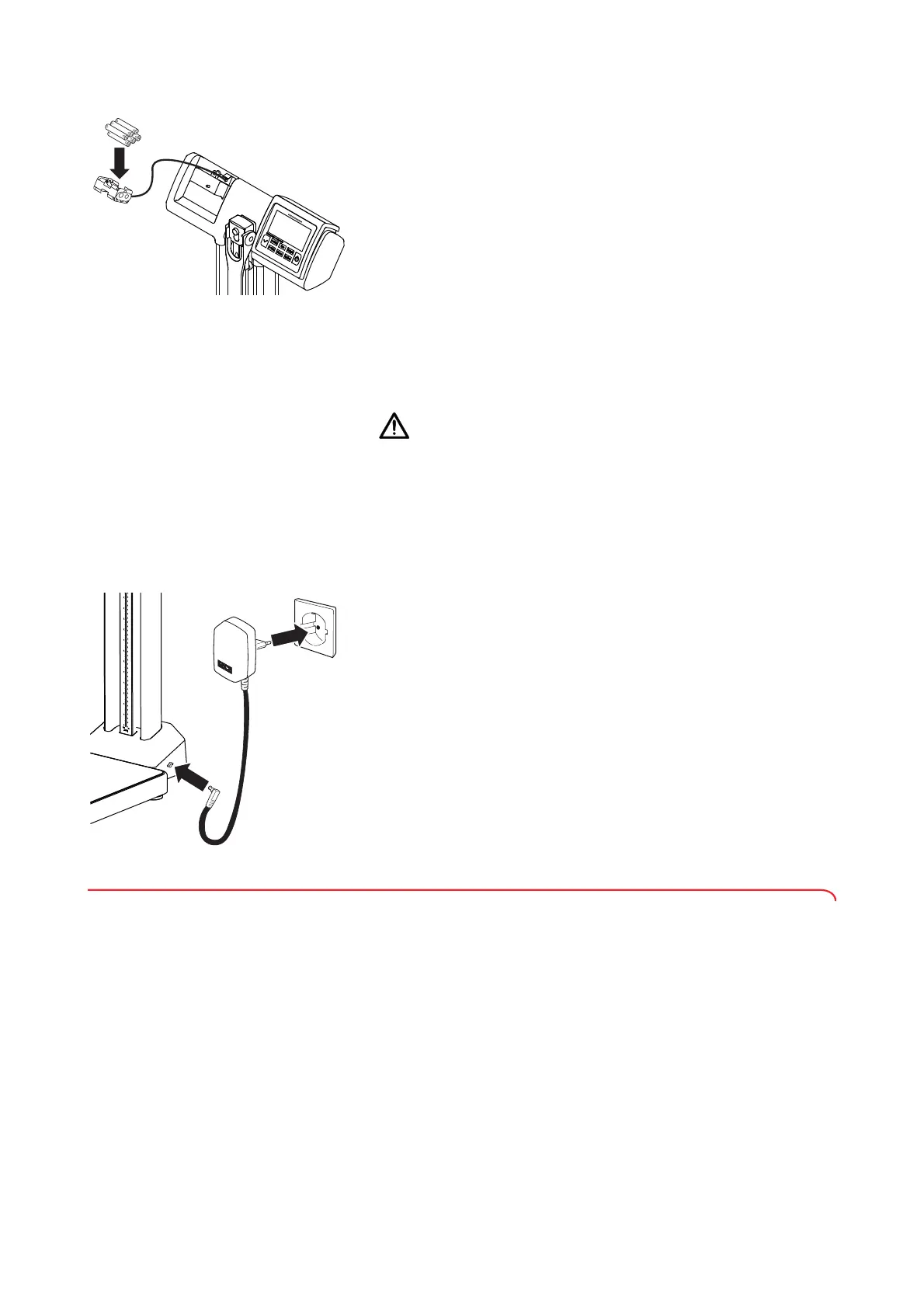
2. Put the new batteries into the battery holder in the battery compartment.
NOTE
• If replacing batteries: Dispose of the old batteries (➔ “Batteries and
rechargeable batteries”, page 42).
• Ensure the correct polarity of the batteries (markings on the battery
holder). If
bAtt appears in the display, you have inserted one of the
batteries the wrong way round or the batteries have discharged. If
batteries are inserted the wrong way round, they must be removed
again immediately.
3. Close the battery compartment:
a) Insert the battery compartment lid
b) Tighten the cross-head screw behind the battery compartment lid
Connecting the plug-in power
supply unit (variant-dependent)
The seca plug-in power supply unit is included in the scope of delivery or is
available as an optional accessory depending on variant.
WARNING!
Personal injury or damage to the device as a result of incorrect power
supply units
Conventional power supply units may deliver a higher voltage than is
indicated on them. The measuring station may overheat, catch fire,
melt or short-circuit.
► Use only original seca plug-in power supply units with controlled
12 V output voltage.
The connection for the plug-in power supply unit is located on the side of the
column holder. To establish the power supply, proceed as follows:
1. Insert the connector plug of the plug-in power supply unit into the power
supply connection socket of the measuring station.
2. Plug the plug-in power supply unit into a power supply socket.
4.6 Connecting the barcode scanner (seca 797)
A barcode scanner can be connected to the USB interface of the measuring
station. The barcode scanner can be used to record the ID of the patient and/
or the ID of the user.
NOTE
• If you want to use the WiFi function or a barcode scanner (variant-
dependent), the power consumption of the device rises significantly.
In these cases, operate the device with the plug-in power supply
unit provided.
• Observe the maximum permitted current consumption of the
barcode scanner (➔ “General technical data”, page 40).
• Use only barcode scanners recommended by seca (➔ “Optional
accessories (seca 797)”, page 42).



 To Next Page