Hygiene treatment • 37
17-10-07-652-100/05-2019B
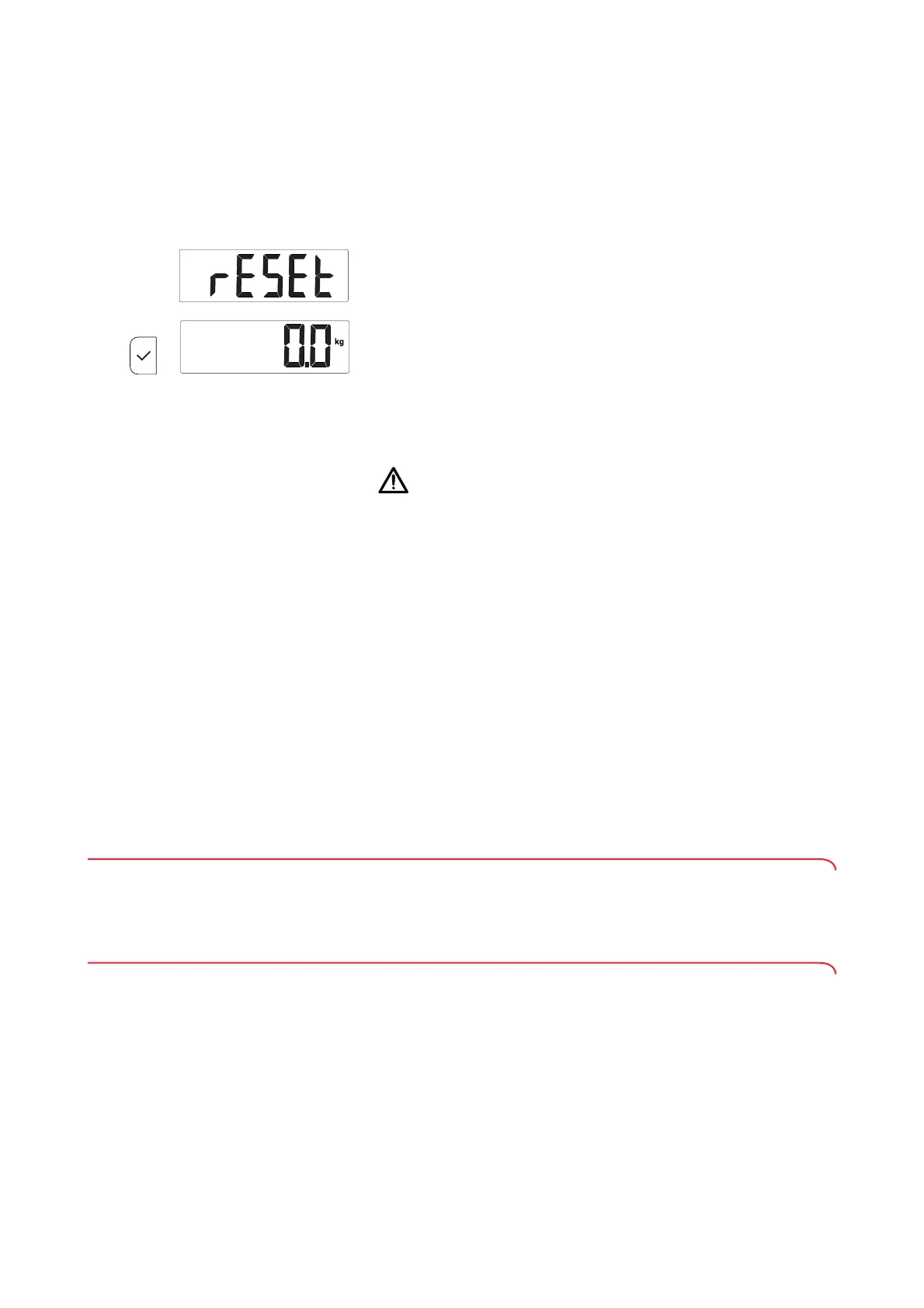
Resetting WiFi settings (rESEt)
(seca
797)
If you reset the WiFi settings, the following information will be cleared:
– Network name (SSID)
– Network code
NOTE
If you reset the WiFi settings, the factory settings for the measuring
station will also be restored automatically. The factory settings will be
available once the measuring station has been restarted.
1. Select the
rESEt item from the menu.
2. Keep the confirm key depressed for approx. 6 s until
0.0 is displayed.
The WiFi settings are reset.
6. HYGIENE TREATMENT
WARNING!
Electric shock
The device is not de-energized when the on/off key is pressed and the
display goes out. Use of fluids on the device may cause electric
shock.
► Ensure that the device is switched off before performing any hygiene
treatment.
► Disconnect the power supply connector before performing any
hygiene treatment.
► Before each hygiene treatment, take the rechargeable battery out of
the device (if present and removable).
► Ensure that no fluids penetrate the device.
NOTICE!
Damage to device
Inappropriate detergents and disinfectants may damage the sensitive
surfaces of the device.
► Do not use caustic or abrasive detergents.
► Do not use organic solvents (e.g. white spirit or petroleum spirit).
6.1 Cleaning
► Use a soft cloth dampened with mild soapsuds to clean the surfaces of
the device.
6.2 Disinfecting
1. Disinfect the device with an alcohol-based disinfectant at regular intervals.
2. Follow the instructions for use for the disinfectant.
3. Disinfect the device:
► Moisten a soft cloth with disinfectant and wipe down the device with
it.
► Comply with the intervals: See table.



 To Next Page