Operation • 33
17-10-07-652-100/05-2019B
5.5 Calculating and displaying body mass index (BMI)
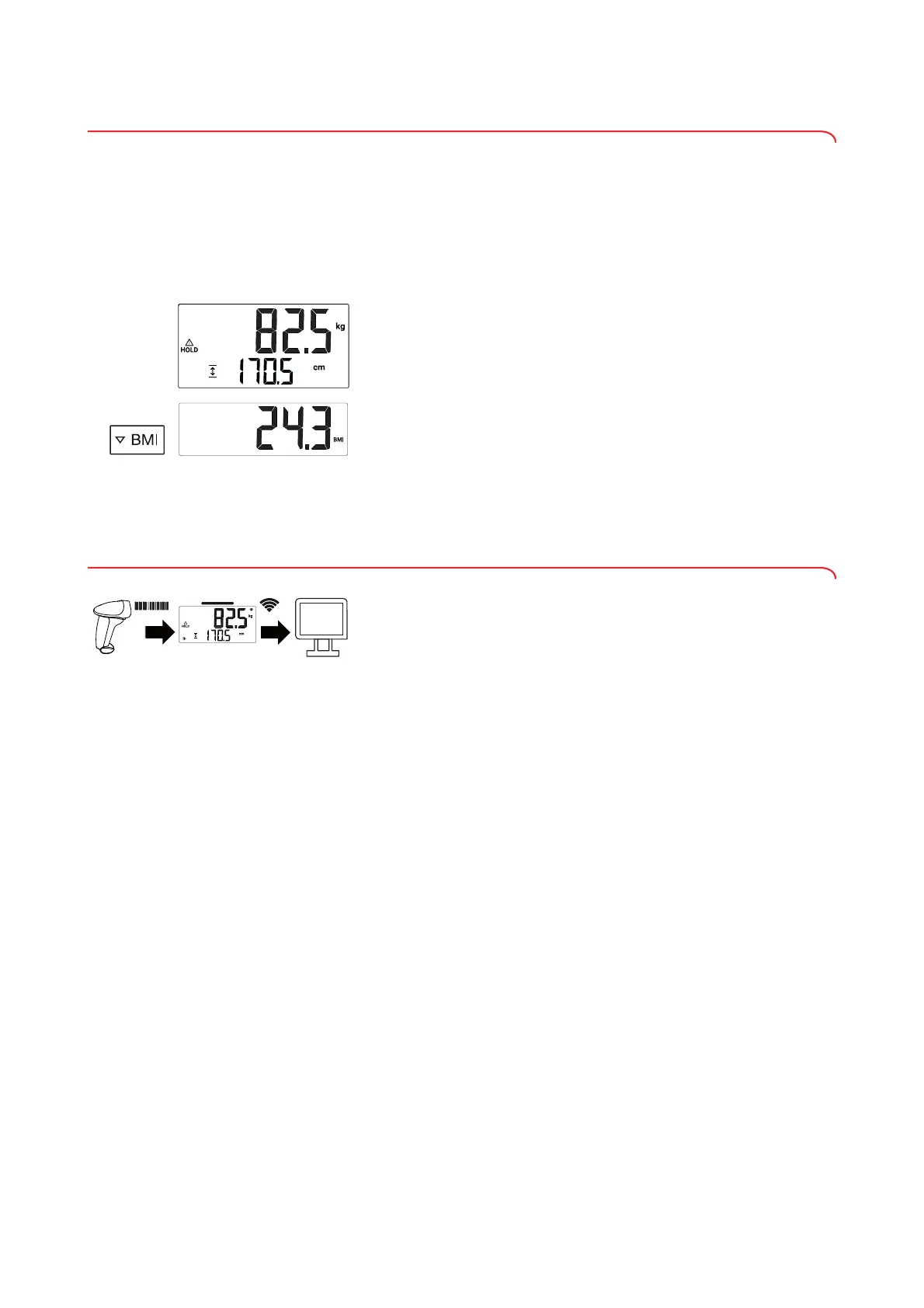
Body mass index puts height and weight in a relationship to one another.
1. Determine the patient’s weight value (➔ “Measuring weight”, page 29).
2. Press the U
Hold key.
The weight value is displayed permanently in the display.
NOTE
When the
Autohold function is active, the weight value is automatically
displayed permanently.
3. Determine the patient’s height value (➔ “Measuring height”, page 30).
The height value is displayed permanently in the display.
4. Press the V
BMI key.
BMI is calculated and displayed automatically.
5. To deactivate the
BMI function, press the V BMI key.
The display returns to height and weight value.
NOTE
The display automatically returns to height and weight value after
approx. 10 s.
5.6 Scanning ID(s) and transmitting data via WiFi (seca 797)
The internal interface module of the device connects the measuring station to
an EMR system wirelessly via the seca connect 103 software.
A barcode scanner can be used to record the ID of the patient and/or the ID
of the user. The measuring results are transmitted to the electronic patient file
via a WiFi connection via the
seca connect 103 software.
The following conditions need to be met in order to use these functions:
• WiFi function of the device is active
• Device is connected to an EMR system via the
seca connect 103
software
• Barcode scanner is connected to the device
The measurement procedure consists of the following steps:
• Record ID(s) using barcode scanner
• Record weight value and/or height value
• Transmit measuring results to
seca connect 103 software
NOTE
• The height value must be displayed permanently (
Height key) in
order for it to be able to be transmitted to the
seca connect 103
software by WiFi.
• The measurement procedure can be adapted on an individual basis.
The options which are active depend on the settings made in the
seca connect 103 software.
► Follow the System instructions for use for the
seca connect 103.
► Contact your administrator or hospital technician.
seca
software



 To Next Page