Operation • 31
17-10-07-652-100/05-2019B
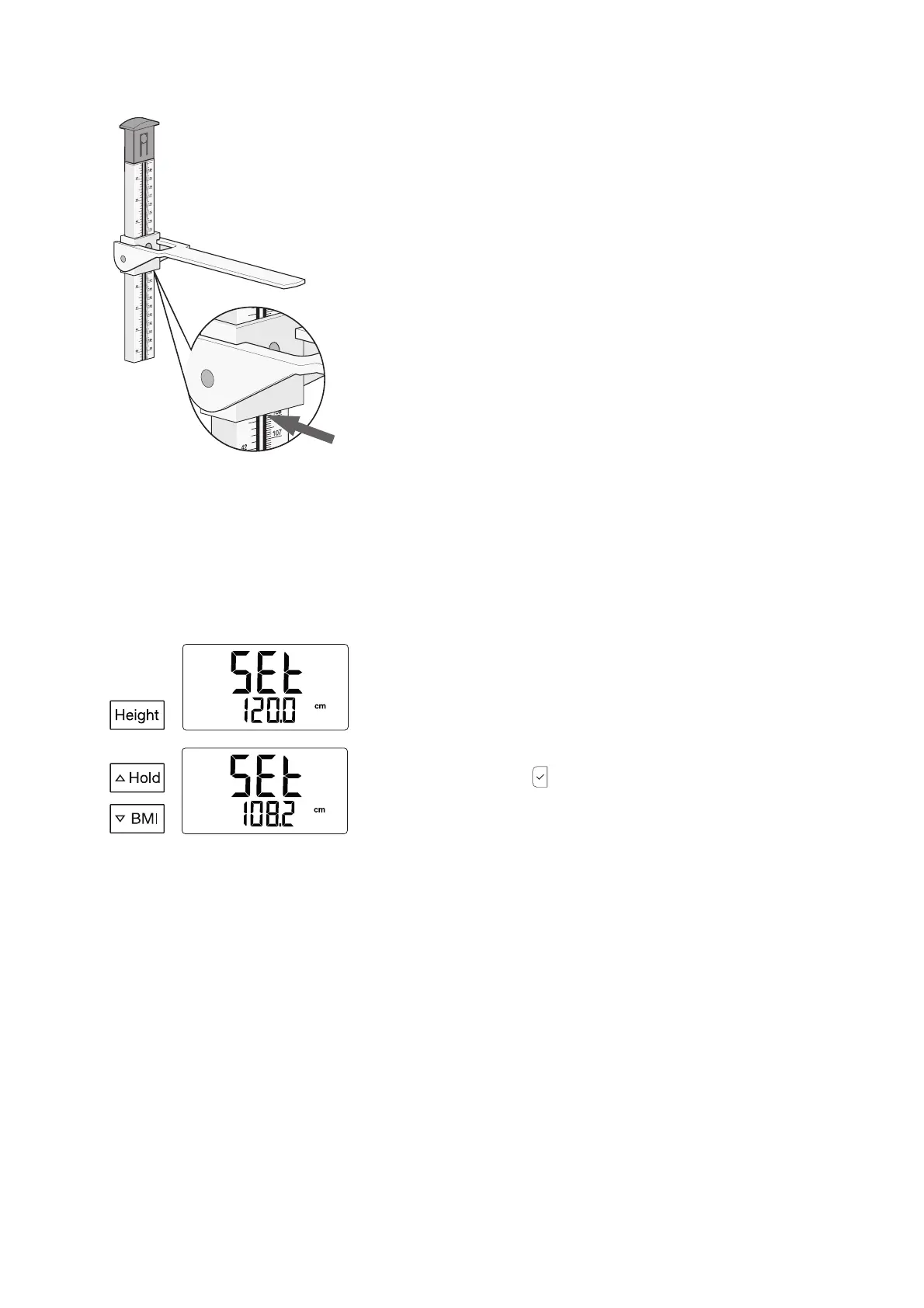
6. Read off the measuring result below the head slide (read-off edge 1) (in
this case: 108.2 cm).
You have the following options for continuing:
► Make a note of the measuring result
► Enter the measuring result on the display unit (➔ “Entering height
value (Height)”, page 31)
7. Ask the patient to step off the weighing platform.
8. Fold down the measuring flap.
9. Push up the head slide until it engages in the latch.
Entering height value (Height) If you are measuring in the range < 1.22 m, the height value can be entered
on the display unit and used for the following functions:
• Calculating BMI (➔ “Calculating and displaying body mass index (BMI)”,
page 33)
• Transmitting measured values to the
seca connect 103 software via WiFi
(➔ “Scanning ID(s) and transmitting data via WiFi (seca 797)”, page 33)
1. Determine the height value (➔ “Measuring heights < 1.22 m”, page 30).
2. Press the
Height key.
The message SEt and the last height value entered are displayed.
3. Use the U
Hold and V BMI keys to enter the height value.
4. Press the confirm key .
The height value is displayed permanently.
Measuring heights > 1.22 m When measuring heights > 1.22 m, the measuring result is recorded digitally
and shown in the display.
NOTE
During height measurement, the display on the display unit changes
as follows:
• The height value in the display changes as long as you are moving
the upper telescopic element.
• The height value flashes as soon as you stop moving the telescopic
element.
• After approx. 20 s, the height value stops flashing and
- - - - - is dis-
played. If the height value is to be displayed permanently, it is suffi-
cient to press the Height key.



 To Next Page