30 •
17-10-07-652-100/05-2019B
Displaying weight permanently
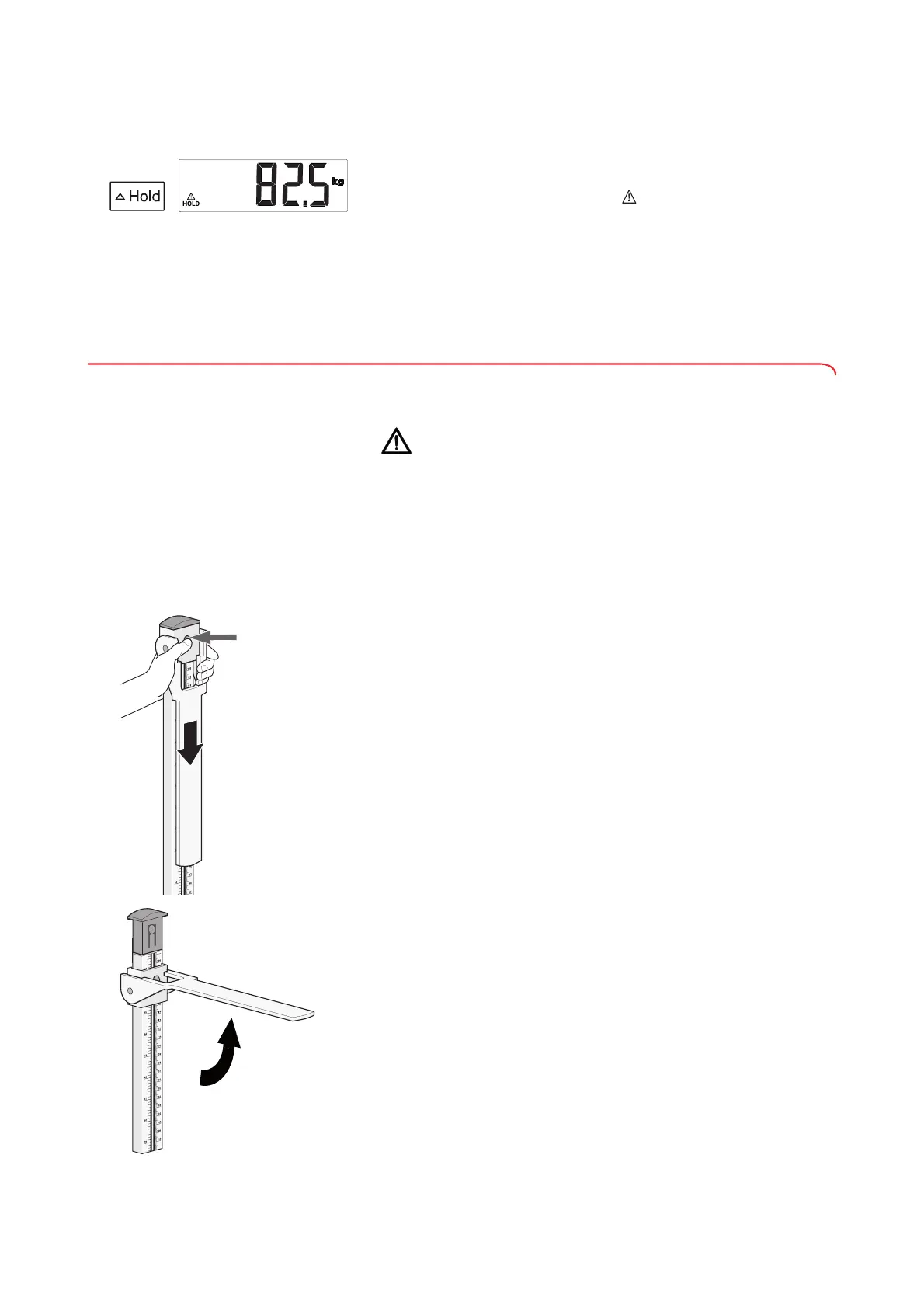
(Hold)
If you activate the Hold function, the weight value is displayed permanently.
1. Press the U
Hold key.
The display flashes until a stable weight is measured. The weight value is
displayed permanently. The message
HOLD is displayed.
2. Read off the measuring result.
3. To deactivate the
Hold function, press the U Hold key.
NOTE
You can set which action automatically clears the displayed weight
value from the display (➔ “Setting permanent display of weight value
(HOLd)”, page 34).
5.4 Measuring height
You can measure height using the integrated measuring rod.
CAUTION!
Injury from incorrect position of the measuring flap
Injuries may result if the measuring flap is at patient height when
folded up.
► Ensure that the measuring flap is above patient height before the
patient steps onto the weighing platform.
Measuring heights < 1.22 m When measuring heights < 1.22 m, the measuring result is read off under the
head slide (read-off edge 1).
1. Ensure that the upper telescopic element is in its lowest position.
2. Release the head slide by pressing on the latch and moving the head slide
downward.
3. Fold up the measuring flap until it engages in a horizontal position.
4. Ask the patient to stand under the measuring flap:
– Upright posture
– Head straight (Frankfort horizontal plane, parallel to measuring flap)
5. Push the head slide on the lower telescopic element down until the
measuring flap is in contact with the patient's head.



 To Next Page