36 •
17-10-07-652-100/05-2019B
4. Confirm your selection.
You exit the menu automatically.
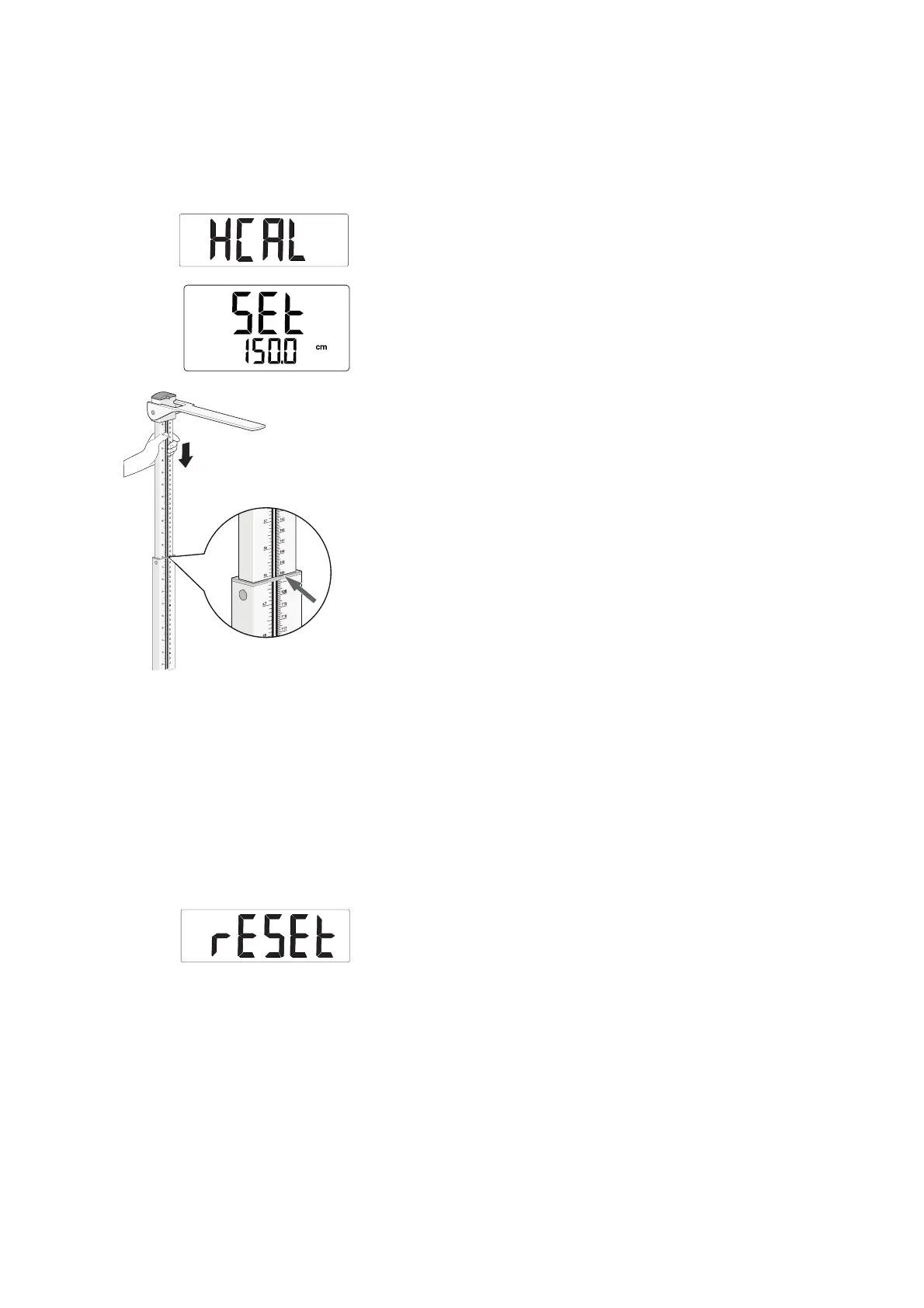
Calibrating measuring rod (HCAL) If the value displayed in the display deviates from the value shown on read-off
edge 2, calibrate the measuring rod.
1. Select the
HCAL item from the menu.
2. Confirm your selection.
SEt and 150.0 cm are displayed.
3. Set the measuring rod to 150 cm.
4. Confirm the setting.
The measuring rod is calibrated.
You exit the menu automatically.
Restoring factory settings (rESEt) If you restore the factory settings (variant-dependent), the settings for the
following functions will be reset:
–Autohold (
AHOLd)
– Permanent display of weight value (
HOLd)
–Filtering (FIL)
– Standby time (AOFF)
– Switching units of measurement (
UnIt)
Units of height and weight are reset to metric units.
NOTE
seca 797 only: If you restore the factory settings, the WiFi settings will
be retained.
1. Select the
rESEt item from the menu.
2. Confirm your selection.
You exit the menu automatically.
3. Switch off the measuring station.
Factory settings are restored and are available when the measuring
station is switched back on.



 To Next Page