Starting up device • 23
17-10-07-652-100/05-2019B
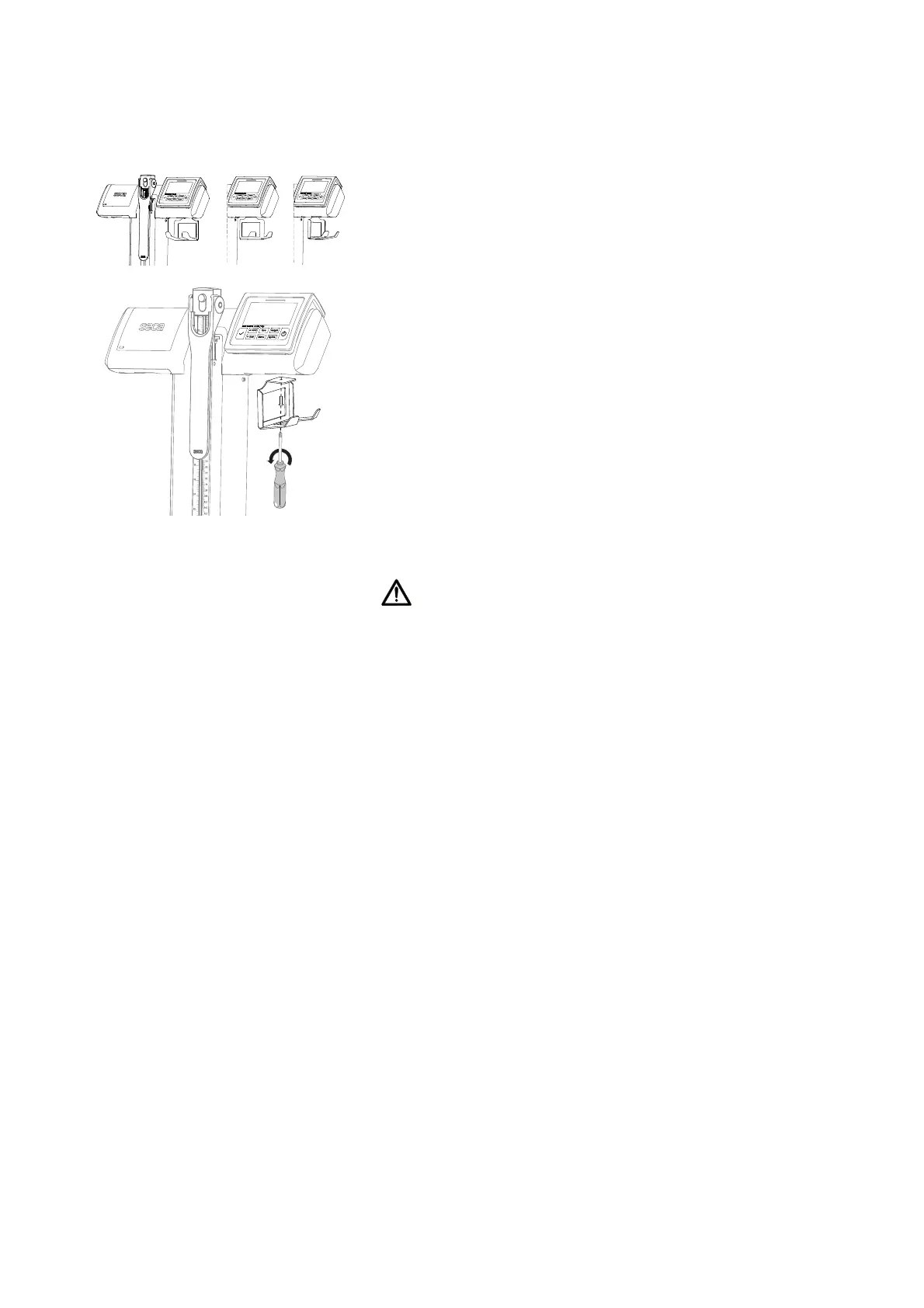
Fitting the barcode scanner holder
(seca
797)
The barcode scanner holder can be fitted to either side of the display head. It
can be fitted offset by 90° to point forwards, sideways or backwards.
1. Put the barcode scanner holder in the desired position.
2. Fit the barcode scanner holder to the display head using a cross-head
screw.
Setting up the device 1. Place the device on a firm, level surface.
CAUTION!
Incorrect measurement as a result of incorrect setup location and
incorrect ambient conditions
Soft floors such as wooden hallways, for example, give under the
patient's weight and falsify the measuring result. Incorrect ambient
conditions lead to measurement errors.
► Select a setup location with a level, stable floor in order to achieve
precise measuring results.
► Use the device only in the intended ambient conditions
(➔ “Technical data”, page 40).
2. Remove the protective film from the display.
Disinfecting the device ► Disinfect the following components before initial commissioning
(➔ “Disinfecting”, page 37):
– Column and recessed handle
– Display head and display unit
– Measuring rod, head slide with measuring flap
– Weighing platform



 To Next Page