− 136 −
●Monitoradjustmentshavebeenmadeatthetimeofshipment.
Therefore,donotmakefurtheradjustmentwithoutajustifiablereason.
Adjustingthemonitorwhichcontainshightensionpartsisadangerous
work.Also,anerroneousadjustmentcancausedeviated
synchronizationandimagefault,resultinginmalfunctioning.
● Besuretoperformappropriateadjustmentofthemonitor(projector).
Foroperationofthismachine,donotleavemonitor'sflickeringor
deviationasis.Failuretoobservethiscancausetoworsenthe
players'orthecustomers'physicalconditions.
● Donottouchundesignatedplaces.Touchingplacesnotdesignated
cancauseelectricshockorshortcircuit.
15 − 3 ADJUSTMENTPROCEDURE
Besuretoprovidesupportforsecuredpartswhenremovingthescrews
thatsecurethem.Unsecuredpartswillfallthentheirscrewsareremoved,
possiblycausinginjury.
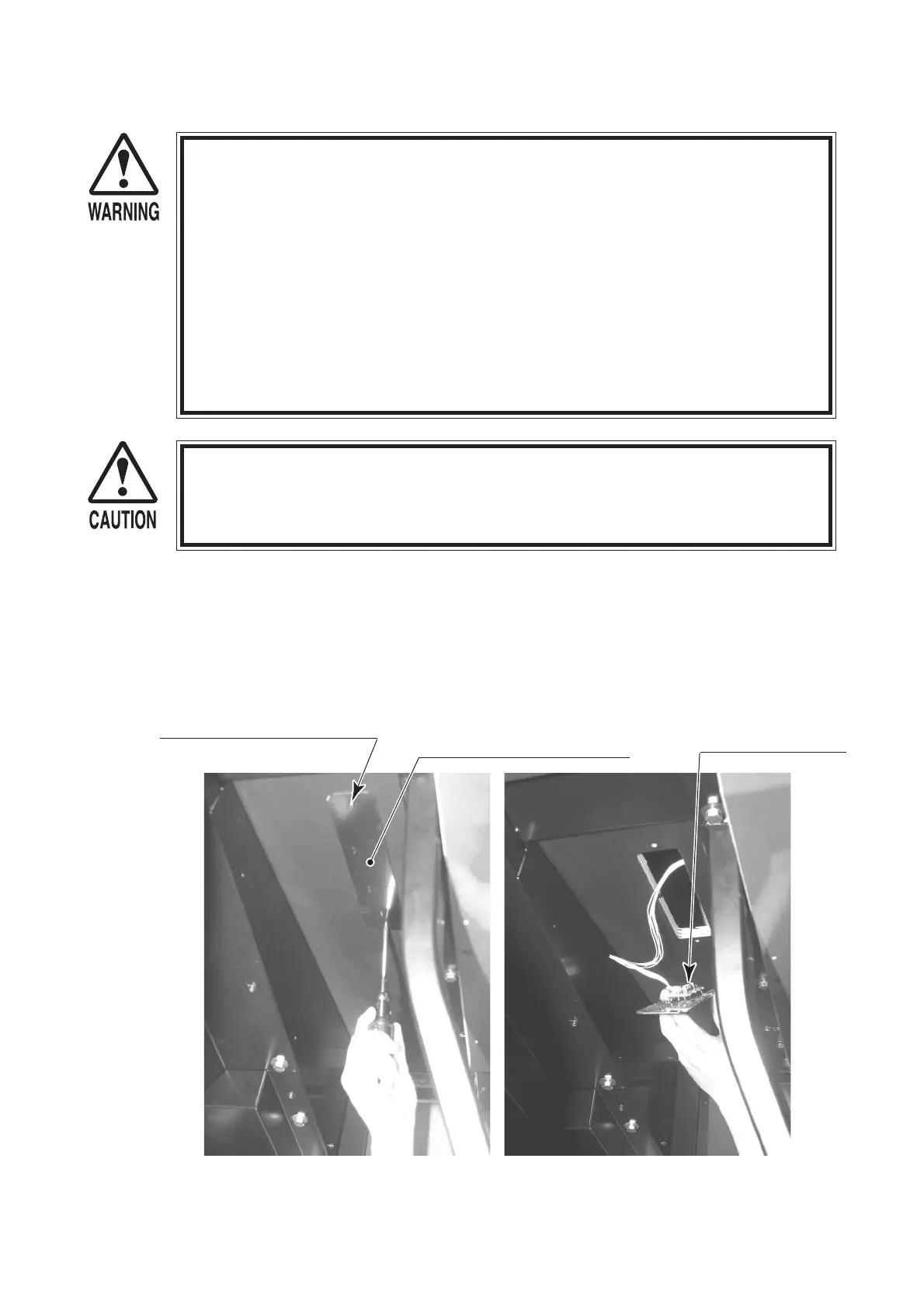
Themonitoradjustmentpanelislocatedonthefloorofthemonitorbox,ontherightsidewhen
facingthescreen.Thereisasettingsboardontheinsideofthispanel.Thesettingsboardis
connectedtothemonitorbywires.
Removethe2screwsholdingthemonitorsettingspanelinplaceandthenremovethepanel,
pullingthewiresalongwithit.
Settingscanbechangedbyadjustingtheswitcheswhilewatchingthescreen.
MONITORSETTINGSPANEL
SETTINGSBOARD
PHOTO15.3a
PHOTO15.3b
SCREW(2),black
M4×16,w/flat&springwashers


 To Next Page
 Loading...