149
User Manual
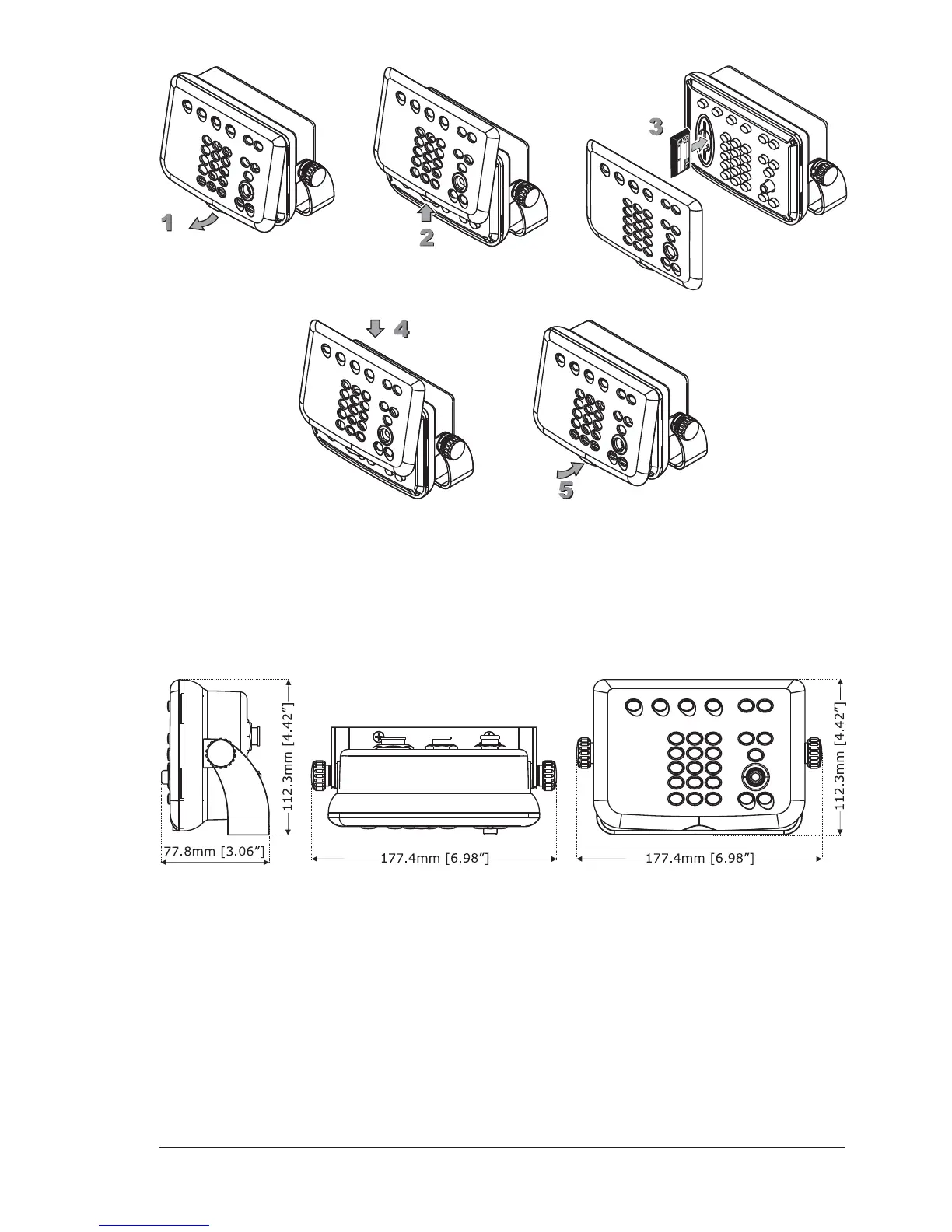
Removing the MEDIA
Remove the front cover and eject the MEDIA you wish to remove out of the slot.
CONTROLLER DIMENSIONS
INSTALLATION AND REMOVING
Warning
In order to protect the chart plotter video board, please make sure that the
power cables of the monitor and of the chart plotter are physically separated,
with protection against electrical discharge.



 To Next Page