39
User Manual
Displaying Expanded Info page (Full Info)
To show the Expanded Info page:
Place the cursor on objects + [ENTER] + "Info" + [ENTER]
TM11/T-59.05:
Place the cursor on objects + [INFO]
Info on objects with Pictures
To get the information on objects with pictures.
Move the cursor on the object
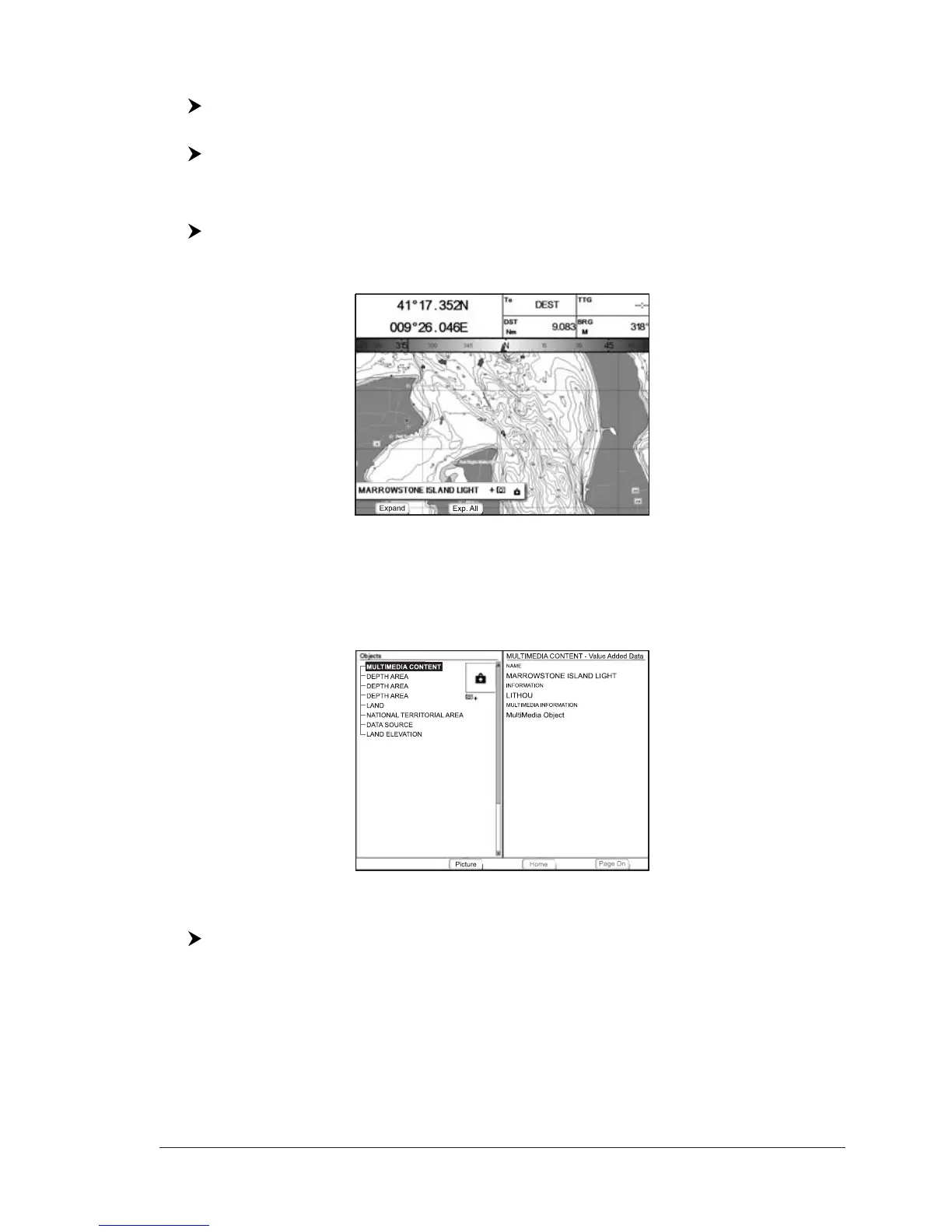
On the Quick Info, if at least one of the objects found has one or more pictures
associated, there is a camera icon:
Fig. 2.6 - Example of Quick Info on objects with picture
Press [Expand]
1
to see the Full Info page, there is the small camera icon on a
corner of the square containing the object icon (or a big photo icon centered on
the square for the object without icon):
NOTE
1
FOR T-59.09, press [1, Expand].
Fig. 2.6a - Example of Full Info on objects window with picture icon
To see pictures:
Press [Picture]
1
when the object with a picture is highlighted
NOTE
1
FOR T-59.09, press [1, Picture].



 To Next Page