20 User Manual
♦ ADD VIDEOCAMERA 1
3
[AddVid1] (Add screen video image 1)
♦ ADD VIDEOCAMERA 2
3
[AddVid2] (Add screen video image 2)
♦ VIDEOCAMERA
4
[Video] (Full screen video image)
♦ VIDEOCAMERA 1
3
[Video 1] (Full screen video image 1)
♦ VIDEOCAMERA 2
3
[Video 2] (Full screen video image 2)
♦ MARK [Mark] (Mark place)
♦ EVENT [Event] (Event place)
♦ WAYPOINT [Waypoint] (Waypoint place)
♦ TRACK [Track] (Track storing activated/deactivated)
NOTE
1
AVAILABLE FOR T-50.05/T-55.05/TM7e/TM7i/TM7ce/TM7ci/TM11/T-59.01.
NOTE
2
AVAILABLE F OR T-50.05/T-55.05/TM7e/TM7i/TM7ce/TM7ci/TM11/T-59.05/T-59.01.
NOTE
3
AVAILABLE FOR TM11/T-59.09/T-59.05.
NOTE
4
AVAILABLE FOR TM7e/TM7i/TM7ce/TM7ci.
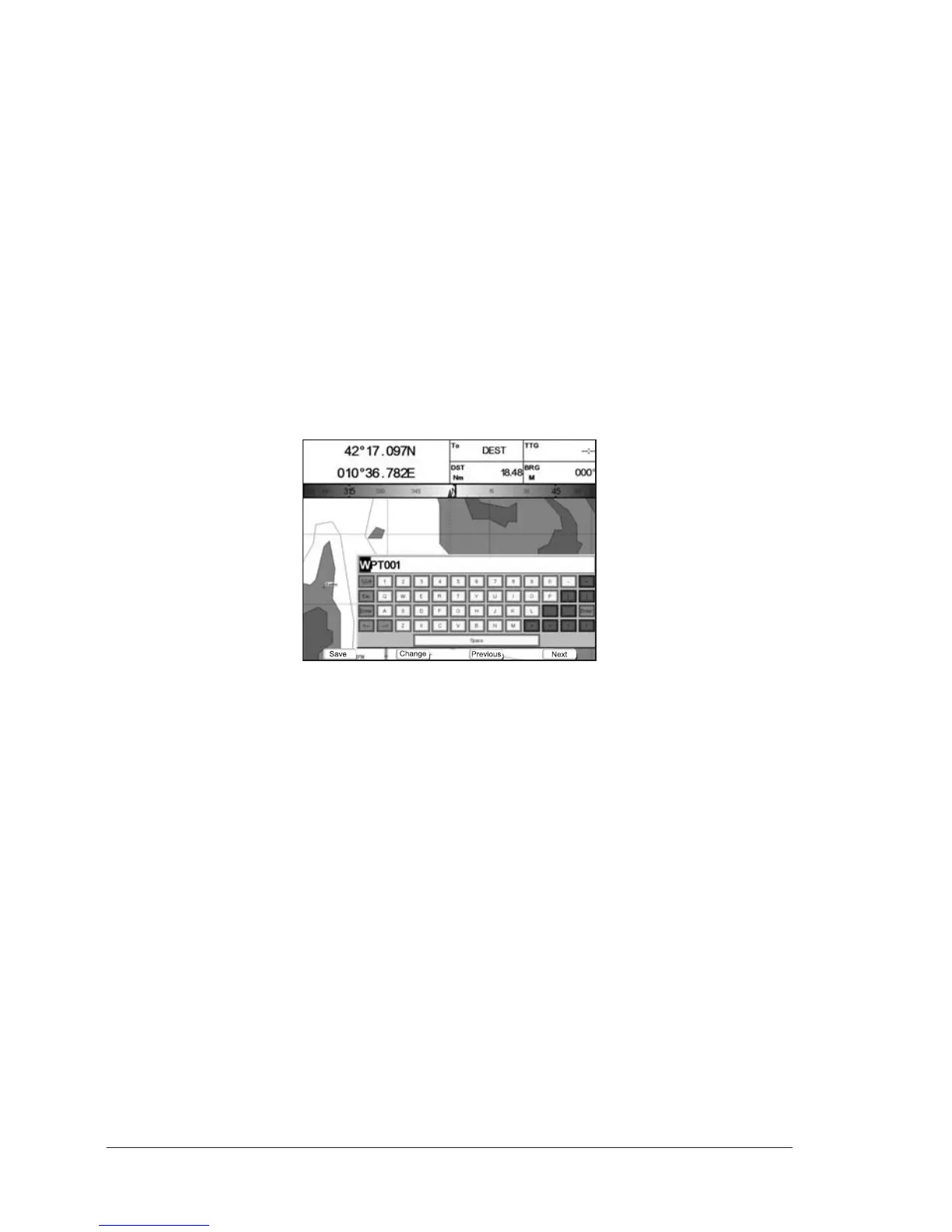
1.1.6 Alphanumeric Input Procedure
When editing a Waypoint (see the following picture) or when entering menu infor-
mation, insert data by using the visual alphabetical table shown:
Fig. 1.1.6 - Example of visual Alphabetical table
The table shows all the characters usable. Use the cursor key to go through the
available characters and select the requested one.
The soft keys are now activated to:
♦ [Save] : to save when the entry is complete. After pressing [Save] the
Soft Keys disappear: press [Accept] to end the input procedure
♦ [Change] : to switch between numeric/non-numeric digits
♦ [Previous]: to go back to previous page
♦ [Next] : to move to next page
Only For T-59.09:
The following virtual keys on the visual keyboard are now activated to:
♦ [%&#] : to switch between numeric/non-numeric digits
♦ [<-] : to go back to previous digit
♦ [->] : to move to next digit
♦ [Enter] : to save when the entry is complete.
Press [1, Accept] to end the input procedure



 To Next Page