65
User Manual
on the Chart page. A pop-up screen advises the user that a Distress Call has been
received. Within the pop-up screen it asks the user if he would like to view the call
on the Chart page or exit the pop-up screen. By selecting the item "View on
Chart" and press [ENTER] two options are shown:
♦ GoTo Vessel
Activates the navigation to the Distress Call or Position Request icon. The
chart plotter changes the map scale to allow showing the Distress Call (or
Position Request) icon and the vessel’s icon simultaneously on the screen.
The chart plotter then verifies if there are obstructions (land or low water)
between the two positions. If obstructions are found the chart plotter shows
a pop-up screen saying that the navigation to the Distress Call cannot be
set automatically and the user must define a route to avoid the obstacles.
♦ Stay on View
Exits the pop-up screen and remains on the selected map screen.
3.9.2 DSC Log page
To select the DSC Log page:
[MENU] + "Page" + [ENTER] + "DSC" + [ENTER] + select the DSC Log page
+ [ENTER]
TM11/T-59.05:
[DATA] + "DSC" + [ENTER] + select the DSC Log page + [ENTER]
T-59.09:
[PAGE] + "DSC" + [ENTER] + select the DSC Log page + [ENTER]
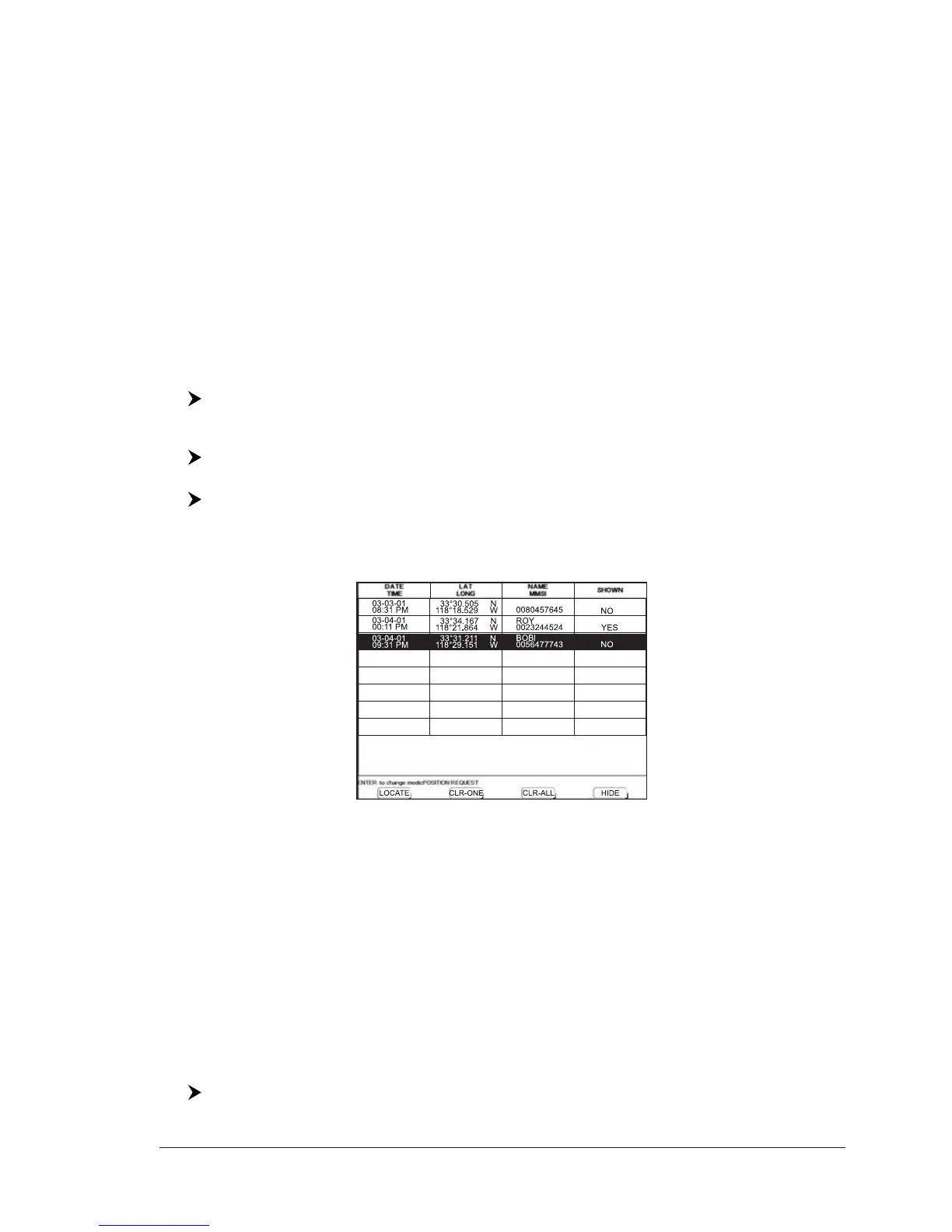
Selecting Log shows the Distress Call Log page or Position Request Log page (it
depends which of the two was selected).
Fig. 3.9.2 - Example of DSC Log page
The Log page allows to:
♦ Locate : to center the map on the selected DSC position press [Locate]
1
♦ Clear One : to delete selected DSC position press [Clr-One]
1
♦ Clear All : to delete all entries press [Clr-All]
1
♦ Hide/Show : to allow hiding/showing the selected DSC position on the chart
display press [Hide]
1
NOTE
1
FOR T-59.09, press [1, Locate], [2, Clr-One], [3, Clr-All] or [4, Hide].
To show Position Request/Distress Call page press [ENTER].
3.9.3 DSC Directory page
To select the DSC Directory page:
[MENU] + "Page" + [ENTER] + "DSC" + [ENTER] + select the DSC Directory
page + [ENTER]



 To Next Page