66 User Manual
TM11/T-59.05:
[DATA] + "DSC" + [ENTER] + select the DSC Directory page + [ENTER]
T-59.09:
[PAGE] + "DSC" + [ENTER] + select the DSC Directory page + [ENTER]
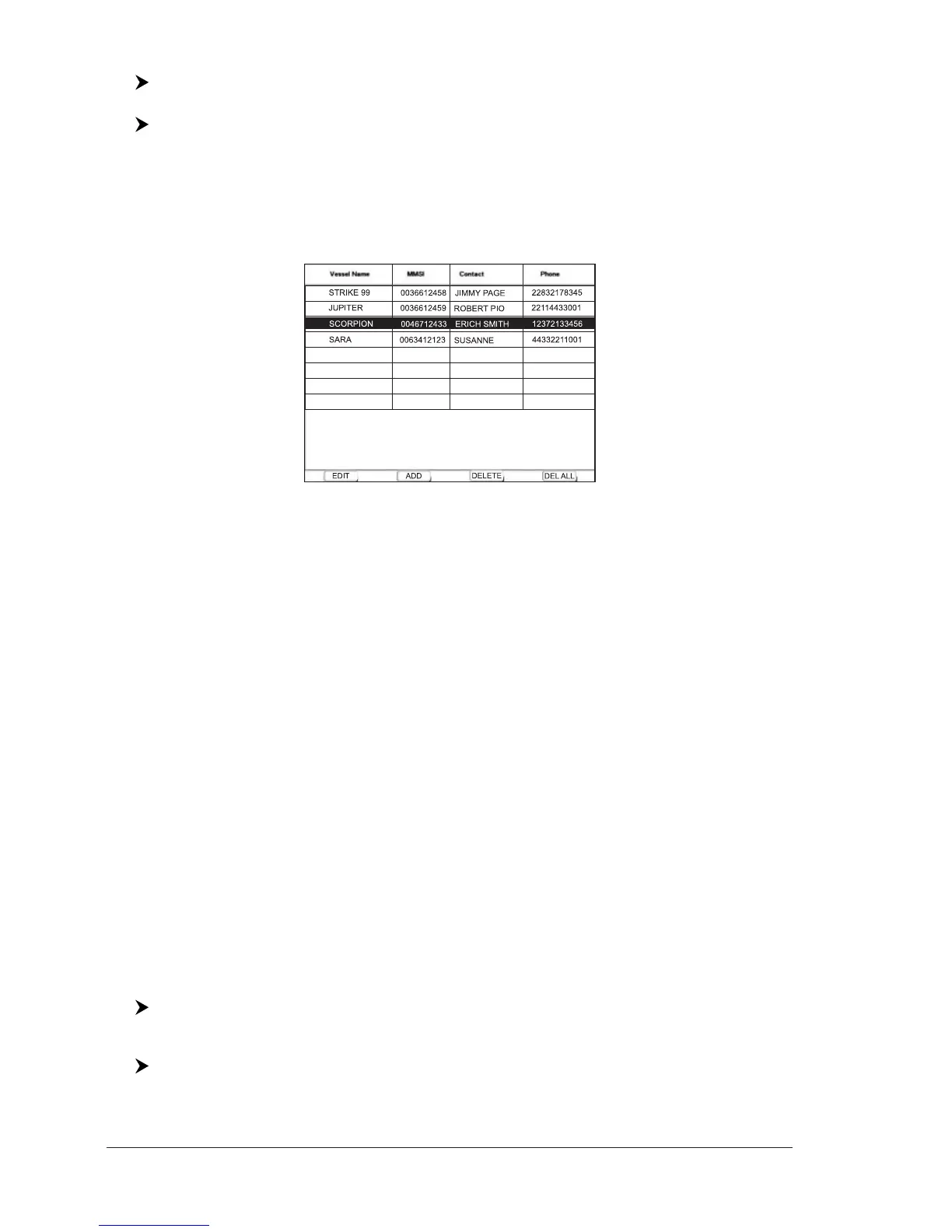
From this page the user can assign the Vessel Name, Contact Name and Phone
number to any MMSI (Maritime Mobile Service Identity) so that, when a DSC
Distress Call or Position Request is received, the name of the vessel is displayed
in place of the MMSI number - a unique number that is assigned to a DSC radio
station for use in emergency situations.
Fig. 3.9.3 - Example of Directory page
The Directory page allows to:
♦ Edit : to edit the fields of any existing entry in the Directory, Vessel
Name, MMSI number, contact and phone number press [Edit]
1
♦ Add : to add a new entry to the Directory press [Add]
1
♦ Delete : to delete the selected entry press [Delete]
1
♦ Delete All : to delete all entries in the page press [Del All]
1
NOTE
1
FOR T-59.09, press [1, Edit], [2, Add], [3, Delete] or [4, Del All].
3.9.4 Quick Info on DSC Icons
Placing the cursor on the Distress Call or Position Request icon, the following
information is displayed:
♦ Vessel Name/MMSI Number
♦ Position
♦ Date and Time
♦ Distance and Bearing from current vessel's position
Pressing [ENTER] it is possible, by selecting "DELETE" deletes the DSC icon from
the DSC Log page, otherwise by selecting "DSC LOG" the DSC Log page is shown.
3.10 FISH FINDER
The chart plotter combined with the sonar performance of the Fish Finder is one
of the most advanced marine navigation system available.
To select the Fish Finder menu, first select one of the pages related to the Fish
Finder:
[MENU] + "Page" + [ENTER] + "Fish Finder" + [ENTER] + select the desired
page + [ENTER]
TM11/T-59.05:
[DATA] + "Fish Finder" + [ENTER] + select the desired page + [ENTER]



 To Next Page