47
User Manual
TM5e/TM5i/TM5ce/TM5ci/TM7e/TM7i/TM7ce/TM7ci/TM11/T-59.09/
T-59.05/T-59.01:
External Alarm
When any alarm condition occurs the pin is switched from High Impedance to
ground. This signal can be used by an external device (as a hooter or buzzer).
[MENU] + "Alarms" + [ENTER] + "External Alarm" + [ENTER]
2.10 USER MEDIA: SAVE & LOAD MENU
The chart plotter allows to back up Marks, Routes and Tracks to a USER MEDIA.
You can also restore the data to internal memory at a later time. This allows
virtually unlimited storage. The USER MEDIA data storage is organized as a file
system.
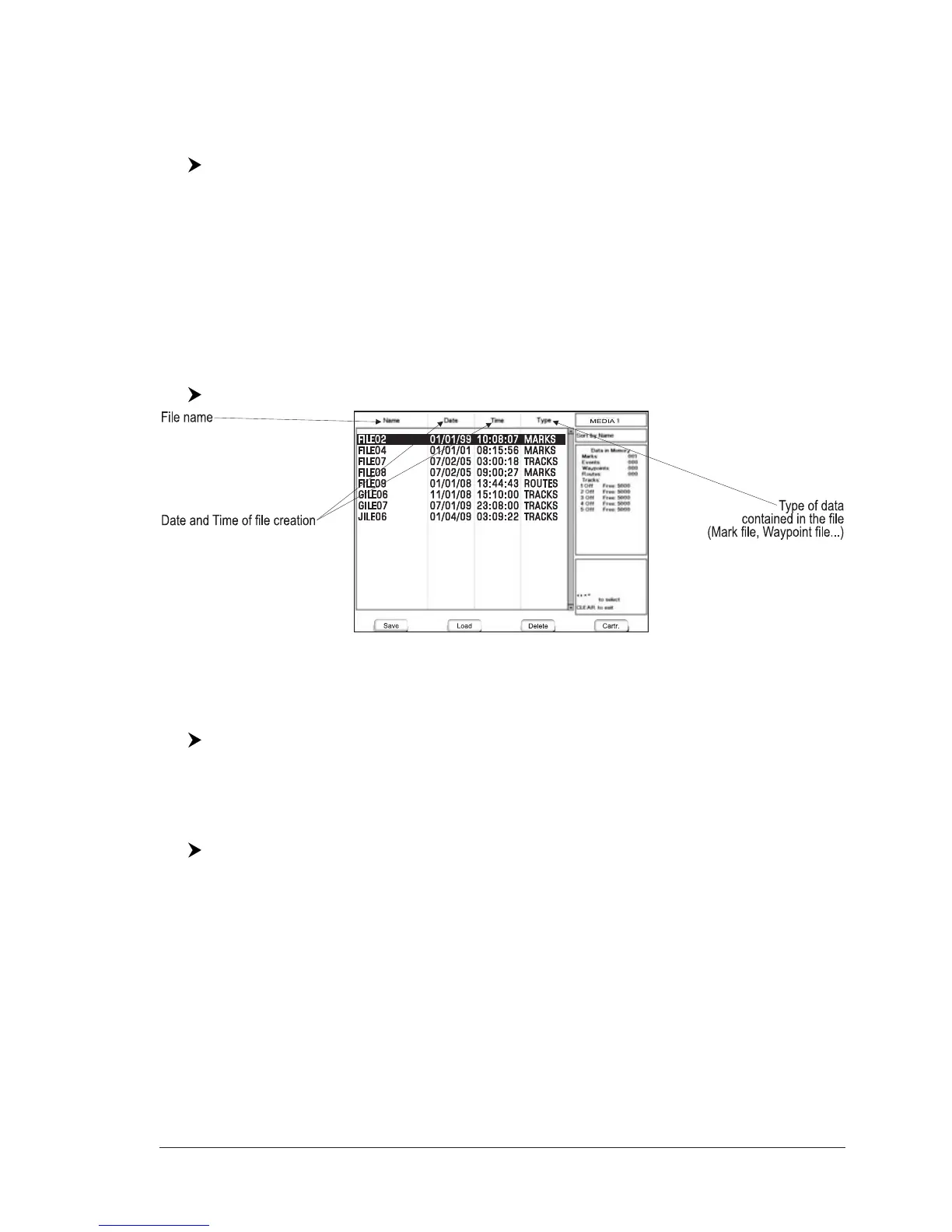
USER MEDIA page
To display the content of a USER MEDIA inserted into the MEDIA slot of your chart
plotter:
[MENU] + "Save & Load" + [ENTER]
Fig.2.10 - User MEDIA Menu
Formatting USER MEDIA
In order to be able to use a new USER MEDIA you must format it first. This
operation prepares the USER MEDIA to receive and store information:
[MENU] + "Save & Load" + [ENTER] + [Media]
1
+ [Format]
1
NOTE
1
FOR T-59.09, press [4, SD-Card] and [3, Format].
NOTE When a USER MEDIA is formatted, all data saved on it will be deleted.
Saving File on USER MEDIA
[MENU] + "Save & Load" + [ENTER] + [Save]
1
+ select the file type to be
added by using related soft key + insert the file name and type + [ENTER]
NOTE
1
FOR T-59.09, press [1, Save].
When a certain type of data (Mark, Events, Route, Track) is saved, a new file is
created on a USER MEDIA. The file contains all points of the selected type cur-
rently stored in the internal memory.
♦ Save Marks : to create a new file containing all Marks stored in the chart
plotter
♦ Save Events: to create a new file containing all Events stored in the chart
plotter
♦ Save Routes: to create a new file containing all Waypoints belonging to the
selected Route (Route number is required). Also it is possible
to save all Routes, not only the selected Route.



 To Next Page