ADN Digital Conference System | 135
Using the “Conference Manager” software
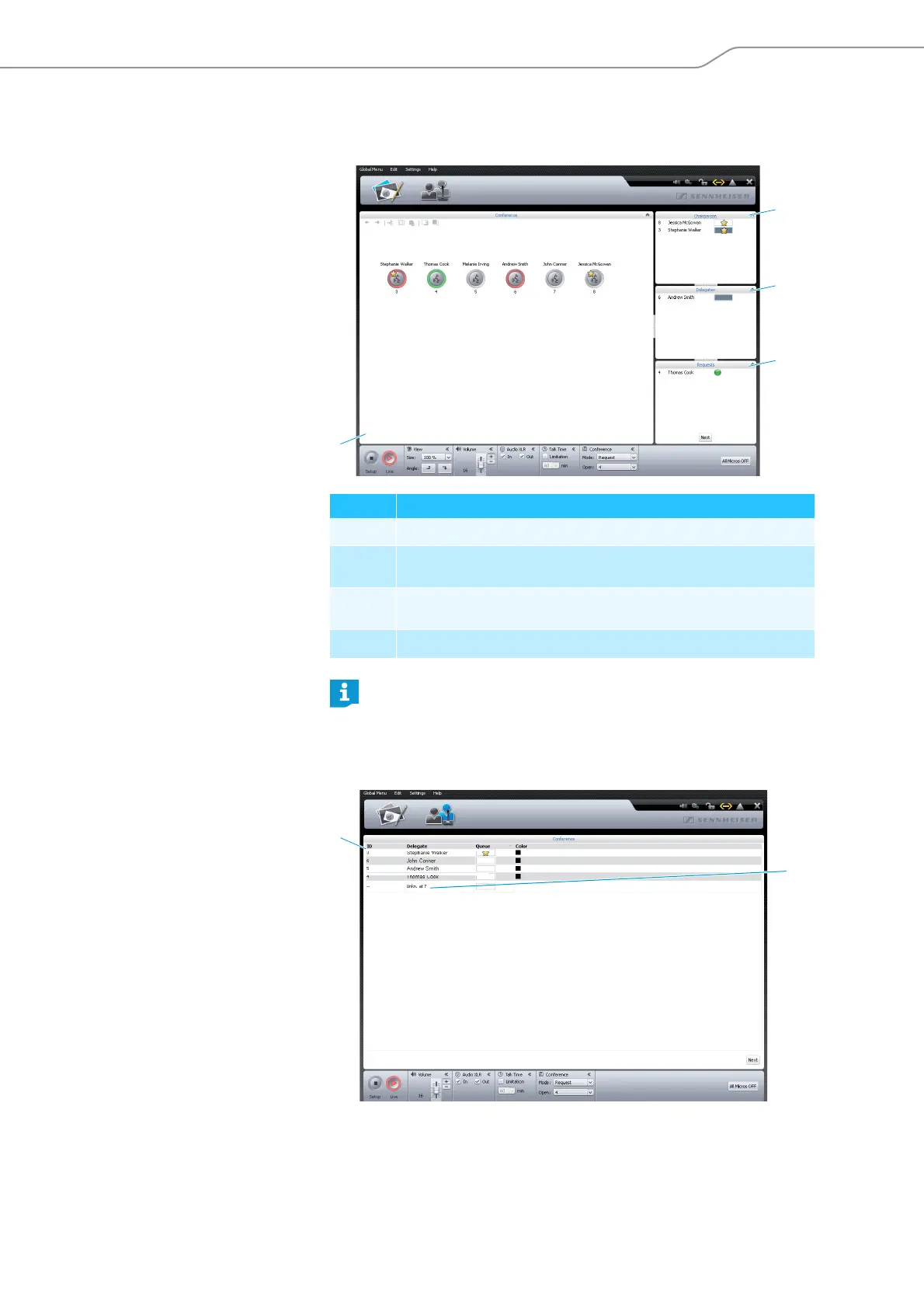
Monitoring a conference
You can monitor a conference from the screen without intervening.
Monitoring a conference using the
Room View window
Monitoring a conference using the
Delegate View window
Element Function/Meaning
Permanent list of chairperson units, sorted by “ID” number
Delegate units with speaking privileges, sorted by chronological order
of registration
Delegate units that have made a request to speak, sorted by chrono-
logical order of registration
Canvas with initialized conference unit icons
Conference unit icons are not displayed in “Live” operating mode if
• the conference units icons have not been initialized (see page 122) or
• a conference unit icon has been assigned to a participant who is not to
be displayed in “Live” operating mode (the “Show in Live Mode” check
box is unticked, see page 118).
a
b
c
d
e
f



 To Next Page