Using the ADN Cable Calculator software
22 | ADN Digital Conference System
Using the ADN Cable Calculator
To use the “ADN Cable Calculator” software and to calculate the cable lengths and
number of conference units:
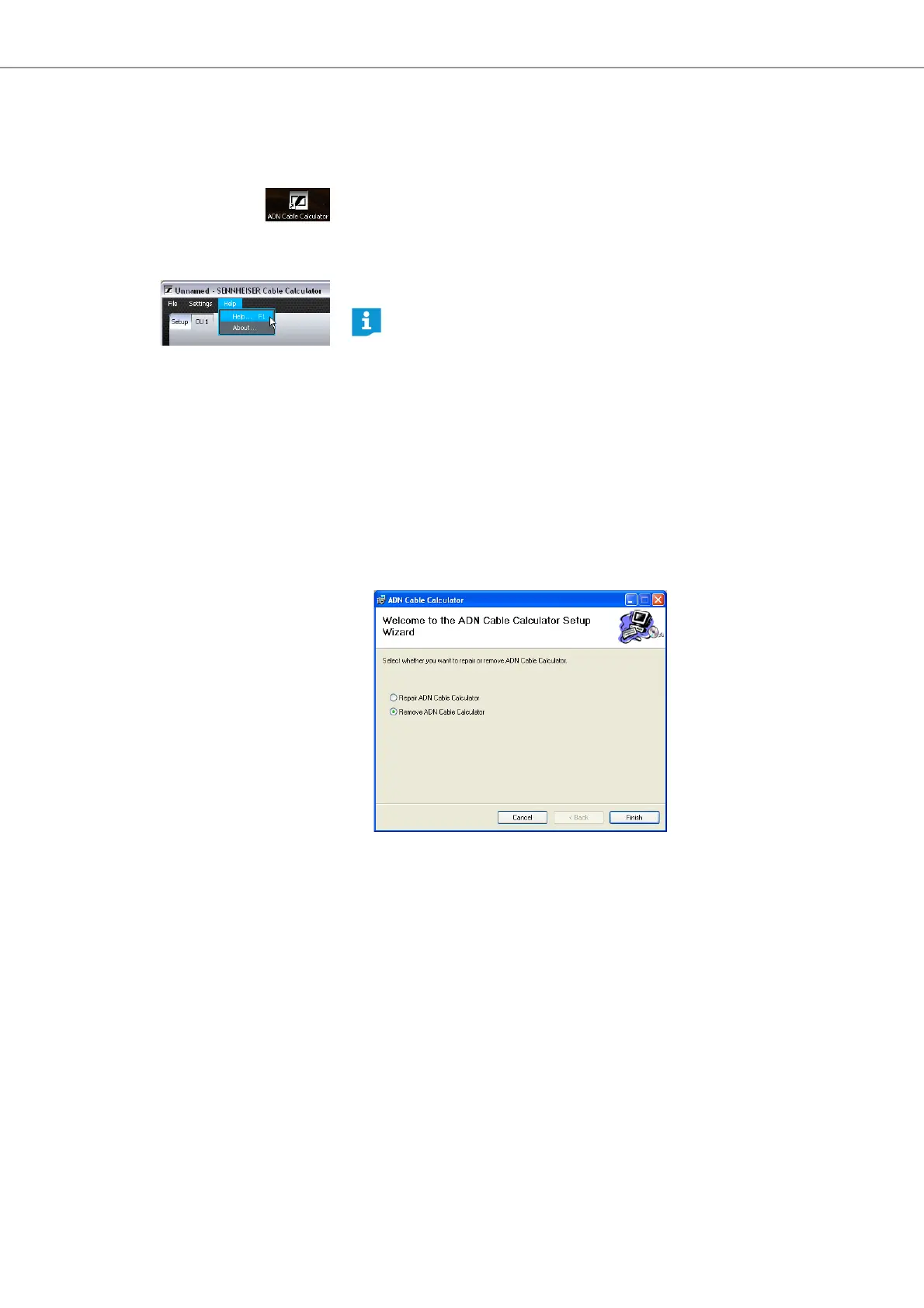
왘 Start the “ADN Cable Calculator” software from the Start menu or the shortcut
on your desktop.
For further information and for how to calculate the voltage drops on the individual
sections of a cable string, refer to the help of the “ADN Cable Calculator” software.
왘 In the menu bar, click “Help” > “Help ...” or press the F1 key on the keyboard.
Deinstalling the ADN Cable Calculator
You can deinstall the “ADN Cable Calculator” software using the installation wizard
on the DVD-ROM or using the Windows Control Panel (category “Add or Remove
Programs”, entry “ADN Cable Calculator”).
If you use the installation wizard to deinstall the software, the wizard automati-
cally starts in repair mode:
왘 Start the “ADNCableCalcSetup.exe” file in the “ADN Cable Calculator” folder on
the enclosed DVD-ROM.
왘 Select “Remove ADN Cable Calculator”.
왘 Click the “Finish” button.
The software is deinstalled.
The ADN Cable Calculator software is only available in English.



 To Next Page