ADN Digital Conference System | 73
Running a conference
Operating a delegate unit
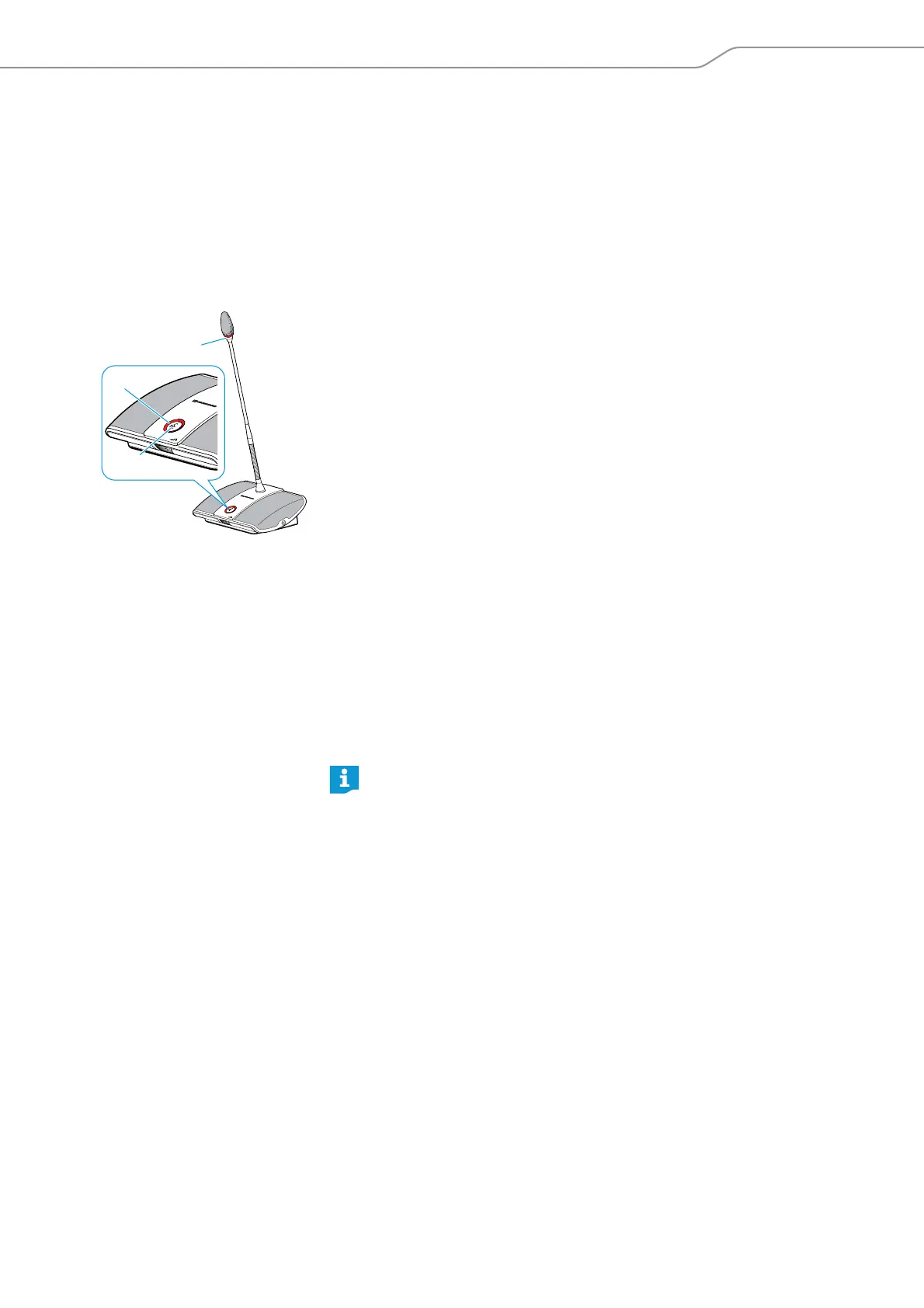
Taking the floor/Making a request to speak
Depending on the conference mode set (see page 50), you can
• take the floor immediately or
• make a request to speak.
You then have to wait until the chairperson activates your microphone.
If the conference mode is set so that you can take the floor immediately (“Direct
Access” mode (factory default setting) or “Override” mode, see page 50):
왘 Press the microphone key .
Your microphone is activated and you can take the floor immediately. The
microphone LED and the signal light ring light up red. The loudspeaker
is muted. Depending on the conference mode and the microphone limit set, the
microphone of the previous speaker will be deactivated.
If the conference mode is set so that you can take the floor immediately (“Push To
Talk” mode, see page 50):
왘 Press the microphone key and keep it pressed for the duration of your
contribution.
Your microphone is activated and you can take the floor immediately. The
microphone LED and the signal light ring light up red. The loudspeaker
is muted.
If the conference mode is set so that you first have to make a request to speak
(“Request” mode, see page 50):
왘 Press the microphone key .
Your request to speak is added to the request-to-speak list.
Depending on the setting adjusted in the operating menu (see page 54):
– the microphone LED flashes green and the signal light ring flashes red
or
– only the microphone LED flashes green.
When the chairperson grants you speaking privileges, your microphone is acti-
vated. The microphone LED and the signal light ring light up red. The
loudspeaker is muted. Depending on the conference mode and the micro-
phone limit set, the microphone of the previous speaker will be deactivated.
Deactivating the microphone/Cancelling a request to speak
To deactivate the microphone when you have finished speaking or to cancel a
request to speak (“Direct Access”, “Override” or “Request” mode):
왘 Press the microphone key once more.
The microphone LED and the signal light ring go off.
In “Push To Talk” mode:
왘 Release the pressed microphone key .
The microphone LED and the signal light ring go off.
쐇
쐆
쐊
With a chairperson unit, you can take the floor at any time, without first
having to be granted speaking privileges.
If you are using delegate units only, you can only choose conference modes
where speaking privileges do not have to be granted by a chairperson
(“Direct Access”, “Override” or “Push To Talk” mode, see page 50). Alterna-
tively, you can use the “Conference Manager” software to control the dele-
gate units (see page 133).



 To Next Page