ADN Digital Conference System | 49
Configuring the conference system via the central unit
Working with the operating menu
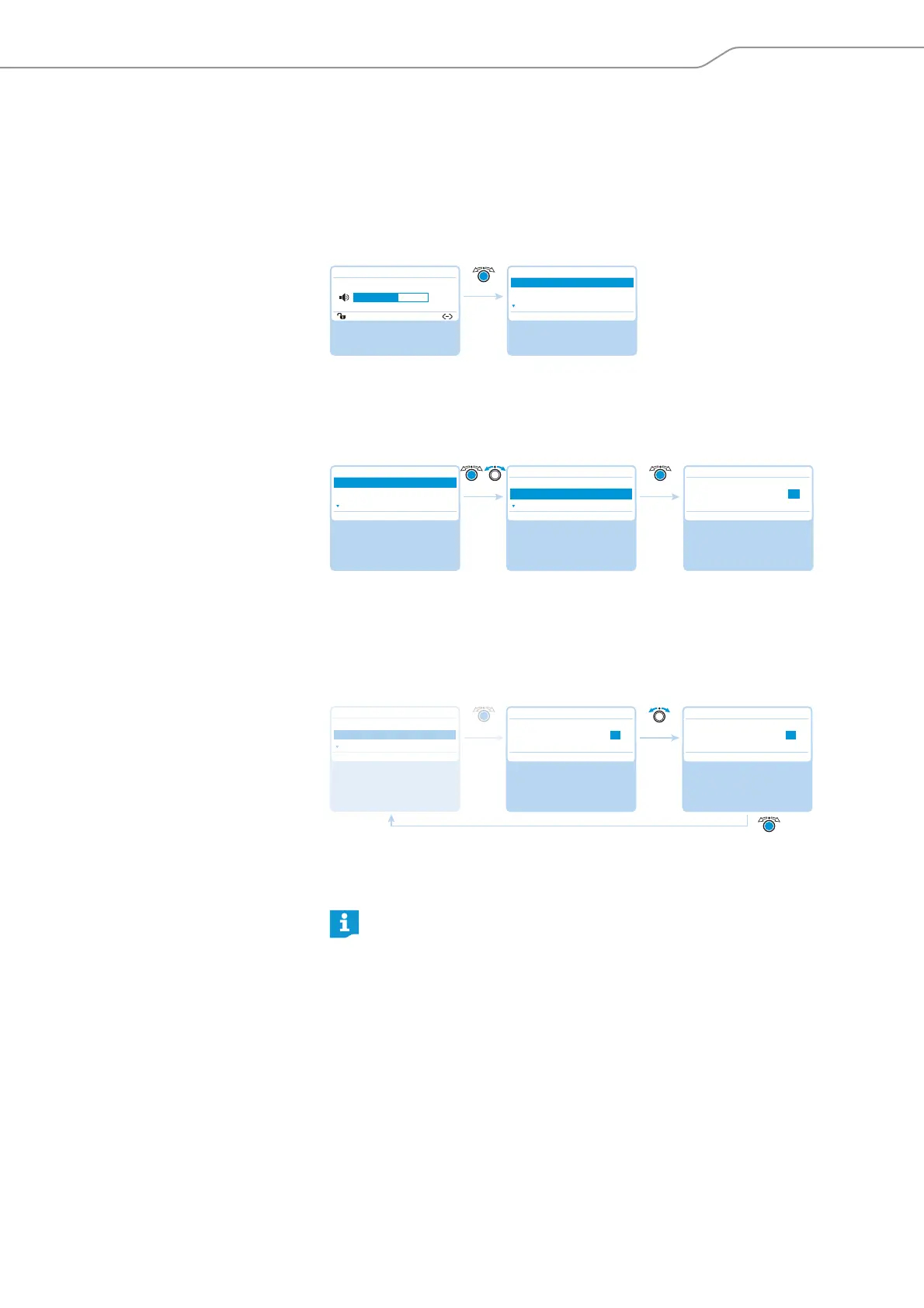
By way of example of the “Microphone Limit” menu item, this section describes
how to use the operating menu.
Information on the factory default settings of the operating menu can be found in
the appendix (see page 158).
Changing from the standard display to the operating menu
왘 Press the jog dial.
The standard display is replaced by the “Main Menu”. The last called-up menu
item is highlighted.
Calling up a menu item
왘 Press the jog dial to call up the “Conference Menu” menu item.
The “Conference Menu” submenu appears.
왘 Turn the jog dial to select the “Microphone Limit” menu item.
왘 Press the jog dial to call up the “Microphone Limit” menu item.
Changing and storing settings
왘 Turn the jog dial to adjust settings in the “Microphone Limit” menu item.
왘 Press the jog dial.
Your setting is stored. You are back to the operating menu.
“Main Menu” Standard display
Direct Access
30 Units
20
Main Menu
Conference
Audio
System
Select and call up the
“Conference Menu”
submenu
Select and call up the
“Microphone Limit”
menu item
The “Microphone Limit”
menu item is displayed
Main Menu
Conference
Audio
System
Conference
Conference Mode
Microphone Limit
Request Limit
Microphone Limit
Conf. Mode
Microphones 05
No. Request
05 05
By briefly turning the jog dial to the left or right, the next or the previous
menu item or setting is displayed.
If you turn the jog dial to the left or right and hold it in this position, the
menu items or settings change in quick succession (“fast search” function).
Select the desired
setting
Store the setting
Microphone Limit
Conf. Mode
Microphones 05
No. Request
Microphone Limit
Conf. Mode
Microphones 07
No. Request
05 07
Select and call up the
“Microphone Limit”
menu item
Conference
Conference Mode
Microphone Limit
Request Limit
5



 To Next Page