ADN Digital Conference System | 27
Putting the conference system into operation
Preparing the ADN C1/ADN D1 conference units for use
The conference units are ready for operation upon delivery. The conference system
automatically recognizes if the connected conference units are chairperson units
(ADN C1) or delegate units (ADN D1) and initializes them automatically.
Installing the cable holder
If you want to permanently install your conference system in a room, use the
optional cable holders (see “Accessories” on page 154).
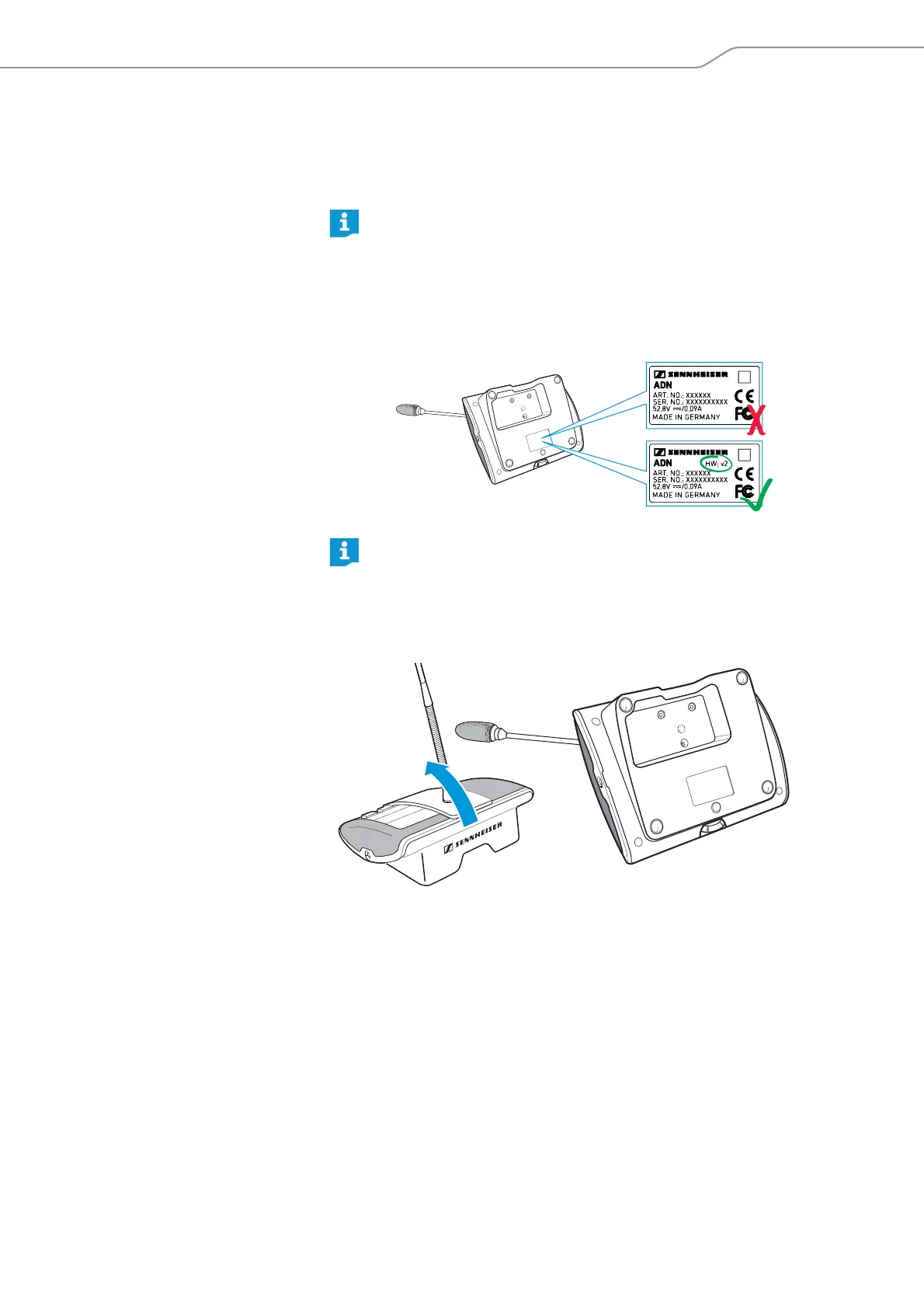
왘 Tilt the conference units as shown.
왘 Hold the conference units with one hand so that the microphone does not rest
on the table.
To ensure full operational reliability in a redundant ring topology, the hard-
ware of the ADN C1 and ADN D1 has been revised. If you combine confer-
ence units with hardware revision 1 (no marking on the type plate) and
conference units with hardware revision 2 (“HW: v2” is printed on the type
plate), fail-safe operation is only possible to a limited extent (see also
page 68).
왘 In a redundant ring topology, only use conference units with hardware
revision 2.
If you connect chairperson units to the conference system during a running
conference, you have to re-initialize them (see page 54 or page 124).



 To Next Page