Putting the conference system into operation
28 | ADN Digital Conference System
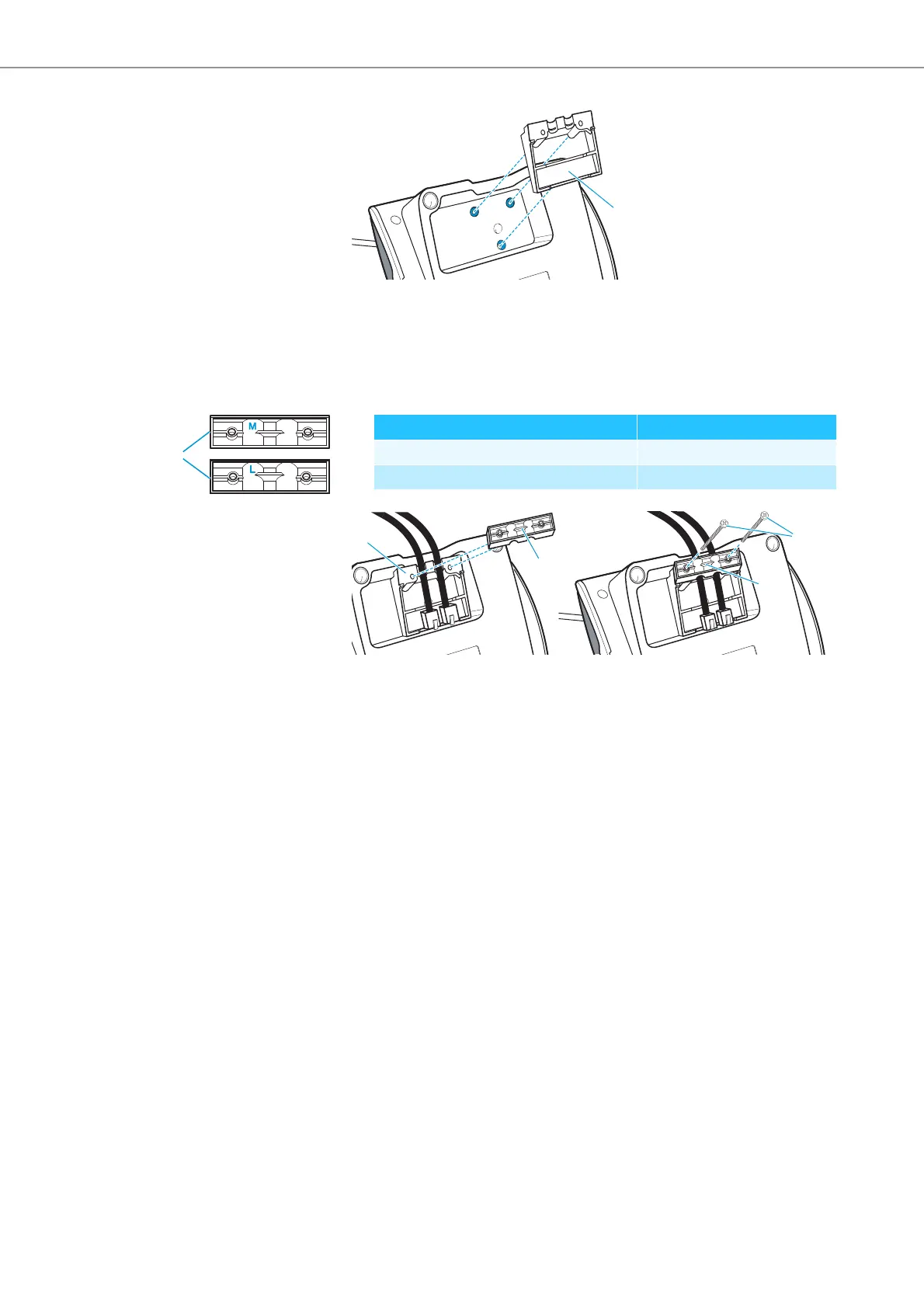
왘 Insert the cable holder as shown.
At this point, the cable holder is not yet fixed with screws. You first have to
connect the conference units as described in the chapter “Setting up the con-
ference system” on page 29.
After you have correctly connected and installed all conference units :
왘 Choose a suitable cover for the cable holder :
왘 Affix the covers as shown.
왘 Slightly tighten the supplied screws (approx. 0.05 Nm).
씈
Cable Cable holder cover
SDC CBL RJ 45 system cable marked “M”
Highly shielded cable marked “L”



 To Next Page