Using the “Conference Manager” software
82 | ADN Digital Conference System
Installing the “Conference Manager” software
To install the software, you require administrator rights.
왘 Close all running applications.
왘 Start the “ADNSetup.exe” file in the “Conference Manager” folder on the
enclosed DVD-ROM.
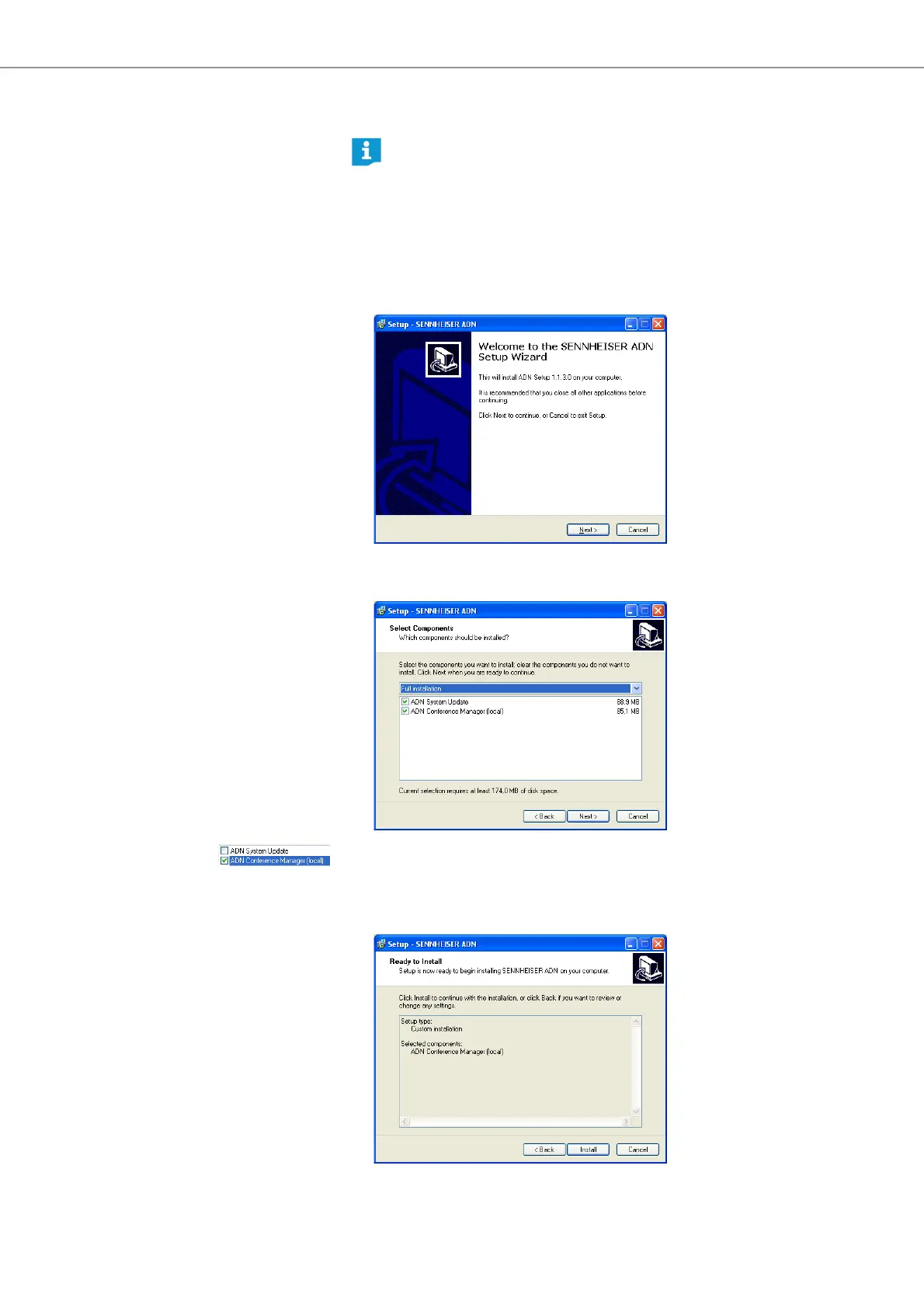
A confirmation prompt appears:
왘 Click the “Next” button.
A selection window appears:
왘 Untick the “ADN System Update” check box.
왘 Make sure that the “ADN Conference Manager (local)” check box is ticked.
왘 Click the “Next” button.
A summary of the selected installation settings is displayed:
The following steps describe the installation of the “Conference Manager”
software on a PC running Windows XP. The installation on a PC running
Windows Vista or Windows 7 is performed in a similar way.



 To Next Page