Doc. 177/5250x
Rev A
6-18
Bitmap item
This item will display bitmaps that are pre-compiled into the code. It is not possible to
upload bitmaps to the display.
The bitmap can be controlled with an associated DO, so that up to 3 bitmaps can be
selected in the screen item, with the bitmap displayed dependent on the value in the data
object.
Sub Index items
The bitmap uses the following specific sub-items:
Sub index Description type
Sub 5 Style flags. U16
Sub 6 Data 1. Bitmap reference 1. U16
Sub 7 Data 2. Data value for bitmap 1. U16
Sub 8 Data 3. Bitmap reference 2. U16
Sub 9 Data 4. Data value for bitmap 2. U16
Sub 10 Data 5. Bitmap reference 3 U16
Sub 11 Data 6. Data value for bitmap 3. U32
Sub 5 – Style Flags
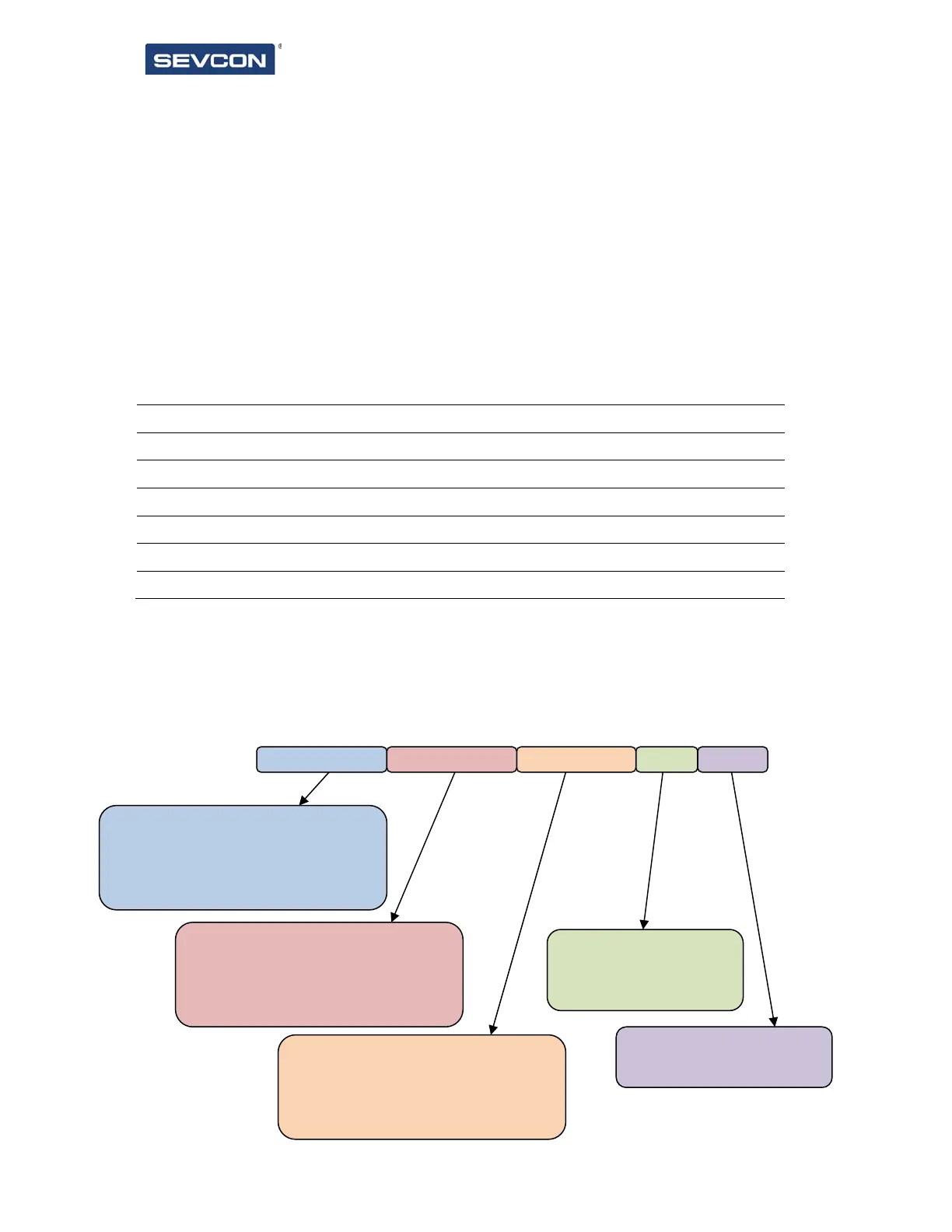
The style flags are contained within an u16 item. The flags define how many bitmaps are
included, and when each bitmap should be displayed. Represented as binary, msb at the left,
the object is constructed as shown below.
Show bitmap 3 when:
0000 = data value equals reference
0001 = data value greater than reference
0010 = data value less than reference
00 = fixed bitmap
01 = data dependent bitmap
00 = invalid
01 = 1 bitmap to display
10 = 2 bitmaps to displa
Show bitmap 2 when:
0000 = data value equals reference
0001 = data value greater than reference
0010 = data value less than reference
Show bitmap 1 when:
0000 = data value equals reference
0001 = data value greater than reference
0010 = data value less than reference
a a a a b b b b c c c c n n d d



 To Next Page