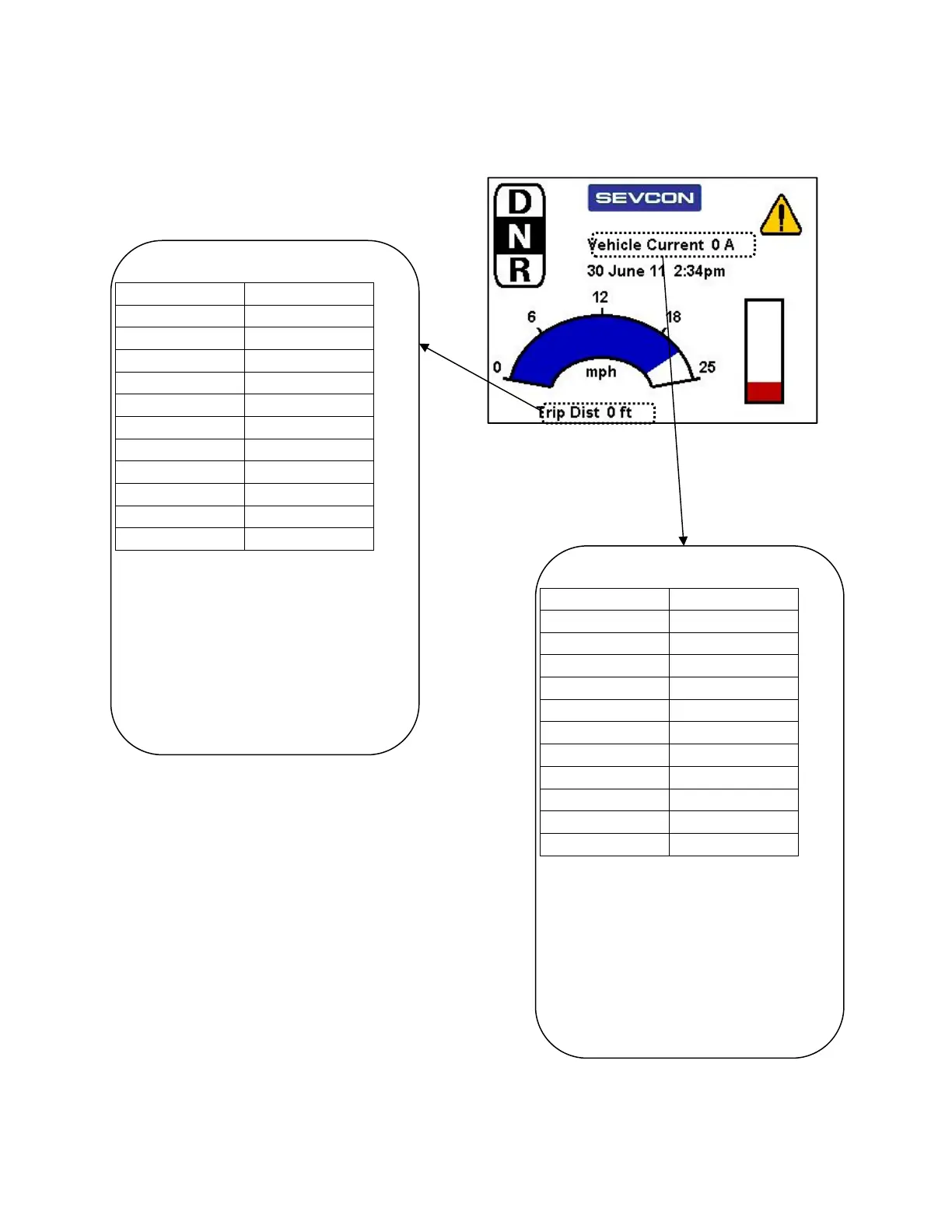
Example Screen Layout
Doc. 177/5250x
Rev. A
9-5
The layout – Text items
Text showing vehicle current
Object 0x2902 Value
Sub 1 3
Sub 2 100
Sub 3 60
Sub 4 36
Sub 5 0x0007
Sub 6 7
Sub 7 N/A
Sub 8 N/A
Sub 9 N/A
Sub 10 N/A
Sub 11 N/A
Sub 1 (3) for a text item, located at (x,y)
location of (100,60). Associated DO of 36,
which is the composite item for vehicle
current.
Sub 5 (0x07) means that name value and
units are shown.
Font, indicated in sub 6, is Arial 11pt bold.
Text showing trip distance
Object 0x2908 Value
Sub 1 3
Sub 2 50
Sub 3 220
Sub 4 26
Sub 5 0x0007
Sub 6 7
Sub 7 N/A
Sub 8 N/A
Sub 9 N/A
Sub 10 N/A
Sub 11 N/A
Sub 1 (3) for a text item, located at (x,y)
location of (100,60). Associated DO of 36,
which is the composite item for vehicle
current.
Sub 5 (0x07) means that name value and
units are shown.
Font, indicated in sub 6, is Arial 11pt bold.



 To Next Page