24
Product Version 1.0 | Revision D | Released 2022-06-20
USER INTERFACE
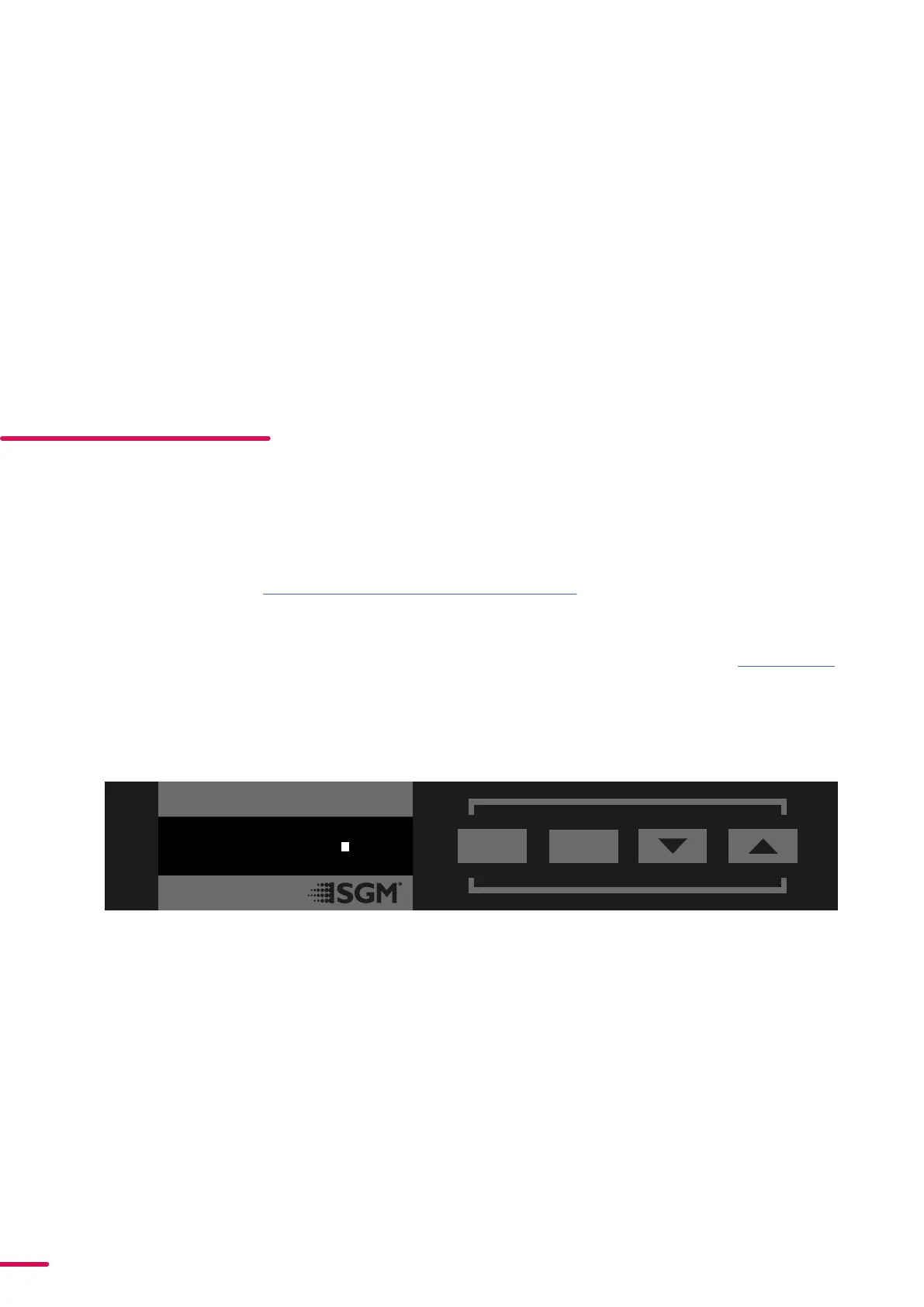
The fixture can be set up by using the control panel and OLED multi-line display on fixture’s head or through RDM.
PLEASE NOTE! IN POI VERSIONS THE DISPLAY IS REPLACED BY AN INDICATOR LIGHT. THE ADJUSTMENTS ARE
MADE THROUGH RDM. SEE “POI PERMANENT OUTDOOR INSTALLATION” FOR MORE INFORMATION.
The OLED display shows the current status and menu of the fixture. It is used to configure individual fixture settings
and read error messages. The complete list of the menu and all commands available are listed in “Control menu”.
Before turning on the fixture, make sure the power cable is properly connected. When the fixture is powered on it will
boot and reset before displaying the selected operating mode and DMX start address. Navigate through the menus
and options using the arrow buttons, and select items using the ENTER button.
Figure 16: OLED display and control panel
USING THE DISPLAY PANEL
• Press the ‘ENTER’ button to access the menu or
make a selection.
• Press the arrow buttons to scroll up and down in
the menus.
• Press the ‘ESC’ button to take a step back in the
menu.
SHORTCUTS
• ESC + ENTER: Press ENTER to confirm factory de-
faults.
• ESC + UP: Press ENTER to start LED test.
• UP + DOWN arrows simultaneously = flip the dis-
play upside-down.
DMX
8
ESC
ENTER
27CH MODE
(35)
WIRELESS
In POI versions with wireless, it is necessary to pair the fixture with a new transmitter (by default, the fixture is linked
to the SGM factory transmitter during the testing and QA process).
In order to do so, make sure the fixture is powered on before taking the following steps:
• STEP 1: Using a SGM magnetic spanner tool, place the magnet close to the LED indicator, and wait for 3 sec-
onds. The LED indicator will blink orange for 1-2 seconds, before switching to static green again. The fixture can
now be paired to a new transmitter.
• STEP 2: Select “connect” or “link” on a wireless DMX transmitter. The transmitter and the internal SGM receiver
should now be linked together.
Repeat the process to link the fixture to another transmitter.
To disconnect the fixture from the currently paired wireless transmitter, hold the magnet for 3 seconds over the LED
indicator. The LED indicator will blink orange for 1-2 seconds, switching later to green again. The fixture is now logged
off.


 To Next Page