36
Product Version 1.0 | Revision D | Released 2022-06-20
Fixture firmware can be identified in two different ways:
Standard Fixture
• When powering on a standard fixture, the display shows
the current installed firmware version.
• Go to MENU → INFO → FIRMWARE VERSION (on standard).
• Through RDM
POI Fixture
• Connect either Std or POI uploader cable depending on
which is more suitable for the installation
• Launch the SGM RDM Adressing Tool
• Click “Full Discovery” fixture should show in the chart. Firm-
ware will be displayed in the firmware column
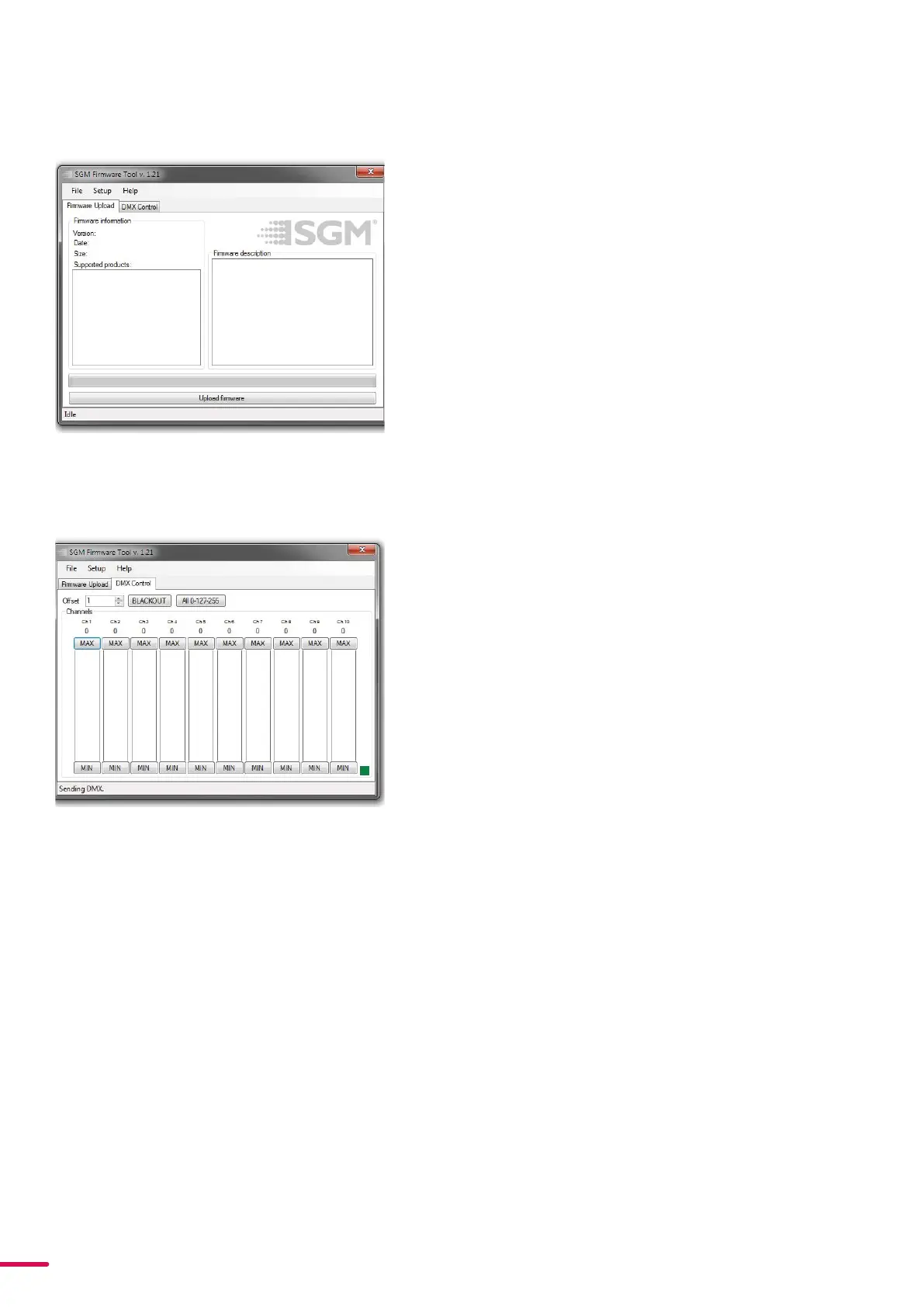
To update a fixture with the latest firmware, use an SGM USB
5-Pin-XLR uploader cable, and a Windows-based computer with
the SGM Firmware Tool software installed (available for download
at www.sgmlight.com).
• Download the SGM Firmware Tool software from the SGM
website
• Download latest firmware file from product web page on
the SGM website
• Connect either Std or POI uploader cable depending on
which is more suitable for the installation
• Launch SGM Firmware Tool on a windows PC
• Click “File” then “Open” and navigate to the firmware file
needed, select it and click “Open”
• The firmware is now loaded in the uploader, click “Upload
Firmware”
The fixture will now update and reboot
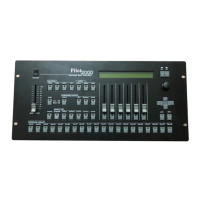
The Firmware Tool software offers a simple DMX controller featur-
ing 512 DMX channels for test purposes.
Figure 31: SGM Firmware tool
Figure 32: SGM Firmware tool
FIRMWARE UPDATES
FOR DOWNLOAD UNDER THE RESPECTIVE PRODUCT AT WWW.SGMLIGHT.COM.


 To Next Page