27
Product Version 1.0 | Revision D | Released 2022-06-20
SETTING A STATIC COLOR MANUALLY
The standard fixture can be configured to display a predefined and static color.
To set up a static color select ENTER → MANUAL → QUICK COLOR.
Note that, once the MANUAL → QUICK COLOR settings are changed, the fixture will be set, by default, to automatical-
ly start in quick color mode whenever it is powered on. This can be reset through the menu SETTINGS → STARTUP
MODE → SELECT STARTUP MODE.
The current quick color program can always be stopped by going to:
ENTER → MANUAL → STOP PROGRAM
PLEASE NOTE! IN POI VERSIONS, CONFIGURING THE FIXTURES IS DONE BY RDM.
Standalone operation is not running when the fixture is connected to
a control device, but when it is pre-programmed with a series of up to
24 scenes, playing continuously in a loop. Up to three stand-alone pro-
grams can be defined and run from the menus, and one of the pro-
grams can be set to run by default whenever the fixture is powered on.
Each of the three available standalone programs contains 24 user-de-
finable scenes with its own RGB and shutter settings.
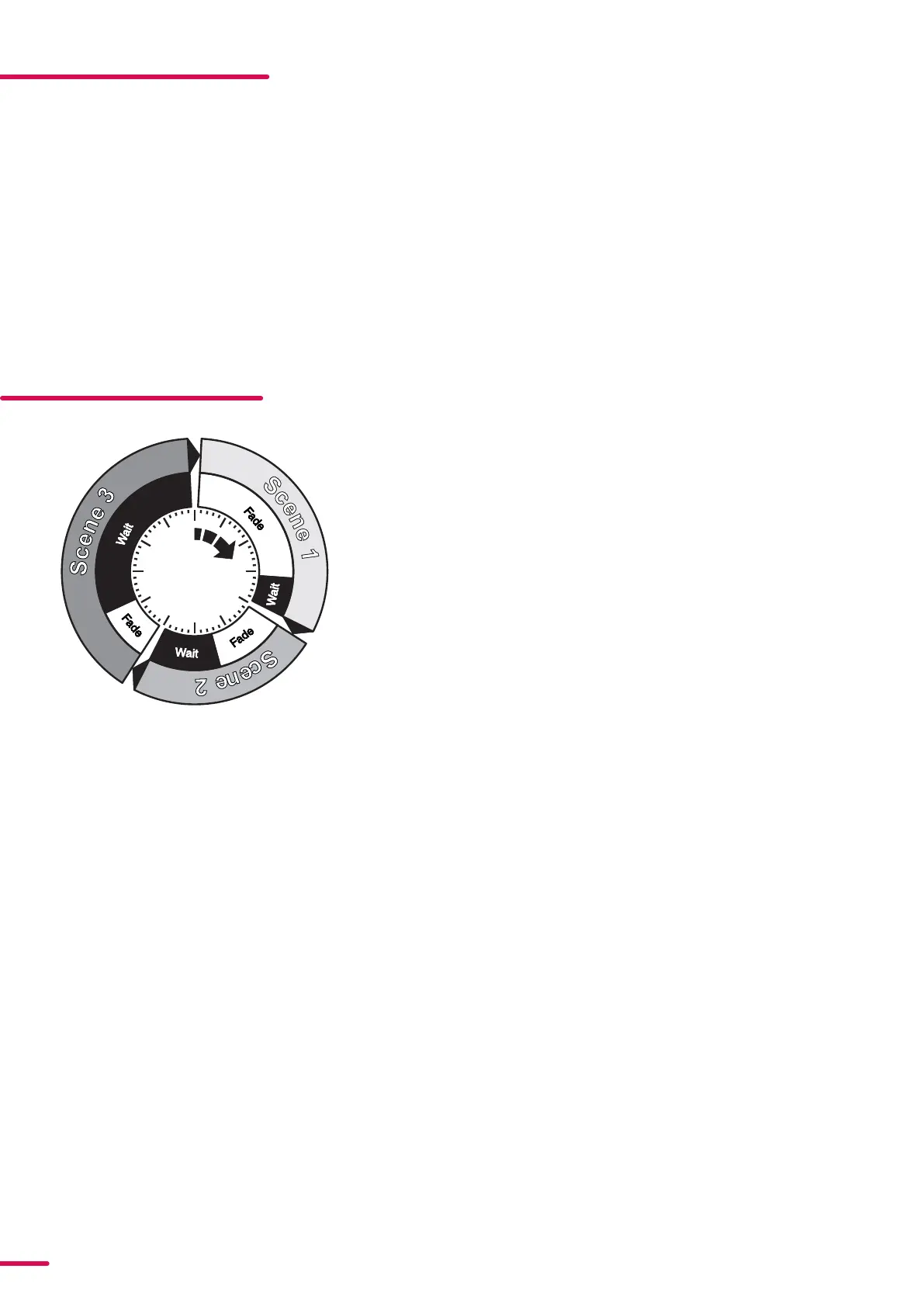
Each scene has a definable fade-in time for the transition from one
color to the next, and a wait (static) time of up to 120 minutes and 59
seconds.
To define a stand-alone program, press ENTER → MANUAL → EDITOR.
Figure 19: Standalone operation
The standalone mode of the fixture’s startup is enabled by selecting:
ENTER → SETTINGS → STARTUP MODE → SELECT STARTUP MODE → STANDALONE.
To select the fixture’s startup program, press:
ENTER → SETTINGS → STARTUP MODE → STARTUP PROGRAM.
The chosen program will run its length cyclically whenever the fixture is powered on.
To run an internal program, go to:
ENTER → MANUAL → RUN PROGRAM.
To stop an active internal program, go to:
ENTER → MANUAL → STOP PROGRAM.
PLEASE NOTE! IN POI VERSIONS, CONFIGURING THE FIXTURES IS DONE THROUGH RDM.
USING STANDALONE OPERATION


 To Next Page