38
Product Version 1.0 | Revision D | Released 2022-06-20
TROUBLESHOOTING
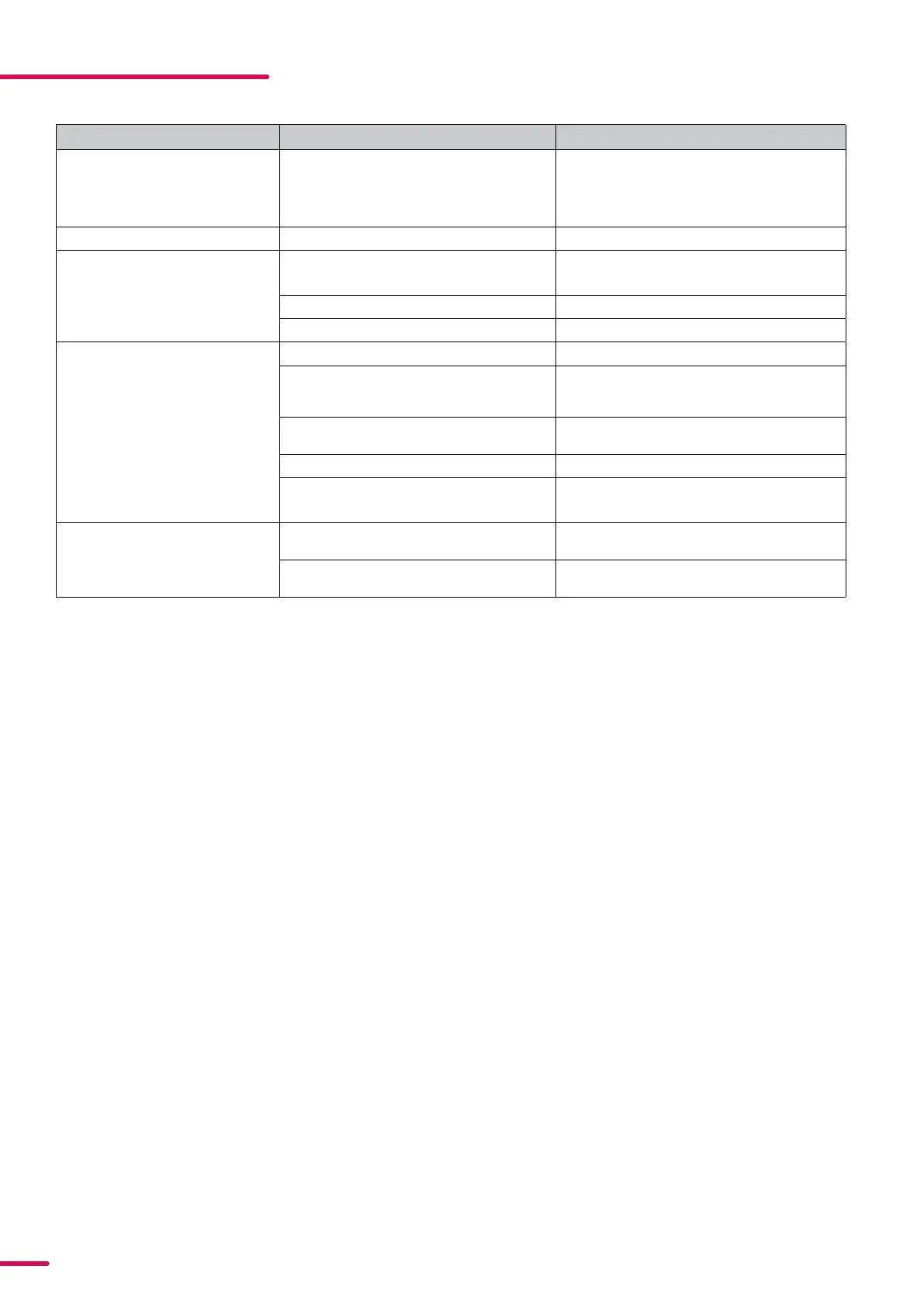
PROBLEM POTENTIAL CAUSE(S) REMEDIES
Fixture does not respond or appears
to be completely dead.
No power to the fixture. Confirm that the power is switched on, confirm
that the cables are plugged in. If the cause can
-
not be detected, contact your local SGM dealer
or support@sgmlight.com
Fixture suddenly turned off. Power was turned off. Check the power supply, switches and breakers.
Fixture suddenly stopped respond
-
ing.
The wireless transmitter or connections were
disconnected/tampered with.
Inspect the wireless transmitter and connec
-
tions.
DMX cables were disconnected. Inspect DMX cables.
DMX address changed. Check settings according to patch.
Fixture operates irregularly / abnor
-
mally.
DMX cable polarization is inverted (pin 2 + 3). Install a phase-inverter or replace cables.
DMX link is not terminated. Install a XLR 120 ohm DMX termination at the
end of
the DMX link.
Corrupted DMX cable. Replace or repair defective cables and/or con
-
nectors.
The fixture operates an internal program. Go to MENU → MANUAL → STOP PROGRAM.
A corrupted fixture generates noise/disrup
-
tions on the DMX link.
Track and isolate the corrupted fixture.
Color is uneven. The minimum values are out of calibration. Contact your local SGM dealer or support@
sgmlight.com
The SGM Calibration Data-set has been lost. Contact your local SGM dealer or support@
sgmlight.com


 To Next Page