AR-5726/5731 SIMULATION 6 - 21
Operation/procedure
Select the short time setup or the long time setup of the pre-heat time
and the auto power shut off time with the 10-key, and press the
[START] key.
Note: When the sub code 71 is entered to display the setting menu,the
default values are always displayed. (However,the default time is
not always set.)
Operation/procedure
Input the set value with the 10-key and press the [START] key.
Operation/procedure
The active sensors and detectors are highlighted.
Operation/procedure
The active sensors and detectors are highlighted.
Width detection size of the manual feed tray (one of them is displayed.)
A4/A3, LT/WLT, B5/B4, INV/LTR, A5/A4R, B5R, POSTCARD, EXTRA,
8K/16K
(At detection, highlighted)
Operation/procedure
The active sensors and detectors are highlighted.
Width detection size of the manual feed tray (one of them is displayed.)
A4/A3, LT/WLT, B5/B4, INV/LTR, A5/A4R, B5R, POSTCARD, EXTRA,
8K/16K
Operation/procedure
The adjustment method is of the 4-point system. Set the guide to Max.
(A3/WLetter) position, A4R/Letter R position, A5R/Invoice R position,
and Min. position for adjustment.
1) Set A3/W Letter and fit the guide, then press the [START] key.
2) Set A4R/LetterR and fit the guide, then press the [START] key.
3) Set to A5R/INVOICE R and fit the guide, then press the [START]
key.
4) Narrow the guide at minimum, press the [START] key.
5) Set the paper detection width (+), and press the [START] key.
26-71
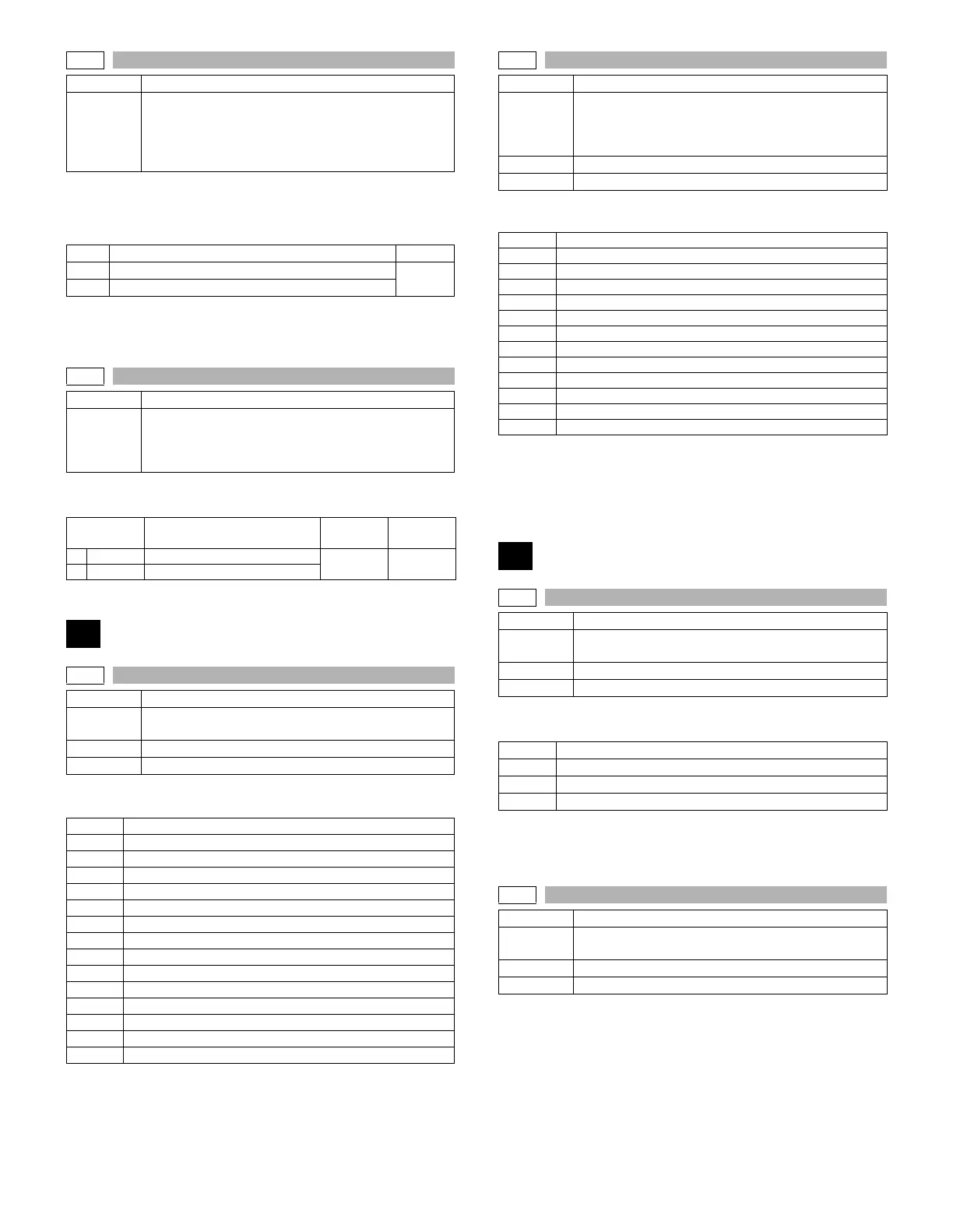
Purpose Setting
Function
(Purpose)
In the power save time setting, the pre-heat (pre-heat
mode setting) and the auto power shut off time can be
set to the short time setup (pre-heat: 1 min, auto power
shut off: 1 min) and the long time setup (pre-heat:
5min, auto power shut off: 30min).
Item Content Default
1 Preheat: 1min, auto power shut off: 1min
1
2 Preheat: 5min, auto power shut off: 30min
26-72
Purpose Setting
Function
(Purpose)
The letterhead support is set.
When “Letterhead paper setting” is selected, the set
value of SIM 26-46 (Image output direction setting) is
set to “Setting Enable” accordingly.
Item Content
Setting
range
Default
0 OFF Letterhead paper is not set.
0-1 0
1 ON Letterhead paper is set.
30
30-1
Purpose Operation test/check
Function
(Purpose)
Used to display the sensor status attached to the
machine.
Section Others
Item Operation
PPD1H
PS paper detection 1 sensor
PPD1L
PS paper detection 2 sensor
PPD2
Fusing paper sensor
POD1
1st paper exit paper out sensor
DVCH
Developing cartridge detection sensor
DRST
Drum intial detection sensor
DSWR1
Interlock switch (side door)
SFTHP
Shifter home position sensor
POD2
2nd paper exit paper out sensor
TOPF
2nd paper exit full detection sensor
DSWR0
2nd paper exit cover open/close detection sensor
LOEMP
1st paper exit empty detection sensor
DUP2
Reverse path paper sensor
POD3
Right paper exit sensor
PTOPF
Right paper exit full sensor
30-2
Purpose Operation test/check
Function
(Purpose)
Used to display the status of the sensors attached to
the standard tray and the manual feed tray. (Use SIM
4-2 for the option trays.)
The sensor of an uninstalled tray is not displayed.
Section Paper feed
Item Operation
PED1
1st tray paper empty sensor
LUD1
1st tray paper upper limit detection sensor
CD1
1st tray empty sensor
PED2
2nd tray paper empty sensor
LUD2
2nd tray paper upper limit detection sensor
CD2
2nd tray empty sensor
PFD2
2nd tray paper pass sensor
DSWR2
2nd tray right door detection sensor
MPED
Manual tray paper empty detection
MPLS1
Manual tray length detection 1
MPLS2
Manual tray length detection 2
MPLD1
Manual feed paper length detection 1
MPLD2
Manual feed paper length detection 2
40
40-1
Purpose Operation test/check
Function
(Purpose)
Used to check the sensor of the machine manual feed
tray.
Section Paper feed
Item Operation
MPLS1
Manual tray length detection 1
MPLS2
Manual tray length detection 2
MPLD1
Manual feed paper length detection 1
MPLD2
Manual feed paper length detection 2
40-2
Purpose Adjustment
Function
(Purpose)
Used to adjust the manual paper feed tray paper width
detector detection level.
Section Paper feed
Item Operation



 To Next Page