26
Character Name, Description, Setting Range Factory Default
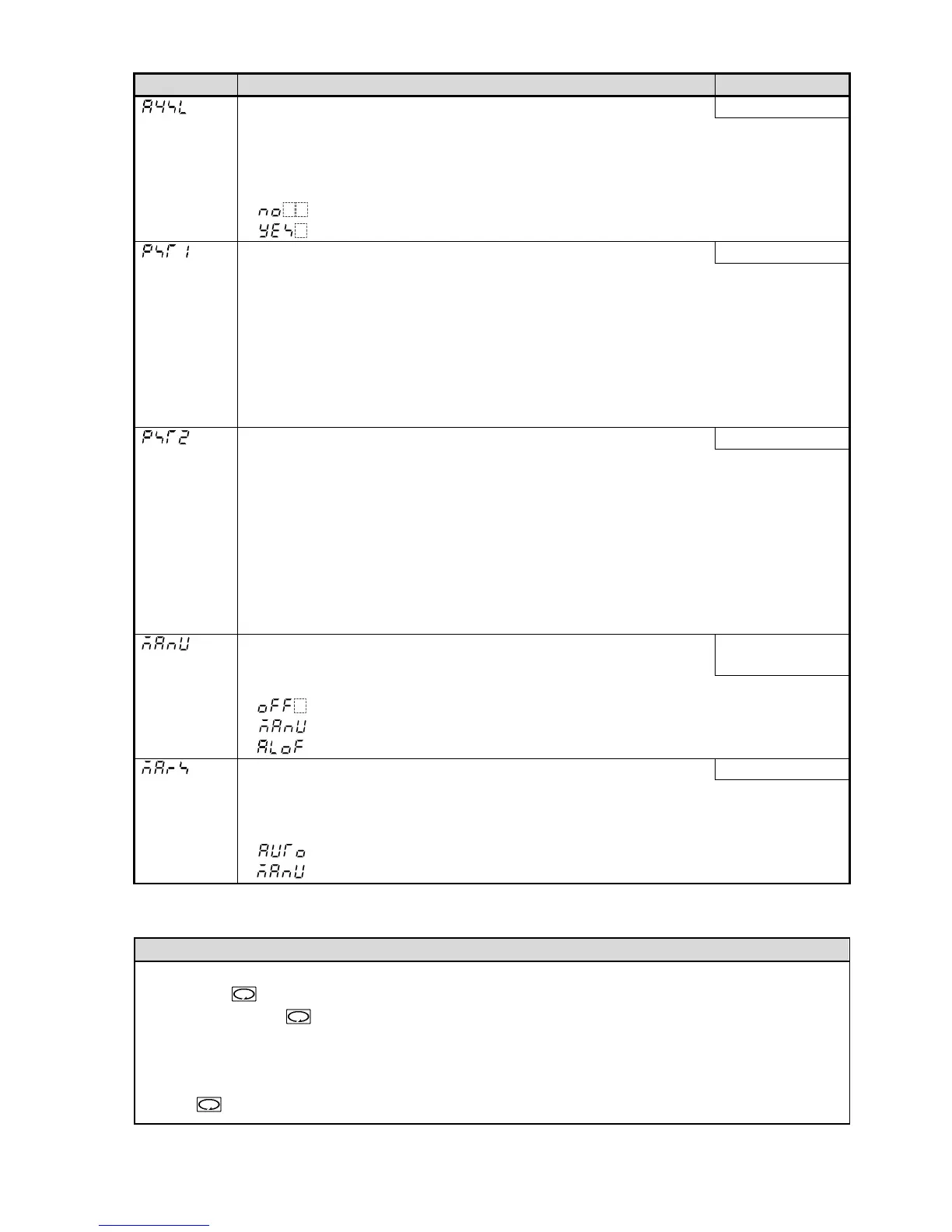
Alarm 4 output Enabled/Disabled Disabled
• Selects whether EVT output is used for Alarm 4 output.
If Loop break alarm, Heater burnout alarm, Alarm 1, Alarm 2 and Alarm 3 output are
set to “Enabled”, they utilize common output terminals.
• Not available if Heating/Cooling control (DC option) is ordered.
• : Disabled
: Enabled
OUT1 MV Preset value 0.0%
• Sets OUT1 MV preset value when Preset output 1 or 2 is selected in [Event input DI
allocation].
Function 1: Outputs OUT1 MV preset value when Event input DI is closed and
sensor is burnt out.
Function 2: Outputs OUT1 MV preset value when Event input DI is closed.
• Available only when Set value memory external selection (EI option) is ordered
• 0.0% or 100.0% for ON/OFF control
• Setting range: OUT1 low limit to OUT1 high limit
OUT2 MV Preset value 0.0%
• Sets OUT2 MV preset value when Preset output 1 or 2 is selected in [Event input DI
allocation].
Function 1: Outputs OUT2 MV preset value when Event input DI is closed and
sensor is burnt out.
Function 2: Outputs OUT2 MV preset value when Event input DI is closed.
• Available when Set value memory external selection (EI option) or Heating/Cooling
control (DC option) is ordered.
0.0% or 100.0% for ON/OFF control action
• Setting range: OUT2 low limit to OUT2 high limit
SUB-MODE key function
• Selects a function of the SUB-MODE key from the following:
Control output
OFF
Control output OFF, Auto/Manual control, Alarm Hold cancel
• : Control output OFF
: Auto/Manual control
: Alarm Hold cancel
Auto/Manual control after power ON Automatic control
• When the power is turned ON, Automatic control or Manual control can be selected
for starting control.
• Available only when ‘Auto/Manual control’ is selected in [SUB-MODE key function].
• : Automatic control
: Manual control
5.6 Output MV (manipulated variable) Indication
Name, Description
Output MV (manipulated variable) indication
Press the key for approx. 3 seconds in PV/SV Display mode.
Keep pressing the key until the output manipulated variable appears, though the main setting
mode appears during the process.
The output MV is indicated on the SV Display, and the 1st decimal point from the right flashes
in 500 ms cycles on the SV Display.
If the key is pressed again, the instrument reverts to the PV/SV Display mode.



 To Next Page