Custom
Custom mode provides control over all automixing parameters. This mode is useful when adjustments must be made to one of the preset modes to fit a partic-
ular application. If parameters are changed in smooth or classic mode, custom mode automatically activates.
Manual
Manual mode sums all active tracks and sends the summed signal over a single Dante output. This provides the option to route the signal for reinforcement or
recording, without enabling automixing. The settings from the faders in the standard monitoring view apply to the summed output.
Echo Reduction
In audio conferencing, a talker may hear their voice echo as a result of the microphone capturing far-end audio from loudspeakers.
The echo reduction feature prevents the far-end signal from activating the microphone. Ideal for installations in which per-channel DSP echo cancellation is not
within a project budget, echo reduction is highly effective for connecting directly to a computer or video codec which hosts a single-channel echo canceller.
How It Works
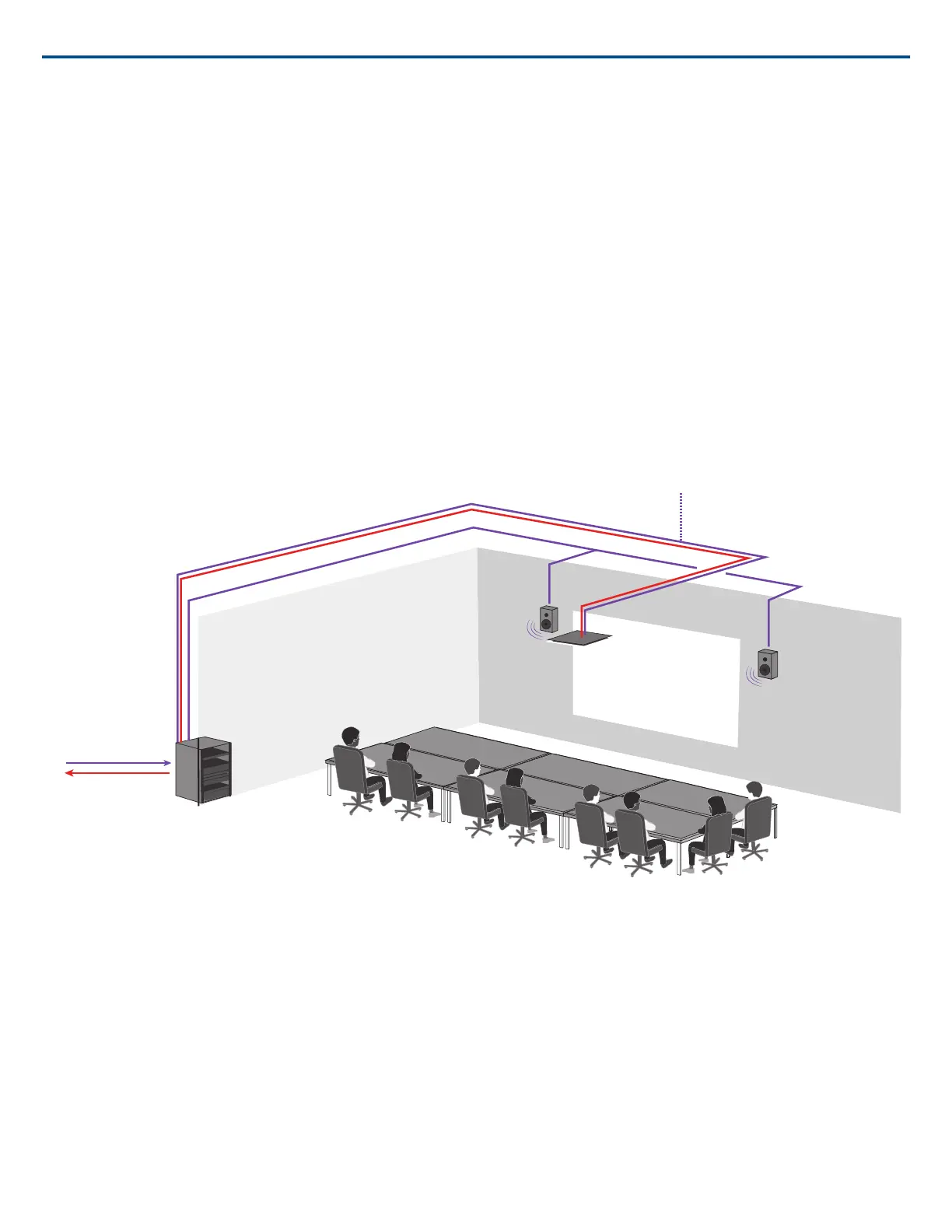
An echo reference signal from the far end is routed through Dante Controller software to the microphone's Intellimix processing algorithm. The processor uses
this signal to prevent the microphone from gating on and capturing audio from the loudspeakers.
Use the far-end audio as a reference signal to the MXA910 to prevent the loudspeakers from activating the microphone.
Audio in from far end
Audio out to far end
Enabling Echo Reduction
1. Use Dante Controller software to route the incoming far end audio signal to the Echo Suppression Reference In channel on the MXA910.
2. In the MXA910 web application, enter Configuration> AUTOMIX
3. Enable echo reduction by selecting a strength setting in the pull-down menu. Soft, medium, and hard settings provide far-end attenuation and apply gain to
the reference channel to ensure proper gating.
Note: the off-attenuation setting changes to -56 dB, and the Leave last microphone on setting is set to OFF when echo reduction is enabled.
AES67
AES67 is a networked audio standard that enables communication between hardware components which use different IP audio technologies. This Shure device
supports AES67 for increased compatibility within networked systems for live sound, integrated installations, and broadcast applications.
The following information is critical when transmitting or receiving AES67 signals:
• Update Dante Controller software to the newest available version to ensure the AES67 configuration tab appears
• AES67 must be disabled in Dante Controller before turning encryption on or off in the web application for the Shure device.
• AES67 can not operate when the transmit and receive devices both support Dante. It can only be used when two or more protocols are being used.
Shure IncorporatedMXA910 Ceiling Array Microphone
2017/10/1836/57













 To Next Page