2. Connect the router to a computer.
3. Connect the router to Port 2, 3, or 4 on the Audio Network Interface
4. Connect the Access Point Transceiver to the Port 1 of the Audio Network Interface.
5. Connect the Network Charging Station(s) to an open port(s) on the Audio Network Interface.
6. Repeat steps 2 - 4 for additional equipment.
Rack Installation
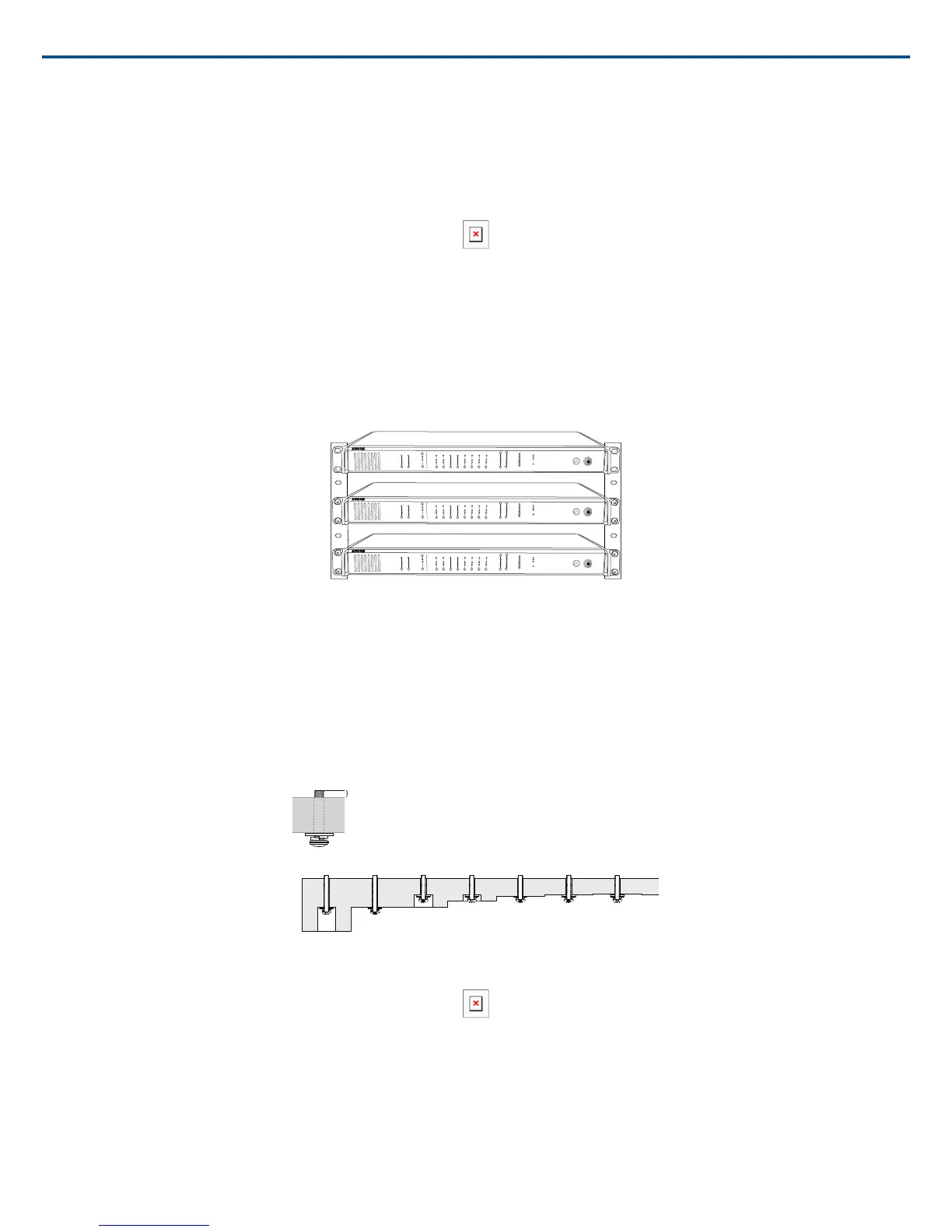
Rackmount the device using the screws and washers supplied in the Hardware Kit. Follow these general best practices when installing equipment in a rack:
• Ambient temperature of the rack should not exceed specified operating temperature range of the device.
• Keep fan inlet and side air vents clear from obstructions and provide adequate space for airflow within the rack.
• When possible, provide 1 RU of empty space between each device.
lockout
power
ethernet
network audio
push to solo | hold to mute
-9
-18
-24
-36
-48
-60
0
-9
-12
-18
-24
0
aux
mic
adjust
line
sig/clip
mute
INPUT
A
sig/clip
mute
OUTPUT
HEADPHONE
Audio Network Interface
MICROFLEX WIRELESS
B
1
2
3
4
5
6
7
8
line
aux
lockout
power
ethernet
network audio
push to solo | hold to mute
-9
-18
-24
-36
-48
-60
0
-9
-12
-18
-24
0
aux
mic
adjust
line
sig/clip
mute
INPUT
A
sig/clip
mute
OUTPUT
HEADPHONE
Audio Network Interface
MICROFLEX WIRELESS
B
1
2
3
4
5
6
7
8
line
aux
lockout
power
ethernet
network audio
push to solo | hold to mute
-9
-18
-24
-36
-48
-60
0
-9
-12
-18
-24
0
aux
mic
adjust
line
sig/clip
mute
INPUT
A
sig/clip
mute
OUTPUT
HEADPHONE
Audio Network Interface
MICROFLEX WIRELESS
B
1
2
3
4
5
6
7
8
line
aux
Securing the Charging Station
This kit provides washers and screws for securing a charging tray to a table or other surface. Use two kits for the NCS8. Please refer to the NCS mounting
template for screw hole placement.
Important: The top of the screw must extend exactly ⁹/₆₄ (0.149) inches (3.78 mm) above the surface (about 4½ threads).
• Use the screws that best fit the thickness of the table.
• Use a lock washer and flat washer for each screw.
• If necessary, counterbore the screw head or add additional flat washers.
Use counterbore and washers as necessary depending on thickness of table
Required Thread Exposure
Use counterbore and washers as necessary depending on thickness of table
NCS Mounting Template
Two-Channel Charger Wall Mount
The two-channel charger includes a wall-mount to provide quick microphone access and storage in a classroom or conference room.
Shure IncorporatedMXW
19/722017/05/17














 To Next Page