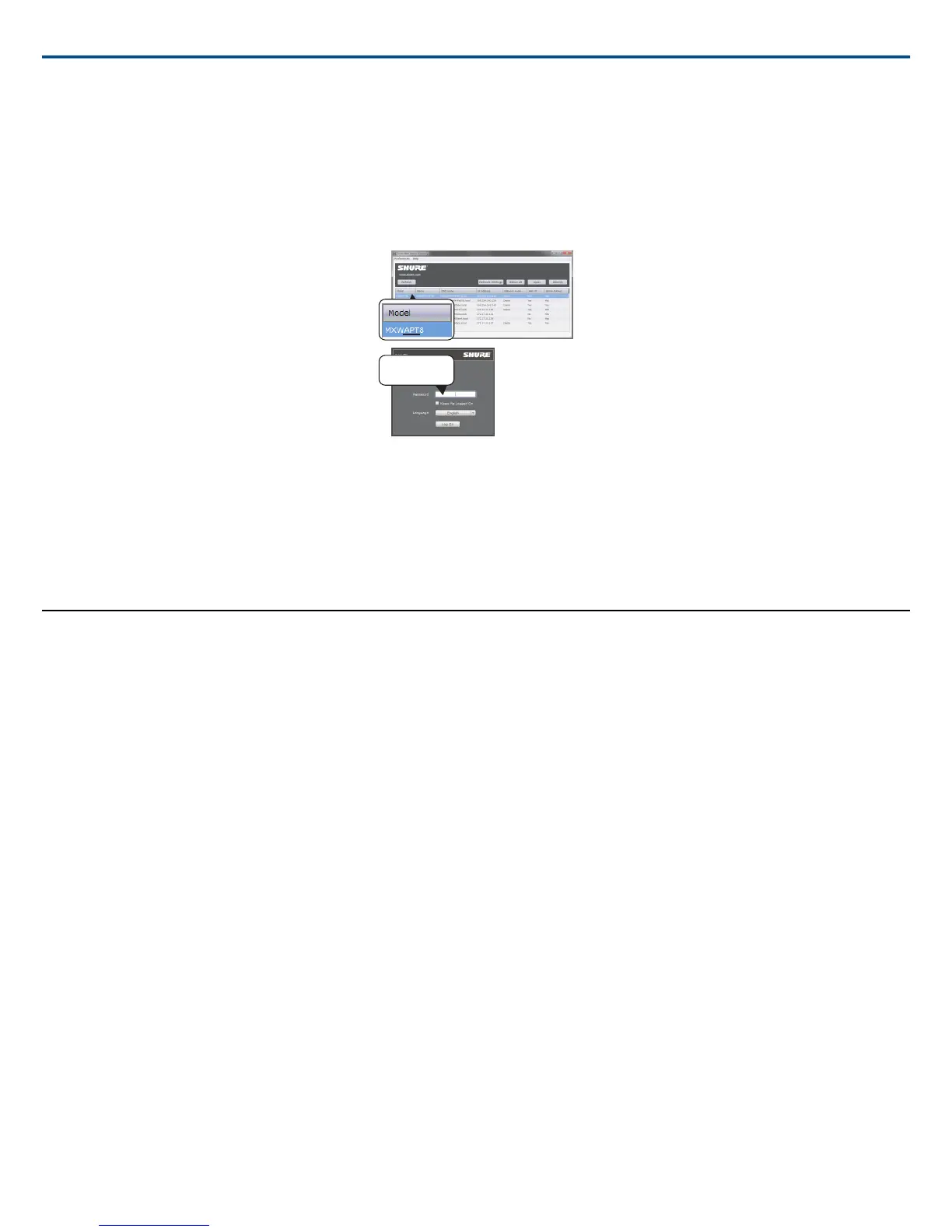
Double-click on any APT to open the MXW System control software. The application can be set to open by IP address or DNS name (selectable from the Pref-
erences drop-down).
6. Enter Default Password
Enter the default password 'admin' to access the control software.
7. Bookmark the Webpage (recommended)
Bookmark the IP address of the device when it is set to a Static IP address. Bookmark the device's DNS name when the IP mode is set to Automatic (DHCP).
Operating System Requirements
To operate the control software, the computer must meet the following requirements:
• Windows: Windows XP, Windows Vista and Windows 7
• Apple: Mac OSX 10.6 and higher (Intel Core 2 Duo processor and later)
•
Latest version of Adobe
®
Flash
®
Player
Systeem instellen
Group Devices to Form Audio Channels
Use the group configuration to form the audio channel between the microphone, the access point (APT), charger and audio output device. The audio channel
establishes the audio routing, RF coordination, and data control for a set of devices. Groups are comprised of networked devices (set to the same subnet). A
component can belong to one group at a time.
Start with the APT and select the corresponding devices:
• Chargers: for linking microphones
• Audio outputs: for routing audio to analog outputs
Shure IncorporatedMXW
2017/05/1728/72














 To Next Page