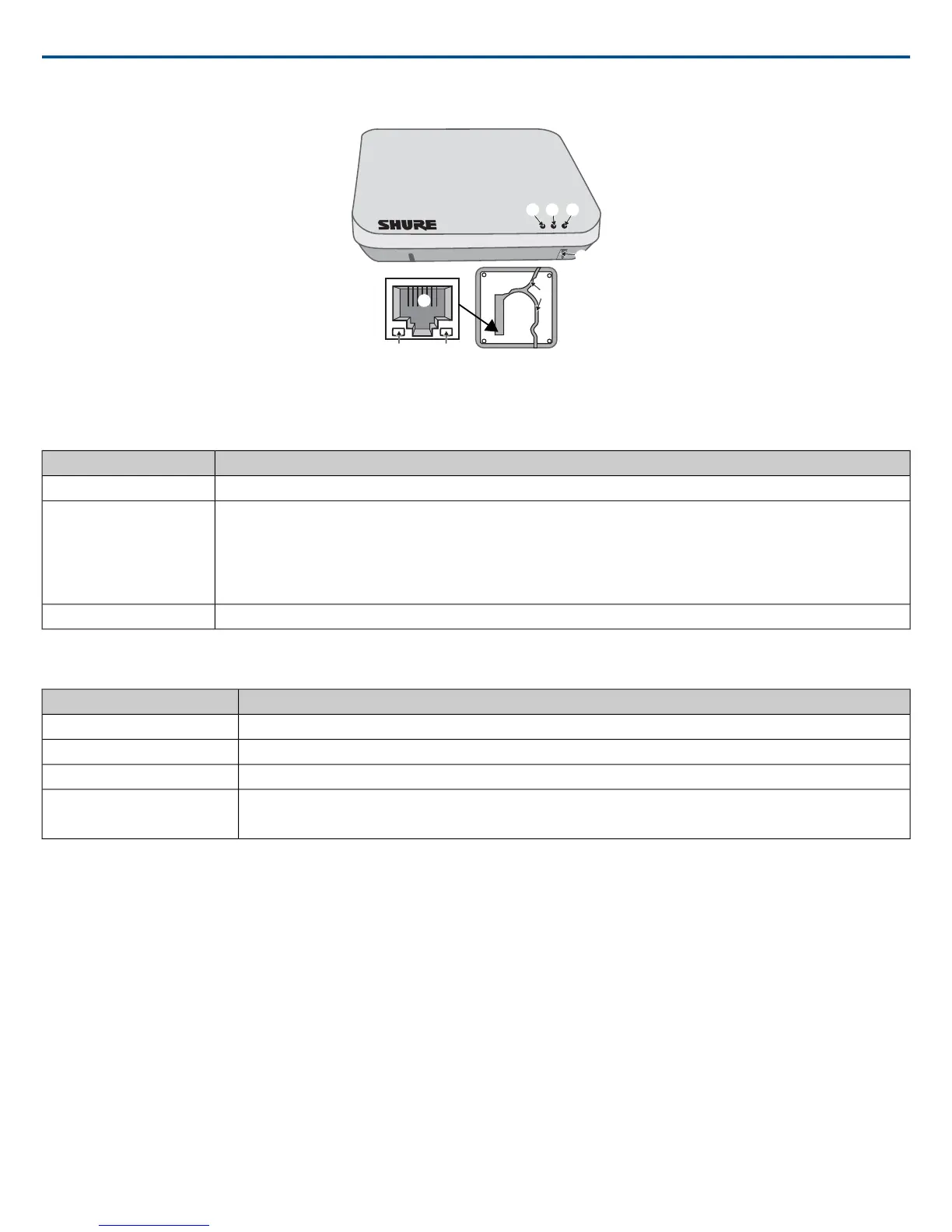
① Power LED
Illuminates green to indicate the presence of Power over Ethernet (PoE).
② Network Audio LED
StatusColor
All routed receive channels are OK (receiving digital audio as expected).Green
•One or more connected receive channels experiencing a subscription error or is unresolved (transmitting device is off, dis-
connected, renamed or has incorrect network setting).
•Receiving an Identification signal from the control software (simultaneous flash with Link Status LED).
•The device is performing a spectrum scan (alternating flash with Link Status LED).
•Clock synchronization problem.
Flashing Green
No receive channels connected (routing has not been established).Off
Note: the network audio status can be monitored in detail from Dante Controller software.
③ Microphone Link Status LED
StatusColor
≥1 microphone is linked and powered on in the Active, Mute or Standby state.Green
≥1 microphone is linked and is Off or in a non-networked charger.Off
No microphones have been linked.Red
•Receiving an Identification signal from the control software (simultaneous flash with Network Audio LED).
•The device is performing a spectrum scan (alternating flash with Network Audio LED).
Flashing Red
④ Reset Button
Press and hold the reset button for 10 seconds to reset the MXW system to factory default settings.
Note: The reset deletes group association and microphone links, and will reboot the device in DHCP mode.
⑤ Ethernet Port
Connect a shielded Cat5e (or higher) cable to a PoE source and the network.
⑥ Ethernet Status LED (Green)
• Off = no network link
• On = network link established
• Flashing = network link active
⑦ Ethernet Link Speed LED (Amber)
• Off = 10/100 Mbps
• On = 1 Gbps (required for proper MXW functionality)
⑧ Cable Routing Path
Provides a path for the Ethernet cable to enable a flush-mount to the ceiling or wall.
Shure IncorporatedMXW
2017/05/178/72














 To Next Page